Make it with your AI. Host it on paste page.
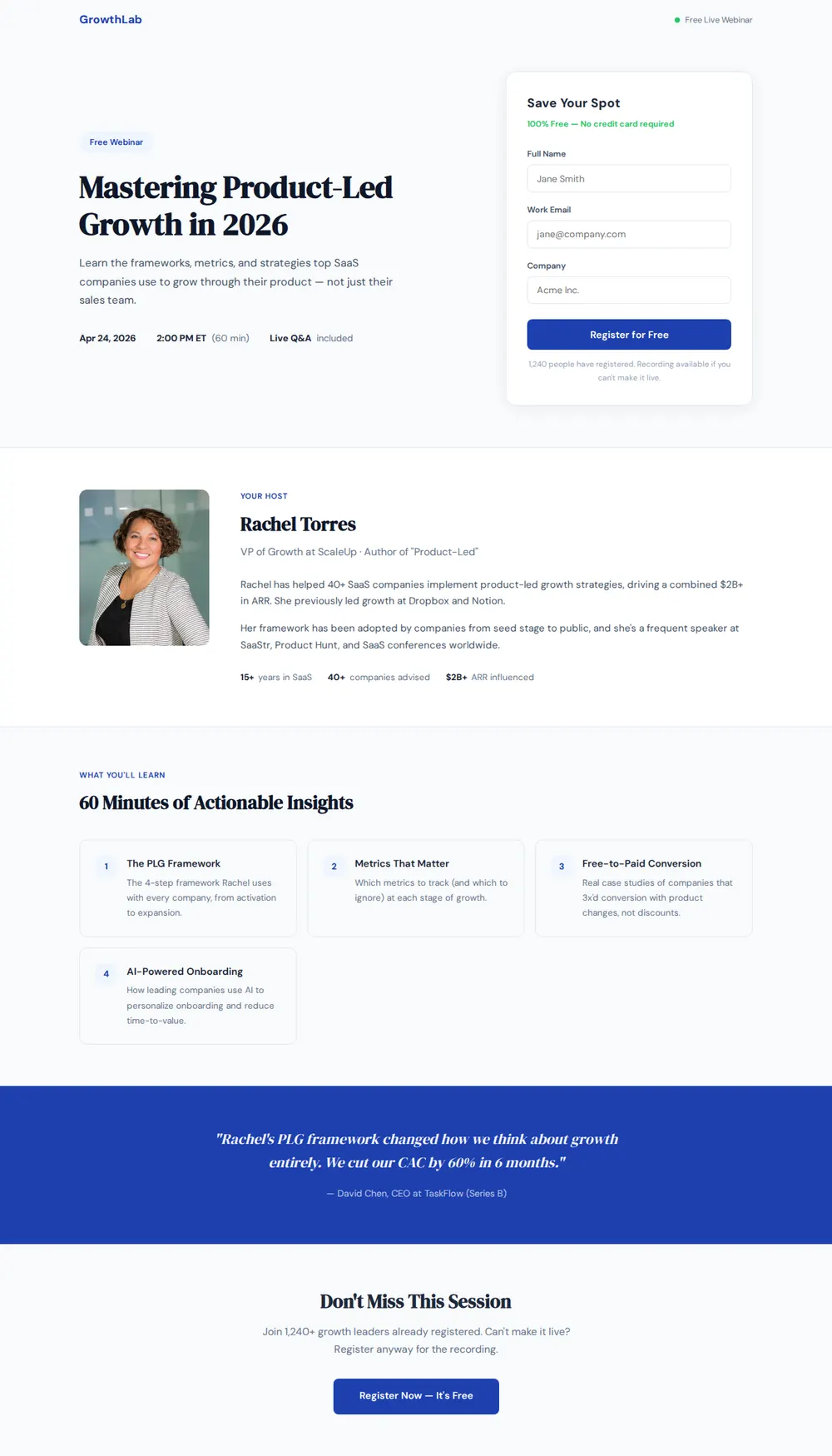
Webinar landing page with a Register button
Ask your AI for a webinar page with the date and time zone, a Register form, your presenter and the agenda. Paste it into paste page and put the link in your invite.
Copy the prompt paste what your AI writes live at paste.page/growthlab-webinar
Works with any AI chat
- ChatGPT
- Claude
- Gemini
- Copilot
- Grok

How it works
From prompt to webinar page in three steps
Your AI writes the page. paste page puts it online.
Copy the prompt below into ChatGPT, Claude or any AI. It asks for the webinar title, what attendees will learn, the presenter's name, title and bio, the date and time with time zone, the link where people register and whether it's free or paid, then writes the whole page.
Paste the code into paste page and pick a name for your page.
You're live. Pick your link, such as paste.page/growthlab-webinar, and publish. Put it in your invite email and pin it to your LinkedIn post about the session.
Your prompt
Copy it into your AI chat
I want to create a webinar registration page. Ask me: 1. What's the webinar title? 2. What will attendees learn? 3. Who's presenting? (name, title, and brief bio) 4. What's the date and time? (include timezone) 5. What's the registration link or form action URL? 6. Is it free or paid? Then generate the complete single-file HTML page with inline CSS. Make it beautiful and responsive.
Your photos
Add your host's photo and your logo
Upload them in the paste page editor and each one gets its own link. Give those links to your AI and ask it to use them, or swap them in yourself.
A headshot of each presenter, your company logo for the top bar, a slide from the talk as a preview.
Use this link for Rachel's headshot and put our logo in place of the GrowthLab name.
No photos yet? Your AI uses placeholders you can swap after publishing.
Change anything by asking
Keep talking to your AI after it writes the page. Ask for new colours, fonts or sections in plain words and it rewrites the page. Paste the new version in and your link stays the same.
One webinar landing page template, three brands. One sentence each.
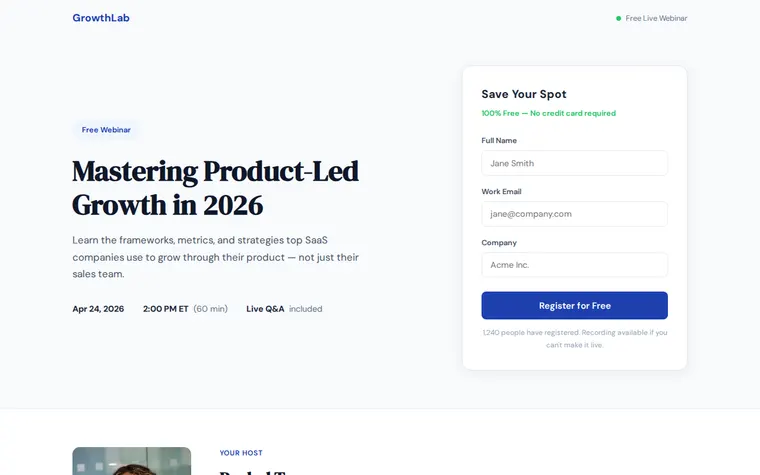
As it comes 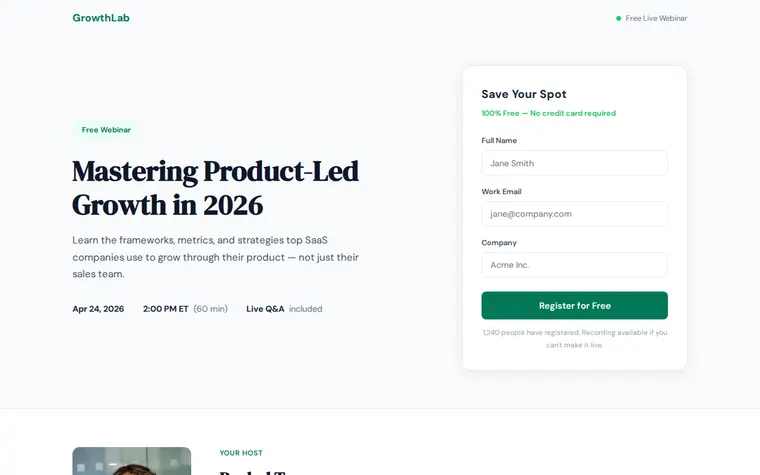
"Use our green" 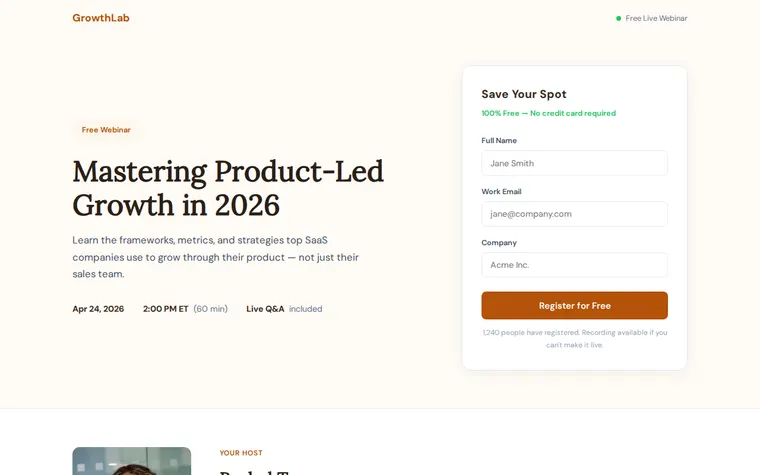
"Warmer, for a wellness workshop"
More things to ask for
- Add a second speaker next to the host.
- Add a countdown to the start time.
- Put the agenda in time order with minutes for each part.
- Add a question field to the form.
- Show the time for London and New York as well.
What's on the page
Top bar
Your brand name and a live dot marking it as a live webinar.
Hero
The title, a line on what it covers, the date, time, length and Live Q&A.
Register card
Name, work email and company, a Register button and how many have signed up.
Your host
Photo, role, a short bio and three credentials in big numbers.
What you'll learn
Four numbered topics, each with a line of detail.
Testimonial and final call
A quote from a past attendee on a blue band, then one more Register button.
Where you'll share it
Your invite email
One button to the page, where the date, host and form are all waiting.
LinkedIn and X
Post the link with the title. People who click see the full agenda before they commit.
After it's over
Ask your AI to swap the form for the recording and paste it in. Old links still work.
Two ways to start
Let your AI write it
Copy the prompt, answer the questions, and get a page built around your details.
Start from this design
Open this exact page in the paste page editor, swap in your words and photos, and publish.
Use this templateOr skip the template. Make something weird and put it live the same way.
Questions
- Is the webinar landing page template free?
- Yes. Copy the prompt or use the template, then sign up free to claim your link.
- Where do the names people enter on the webinar page go?
- To whatever you connect it to. When the prompt asks where people should register, give it your Zoom, Luma or Google Forms link and the button goes there, or give it a form action URL from a form service and the fields post straight to it.
- Can the webinar page show the start time in each visitor's time zone?
- Yes. Ask your AI to convert the time with a short script, so someone in Sydney sees their own time under yours.
- Can I reuse the webinar page for the recording afterwards?
- Yes. Ask your AI to replace the Register card with the video and change the heading to Watch the Replay. The address stays the same.
- Does the webinar template work for a paid session?
- Yes. Tell the prompt it's paid and give it your checkout link, such as a Stripe payment link or an Eventbrite ticket page. Payment happens there.
More events templates
- Conference / SummitSpeakers, schedule, tickets.
- MeetupCommunity gathering. Come hang.
- Online CourseCurriculum, enroll, learn.
- Lead CaptureEmail collection with a hook.