Make it with your AI. Host it on paste page.
A course landing page your AI fills in for you
Ask your AI for a course page with what students learn, every module, the price and an enrol button. Paste it into paste page and share the link.
Copy the prompt paste what your AI writes live at paste.page/learn-python
Works with any AI chat
- ChatGPT
- Claude
- Gemini
- Copilot
- Grok

How it works
From prompt to course page in three steps
Your AI writes the page. paste page puts it online.
Copy the prompt below into ChatGPT, Claude or any AI. It asks for the course title, who's teaching, the modules, the price, your enrolment link, student reviews and any prerequisites, then writes the whole page.
Paste the code into paste page and pick a name for your page.
You're live. Pick your link, such as paste.page/learn-python, publish, and add it to the welcome email for your mailing list.
Your prompt
Copy it into your AI chat
I want to create an online course page. Ask me: 1. What's the course title? 2. Who's the instructor? 3. What will students learn? (curriculum outline or modules) 4. What's the price? 5. What's the enrollment link? 6. Any testimonials from past students? 7. What are the prerequisites? (if any) Then generate the complete single-file HTML page with inline CSS. Make it beautiful and responsive.
Your photos
Add your photo and a course preview
Upload them in the paste page editor and each one gets its own link. Give those links to your AI and ask it to use them, or swap them in yourself.
A headshot for the instructor card, a screenshot from a lesson, a still from your intro video.
Put this headshot in the instructor section and add this lesson screenshot under the hero.
No photos yet? Your AI uses placeholders you can swap after publishing.
Change anything by asking
Keep talking to your AI after it writes the page. Ask for new colours, fonts or sections in plain words and it rewrites the page. Paste the new version in and your link stays the same.
Same course page, one sentence to your AI.
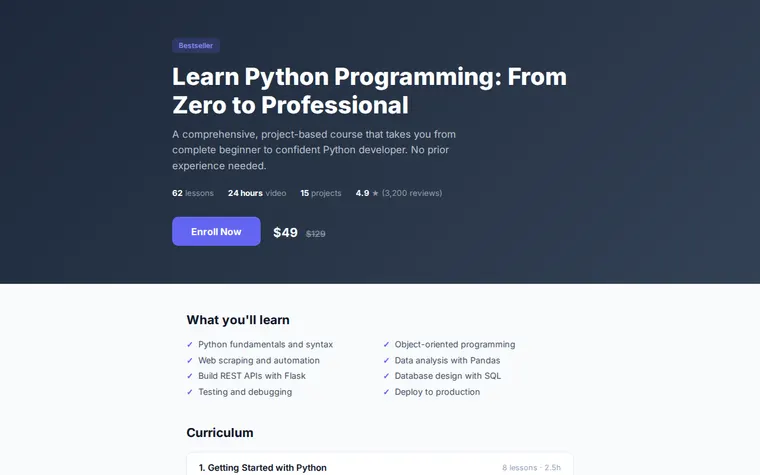
As it comes 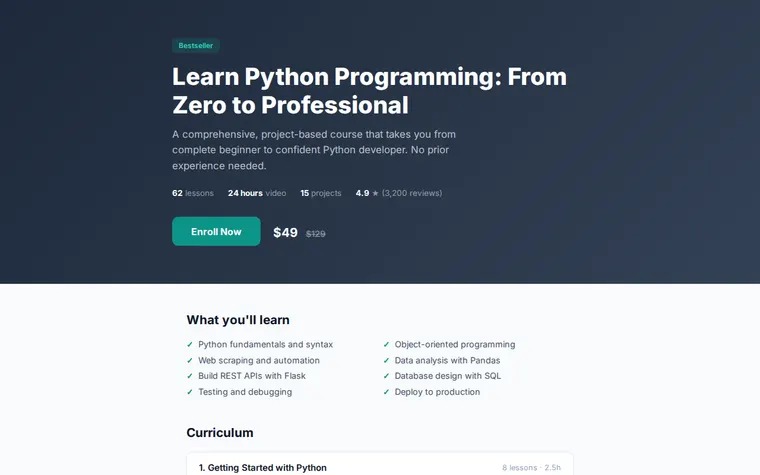
"Teal to match my logo" 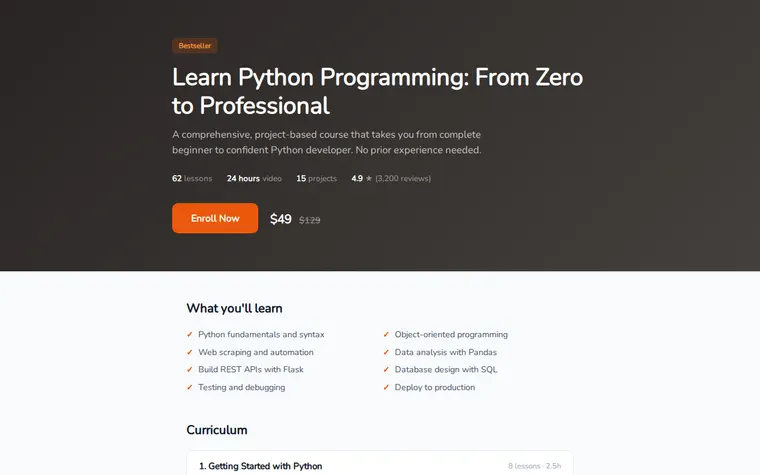
"Warmer, for a baking course"
More things to ask for
- Add a preview video from YouTube above the curriculum.
- Show a countdown to the next cohort start date.
- Add a section on who the course is not for.
- Let each module open to show its lesson titles.
- Add a payment plan option under the price.
What's on the page
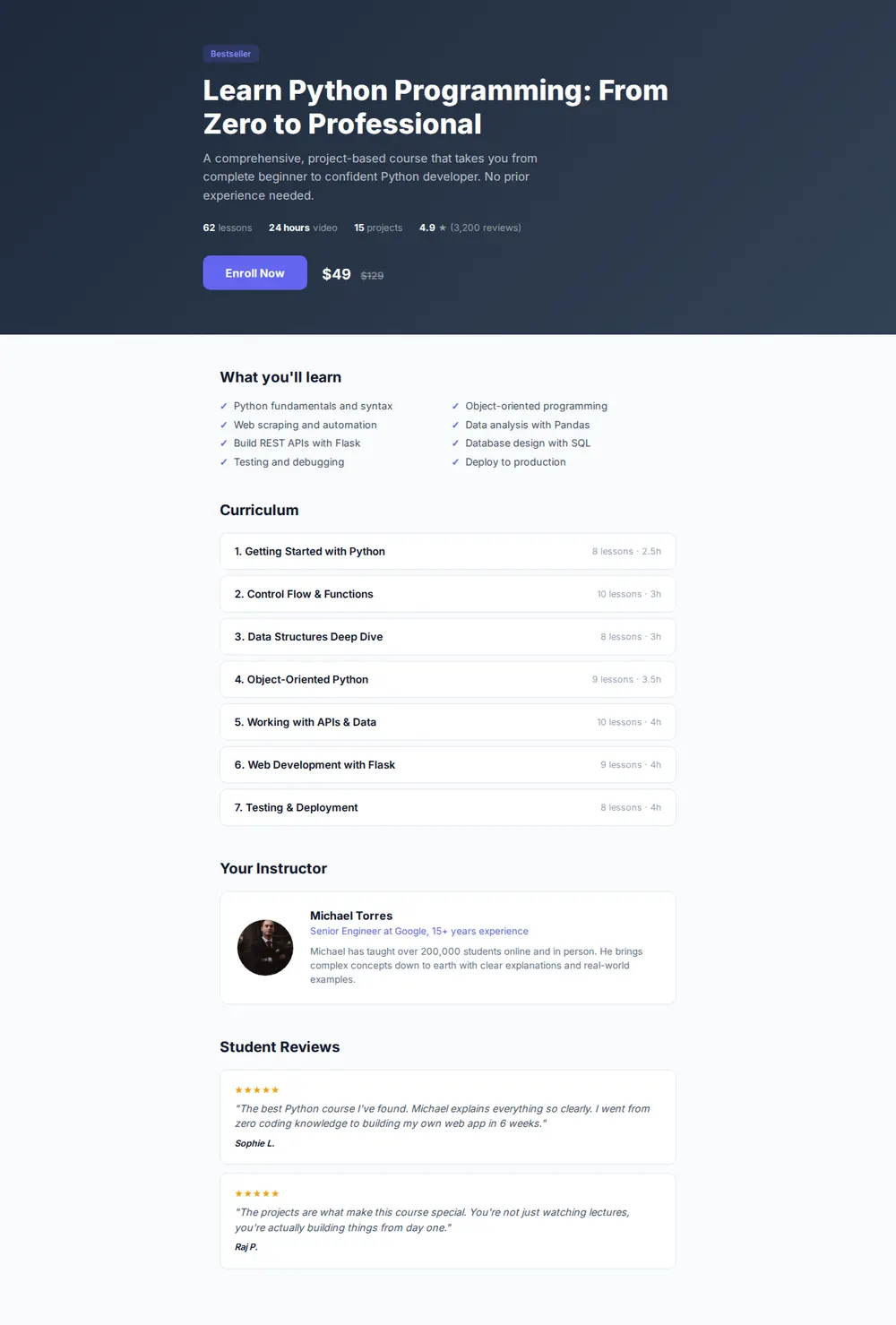
Hero
The course title, a short pitch, a Bestseller badge, the price with the old price struck through and an Enroll Now button.
What you'll learn
Eight outcomes in a tidy grid, each with a tick.
Curriculum
Every module in order, with its number of lessons and hours.
Your instructor
A photo, your role and a few lines on why you teach this.
Student reviews
Five-star quotes from people who finished the course.
Where you'll share it
Your mailing list
Send the link when enrolment opens, and again a day before it closes.
Under your YouTube lessons
Free lessons point to the full course with one link in the description.
When you add a module
Ask your AI to add it to the curriculum, paste the new page in, and the link stays the same.
Two ways to start
Let your AI write it
Copy the prompt, answer the questions, and get a page built around your details.
Start from this design
Open this exact page in the paste page editor, swap in your words and photos, and publish.
Use this templateOr skip the template. Make something weird and put it live the same way.
Questions
- Is the course landing page template free?
- Yes. Copy the prompt or use the template, then sign up free to claim your link.
- Where do students pay when they press Enroll Now on the course page?
- On the platform you already use, such as Teachable, Thinkific, Podia, Gumroad or a Stripe payment link. The button sends them there.
- Can the course videos live on this page?
- This page sells the course. Keep the lessons on your course platform. You can embed one free preview video from YouTube or Vimeo here.
- Can I use it as a course website template for a live cohort or a free course?
- Yes. Tell your AI the start date and class size, or that it's free, and it changes the price block and button to match.
- I'm selling a book or guide, not a course. Is there a better fit?
- Yes. The Book / Course template is a sales page with a cover mockup, chapters and a buy button.
More education templates
- Book / CourseSell your knowledge.
- Workshop / BootcampIntensive learning. Sign up.
- Tutoring ServiceSubjects, rates, book a session.
- WebinarRegister for the online event.