Make it with your AI. Host it on paste page.
Event landing page for your conference or summit
Ask your AI for an event page with the date, speakers, schedule, venue and a ticket button. Paste it into paste page and put the link in your announcement.
Copy the prompt paste what your AI writes live at paste.page/techforward-2026
Works with any AI chat
- ChatGPT
- Claude
- Gemini
- Copilot
- Grok

How it works
From prompt to conference page in three steps
Your AI writes the page. paste page puts it online.
Copy the prompt below into ChatGPT, Claude or any AI. It asks for the event name, the date and location, each speaker's name, title and topic, the schedule by time slot, the ticket price and buying link, and your sponsors, then writes the whole page.
Paste the code into paste page and pick a name for your page.
You're live. Pick your link, such as paste.page/techforward-2026, and publish. Then put it in the speaker announcement email.
Your prompt
Copy it into your AI chat
I want to create a conference or summit page. Ask me: 1. What's the event name? 2. What's the date and location? 3. Who are the speakers? (name, title, and topic for each) 4. What's the schedule? (time slots and sessions) 5. What's the ticket price and purchase link? 6. Who are the sponsors? Then generate the complete single-file HTML page with inline CSS. Make it beautiful and responsive.
Your photos
Swap in your own speaker photos
Upload them in the paste page editor and each one gets its own link. Give those links to your AI and ask it to use them, or swap them in yourself.
Headshots for every speaker, a photo of the venue or last year's crowd, sponsor logos.
Replace the speaker photos with these four headshots and add a row of these sponsor logos above the ticket button.
No photos yet? Your AI uses placeholders you can swap after publishing.
Change anything by asking
Keep talking to your AI after it writes the page. Ask for new colours, fonts or sections in plain words and it rewrites the page. Paste the new version in and your link stays the same.
Same conference page, new brand, one sentence.
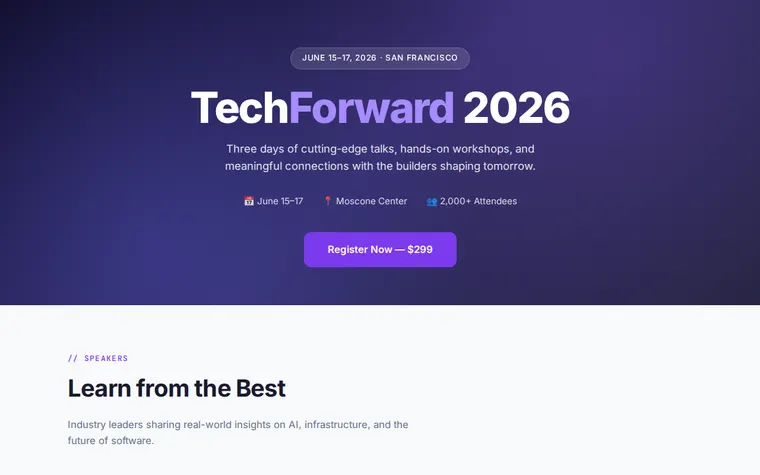
As it comes 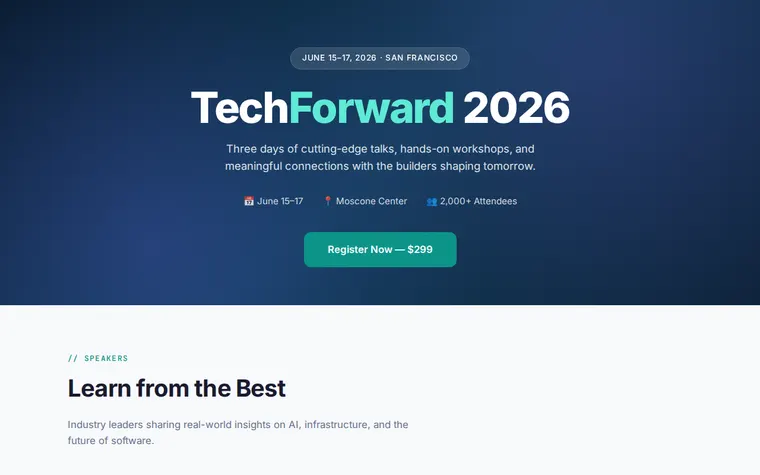
"Teal and navy for our health summit" 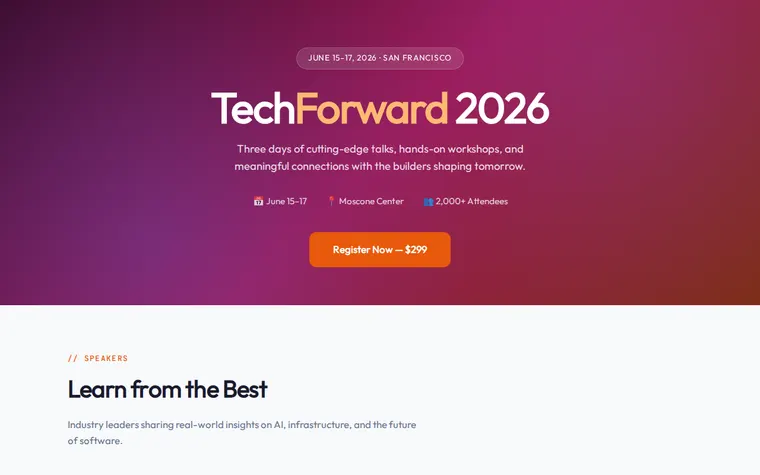
"Warm sunset colours, more like a festival" 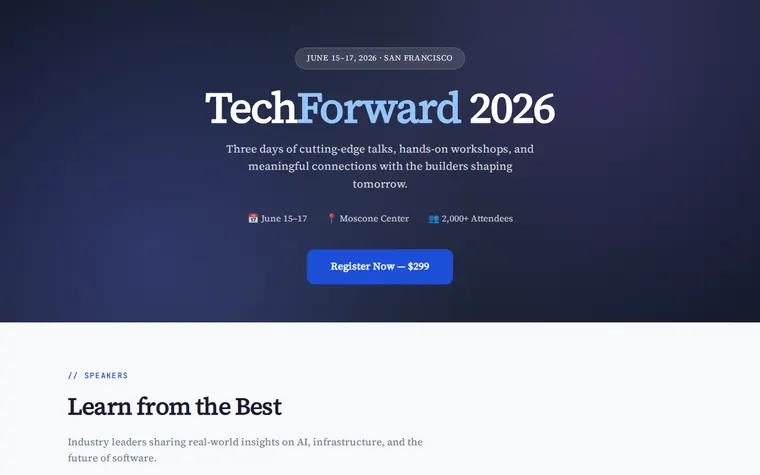
"Plainer, for an academic conference"
More things to ask for
- Add tabs for Day 2 and Day 3 of the schedule.
- Add a sponsors section with gold and silver tiers.
- Show an early bird price with the full price crossed out.
- Embed a Google Map where the map placeholder is.
- Add a countdown to the opening keynote.
What's on the page
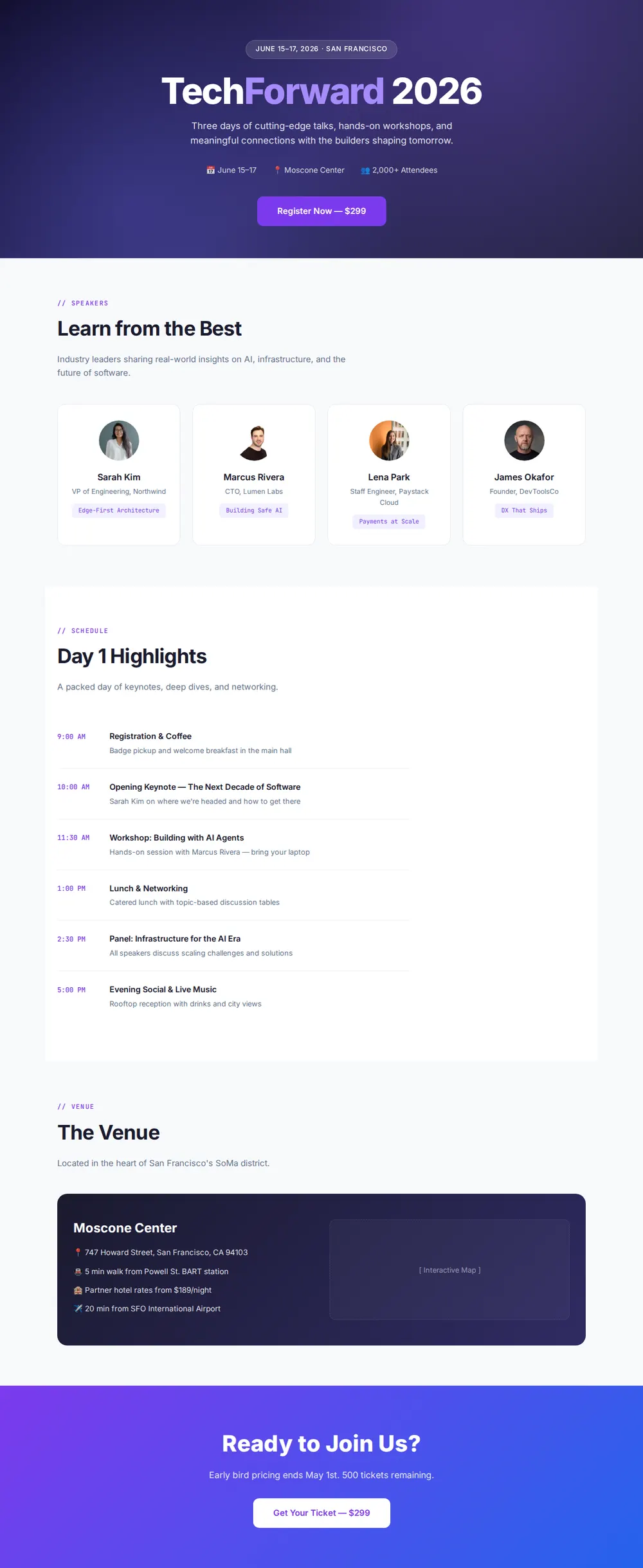
Hero
Dates and city in a badge, the event name, a one-line pitch, headline numbers and a register button with the price.
Speakers
A card per speaker with their name, title and the topic of their talk.
Schedule
A day's timeline from coffee and the opening keynote to the evening social.
Venue
The address, transport, hotel rates and the airport, beside a space for a map.
Tickets
A closing call with the deadline, tickets left and a button to buy.
Where you'll share it
Speaker and sponsor emails
Everyone gets the same page to share with their own audience.
Your ticketing listing
Link it from Eventbrite or Tito so people see the full line-up before they buy.
When the programme changes
Update a session or add a speaker and the link everyone has shows it.
Two ways to start
Let your AI write it
Copy the prompt, answer the questions, and get a page built around your details.
Start from this design
Open this exact page in the paste page editor, swap in your words and photos, and publish.
Use this templateOr skip the template. Make something weird and put it live the same way.
Questions
- Is the conference template free?
- Yes. Copy the prompt or use the template, then sign up free to claim your link.
- Can I sell conference tickets from the event landing page?
- The button links to wherever you sell tickets, such as Eventbrite, Tito, Ticket Tailor or a Stripe payment link. Give your AI the link when it asks about tickets.
- Can the conference schedule cover several days or tracks?
- Yes. Paste in the full programme and ask for a tab per day, or two columns for parallel tracks. Your AI rebuilds the timeline to match.
- Is a conference page right for a one-evening event?
- For a smaller, regular gathering the Meetup template fits better. It has a next-event card, past events and an RSVP button instead of tickets.
- Can I add speakers to the conference page as they confirm?
- Yes. Ask your AI to add the new speaker card and paste the page in again, or edit it in the paste page editor. The link stays the same.
More events templates
- MeetupCommunity gathering. Come hang.
- HackathonBuild something amazing in 48 hours.
- WebinarRegister for the online event.
- Speaker PageTalks, topics, and booking.