Make it with your AI. Host it on paste page.
Hackathon website template with tracks and prizes
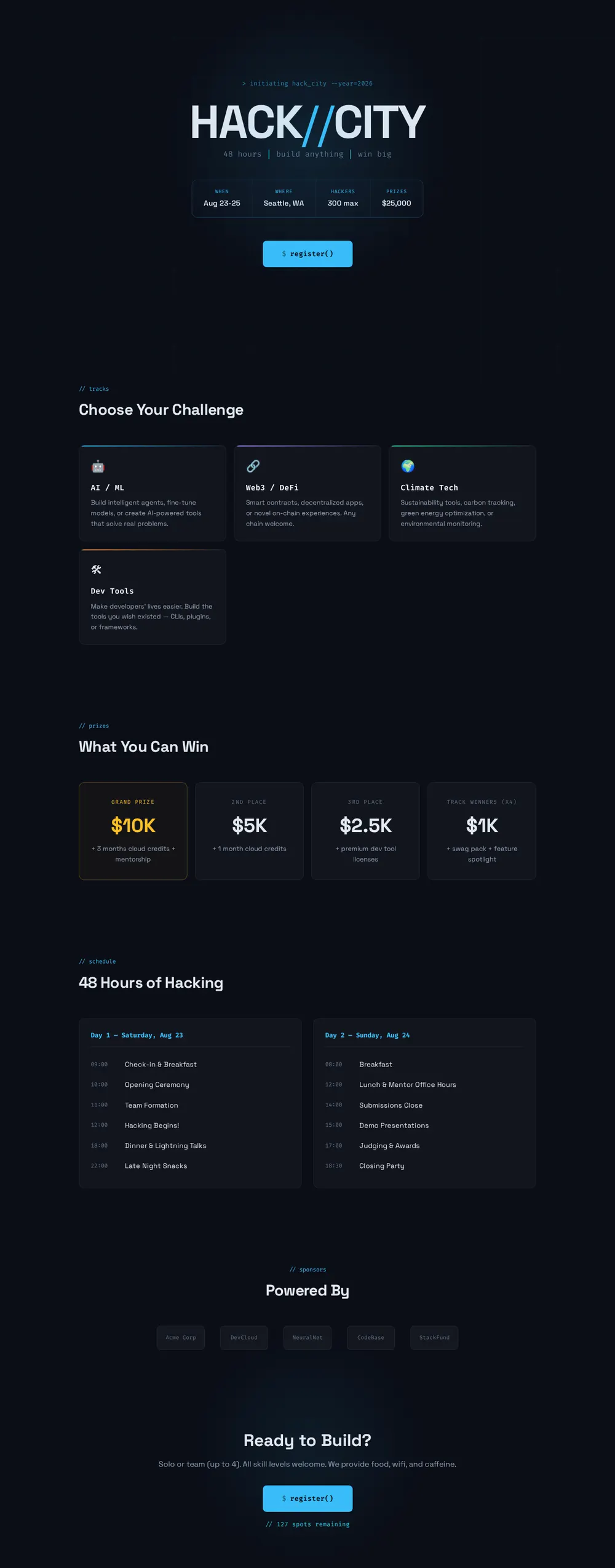
Describe your event to your AI and it writes a dark, terminal-style page with tracks, prizes, a timetable and a register button. Paste it into paste page and share it.
Copy the prompt paste what your AI writes live at paste.page/hack-city-2026
Works with any AI chat
- ChatGPT
- Claude
- Gemini
- Copilot
- Grok

How it works
From prompt to hackathon page in three steps
Your AI writes the page. paste page puts it online.
Copy the prompt below into ChatGPT, Claude or any AI. It asks for the name, the theme or challenge, the dates and venue (or whether it's online), the prizes, your link for entries, the sponsors and judges, and the schedule from kickoff to demos, then writes the whole page.
Paste the code into paste page and pick a name for your page.
You're live. Pick your link, such as paste.page/hack-city-2026, and publish. Then pin it in your Discord and send it to your sponsors.
Your prompt
Copy it into your AI chat
I want to create a hackathon page. Ask me: 1. What's the hackathon name? 2. What's the theme or challenge? 3. What are the dates and location? (or virtual) 4. What are the prizes? 5. What's the registration link? 6. Who are the sponsors or judges? 7. What's the schedule? (kickoff, hacking, demos) Then generate the complete single-file HTML page with inline CSS. Make it beautiful and responsive.
Your photos
Add photos from last year
Upload them in the paste page editor and each one gets its own link. Give those links to your AI and ask it to use them, or swap them in yourself.
Teams hunched over laptops at the last event, the venue, sponsor logos, the winners on stage.
Put this crowd photo behind the HACK//CITY title and swap the sponsor names for these five logos.
No photos yet? Your AI uses placeholders you can swap after publishing.
Change anything by asking
Keep talking to your AI after it writes the page. Ask for new colours, fonts or sections in plain words and it rewrites the page. Paste the new version in and your link stays the same.
One hackathon page, four different events. Each is one sentence to your AI.
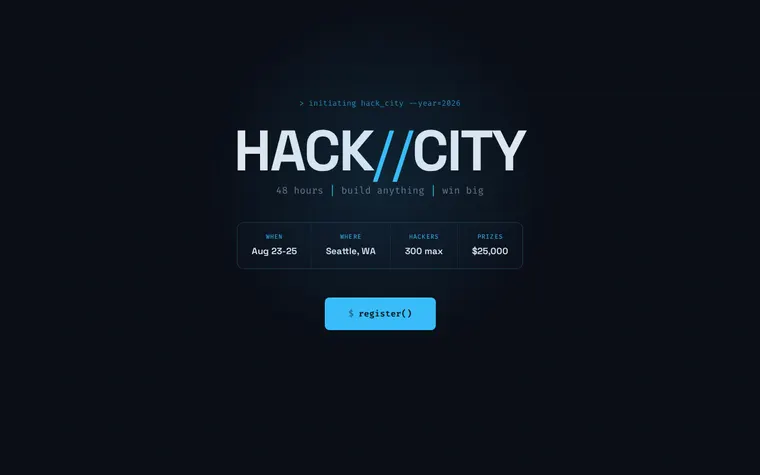
As it comes 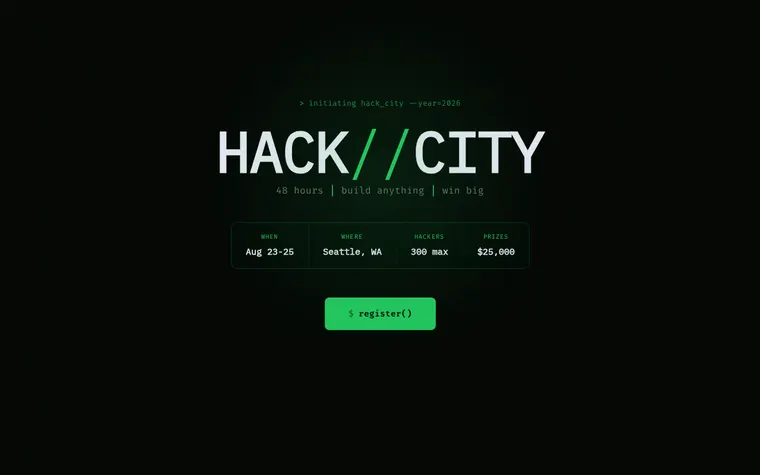
"Green on black, like an old terminal" 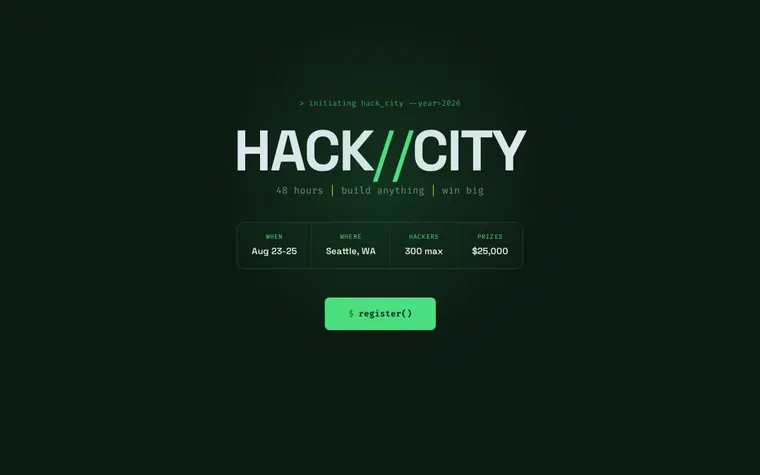
"Earthy greens for a climate hackathon" 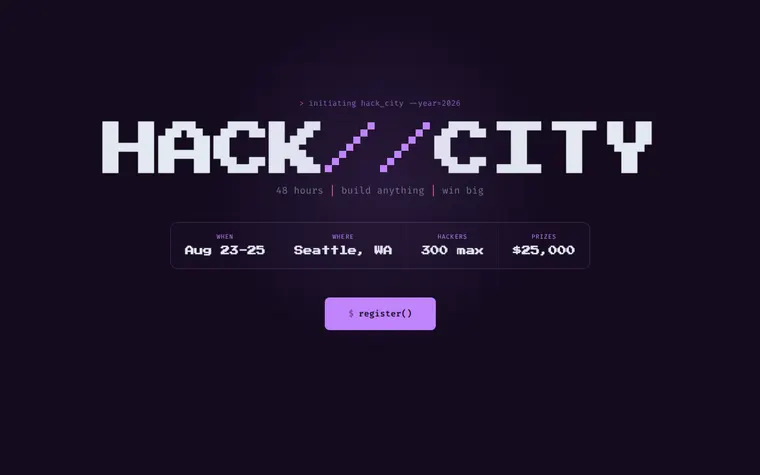
"Purple and pink for a game jam"
More things to ask for
- Add a FAQ about travel and where to stay.
- Show the judges with photos and job titles.
- Add a countdown to when submissions close.
- Add a track for first-time hackers.
- Link our code of conduct at the bottom.
What's on the page
Hero
The event name, a one-line pitch, dates, city, team cap, prize pool and a register button.
Tracks
Four challenge cards, each with an icon and a short brief.
Prizes
Grand prize, runners-up and track winners, with what comes on top of the cash.
Schedule
Both days hour by hour, from check-in to the closing party.
Sponsors
A row of sponsor names you can swap for logos.
Final call
Team size, who can enter, what you provide and how many spots are left.
Where you'll share it
Discord, Slack and campus lists
One link in every channel, so nobody asks for the dates twice.
Sponsor emails
Show sponsors their name on a live page instead of a slide.
During the weekend
Demos moved to 15:30? Update the schedule and anyone who refreshes sees it.
Two ways to start
Let your AI write it
Copy the prompt, answer the questions, and get a page built around your details.
Start from this design
Open this exact page in the paste page editor, swap in your words and photos, and publish.
Use this templateOr skip the template. Make something weird and put it live the same way.
Questions
- Is the hackathon website template free?
- Yes. Copy the prompt or use the template, then sign up free to claim your link.
- Can people enter the hackathon on the page itself?
- The register button links to wherever you take entries, such as Devpost, Luma, Eventbrite or a Google Form. Give your AI that link when it asks. If you want a form on the page, ask for one and say where the answers should go.
- Does the hackathon template work for an online event?
- Yes. Tell your AI it's virtual and it swaps the city for your Discord or Zoom details and shows the times with a time zone.
- Can I show judges and mentors on the hackathon page?
- Yes. Give your AI their names, roles and photo links and it adds a section, usually just above the sponsors.
- Can I change the hackathon schedule once the event has started?
- Yes. Edit it on paste page or paste in a new version. The link stays the same, so hackers checking it on their phones see the change.
More events templates
- Conference / SummitSpeakers, schedule, tickets.
- MeetupCommunity gathering. Come hang.
- Countdown TimerCounting down to something big.
- WebinarRegister for the online event.