Make it with your AI. Host it on paste page.
Speaker page that shows organisers your talks
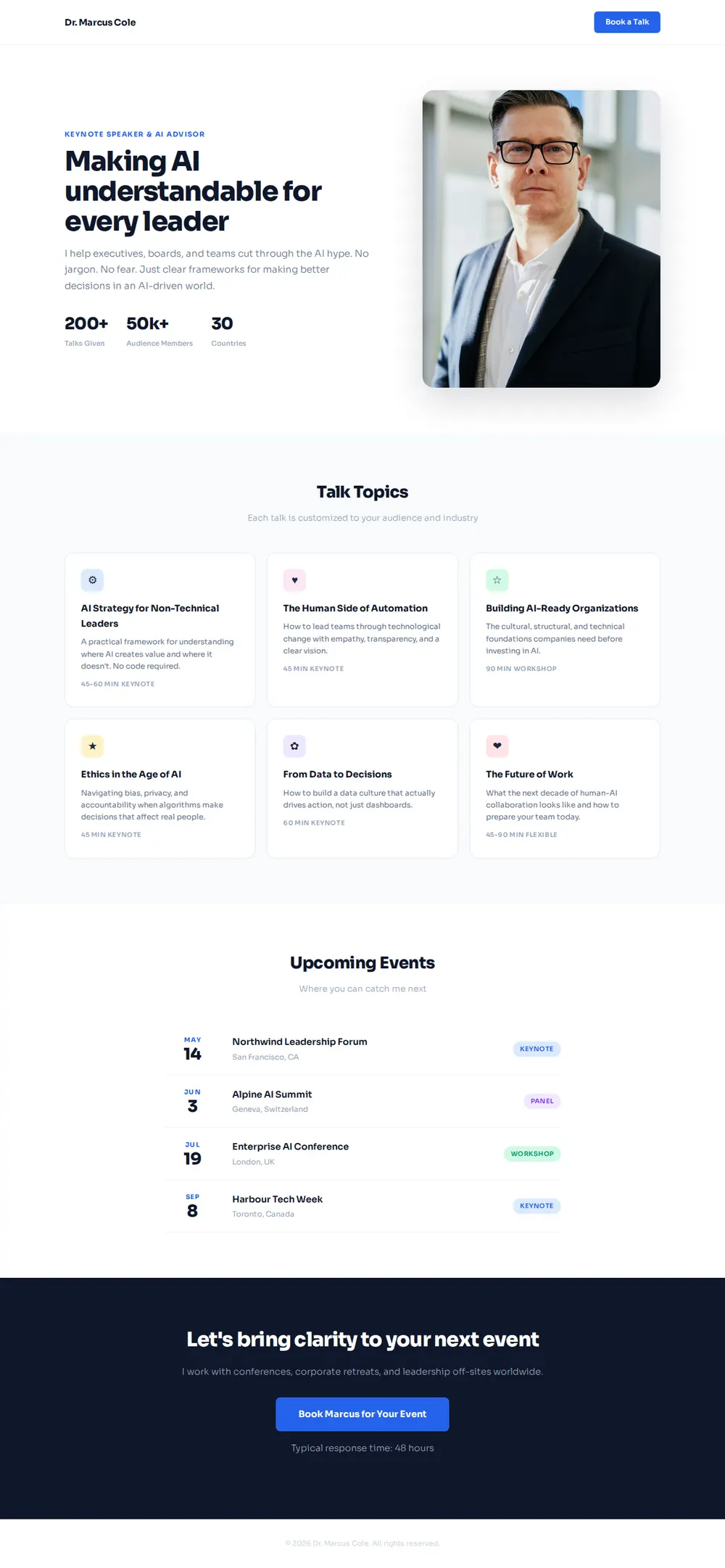
Ask your AI for a speaker page with a short bio, your talks, upcoming events and a booking button. Paste it into paste page and send it to organisers.
Copy the prompt paste what your AI writes live at paste.page/marcus-cole
Works with any AI chat
- ChatGPT
- Claude
- Gemini
- Copilot
- Grok

How it works
From prompt to speaker page in three steps
Your AI writes the page. paste page puts it online.
Copy the prompt below into ChatGPT, Claude or any AI. It asks for your name, the topics you speak on, past events and notable talks, a short bio for organisers, your headshot and how people book you, then writes the whole page.
Paste the code into paste page and pick a name for your page.
You're live. Pick your link, such as paste.page/marcus-cole, and publish. Then put it in your email signature and on your next speaker application.
Your prompt
Copy it into your AI chat
I want to create a speaker page. Ask me: 1. What's your name? 2. What topics do you speak about? 3. What are your past speaking events or notable talks? 4. What's your bio? (2-3 sentences for event organizers) 5. What's your headshot URL? 6. How can event organizers book you? (email or booking link) Then generate the complete single-file HTML page with inline CSS. Make it beautiful and responsive.
Your photos
Add your headshot and stage photos
Upload them in the paste page editor and each one gets its own link. Give those links to your AI and ask it to use them, or swap them in yourself.
A professional headshot, a photo of you on stage, logos of events you've spoken at.
Use this link for my headshot, and add a row of these four conference logos under the stats.
No photos yet? Your AI uses placeholders you can swap after publishing.
Change anything by asking
Keep talking to your AI after it writes the page. Ask for new colours, fonts or sections in plain words and it rewrites the page. Paste the new version in and your link stays the same.
Same speaker page, another speaker's look. One sentence each.
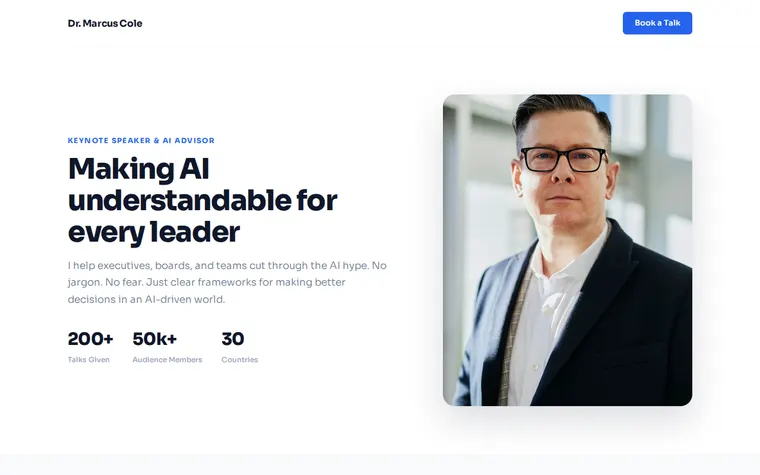
As it comes 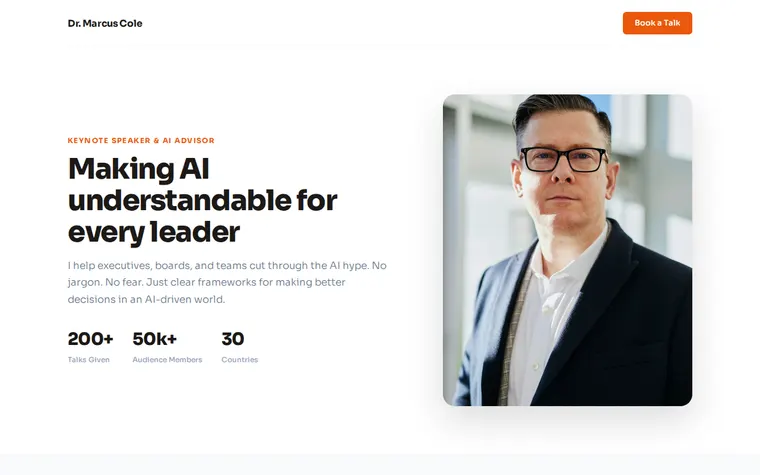
"Charcoal and orange, more energetic" 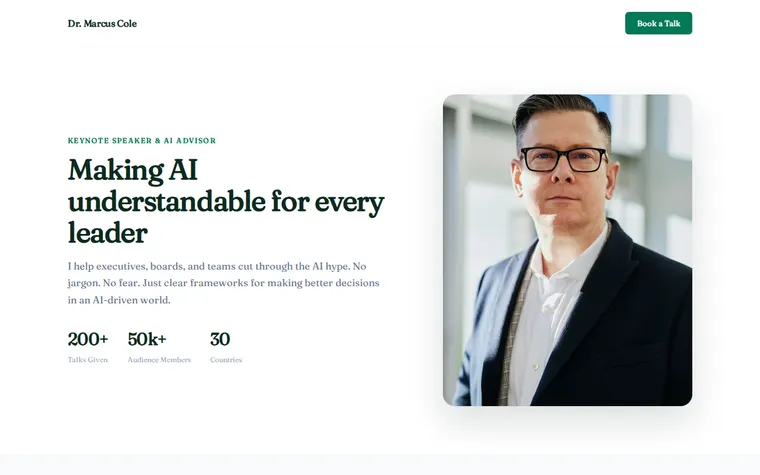
"Green to match my book cover, with a serif font"
More things to ask for
- Add a video of my last keynote under the hero.
- Add quotes from two event organisers.
- List my speaking fee range next to the booking button.
- Put a download link for my speaker one sheet in the header.
- Add a section for podcast interviews I've done.
What's on the page
Hero
Your headline, a short pitch, your headshot and a Book a Talk button.
Stats
Talks given, audience reached and countries spoken in.
Talk topics
A card for each talk with a description and its length, keynote or workshop.
Upcoming events
Where you're speaking next, with the city and the format.
Booking
A closing line for organisers, a button to book you and your usual reply time.
Where you'll share it
In speaker applications
Call-for-speakers forms ask for a website. This one answers their questions.
In your email signature
Every reply to an organiser carries your topics and your next dates.
After a talk
Put the link on your last slide so people in the room can book you for their event.
Two ways to start
Let your AI write it
Copy the prompt, answer the questions, and get a page built around your details.
Start from this design
Open this exact page in the paste page editor, swap in your words and photos, and publish.
Use this templateOr skip the template. Make something weird and put it live the same way.
Questions
- Is the speaker page template free?
- Yes. Copy the prompt or use the template, then sign up free to claim your link.
- Can I use the speaker page as a speaker one sheet?
- Yes. It holds what a one sheet holds: bio, topics, past events and contact. Ask your AI for a print-friendly version too if an organiser wants a PDF.
- Can event organisers book me straight from the speaker page?
- The button can open an email to you, a booking form or a Calendly link. Give your AI the one you use when it asks how organisers book you.
- Can I put a showreel or keynote video on my speaker page?
- Yes. Give your AI the YouTube or Vimeo link and ask for the video under your headline.
- How do I keep the upcoming talks on my speaker page current?
- Tell your AI the new dates, paste the new version in, and the link stays the same. Old events can move to a Past Talks list.
More personal templates
- Bio PageEditorial longform personal page.
- Consultant / CoachExpertise, testimonials, booking.
- Author PageBooks, bio, and press.
- Conference / SummitSpeakers, schedule, tickets.