Make it with your AI. Host it on paste page.
Consultant website template for bookings
Ask your AI for a consultant page with your services, client results and a button to book a call. Paste it into paste page and share the link.
Copy the prompt paste what your AI writes live at paste.page/sarah-mitchell
Works with any AI chat
- ChatGPT
- Claude
- Gemini
- Copilot
- Grok

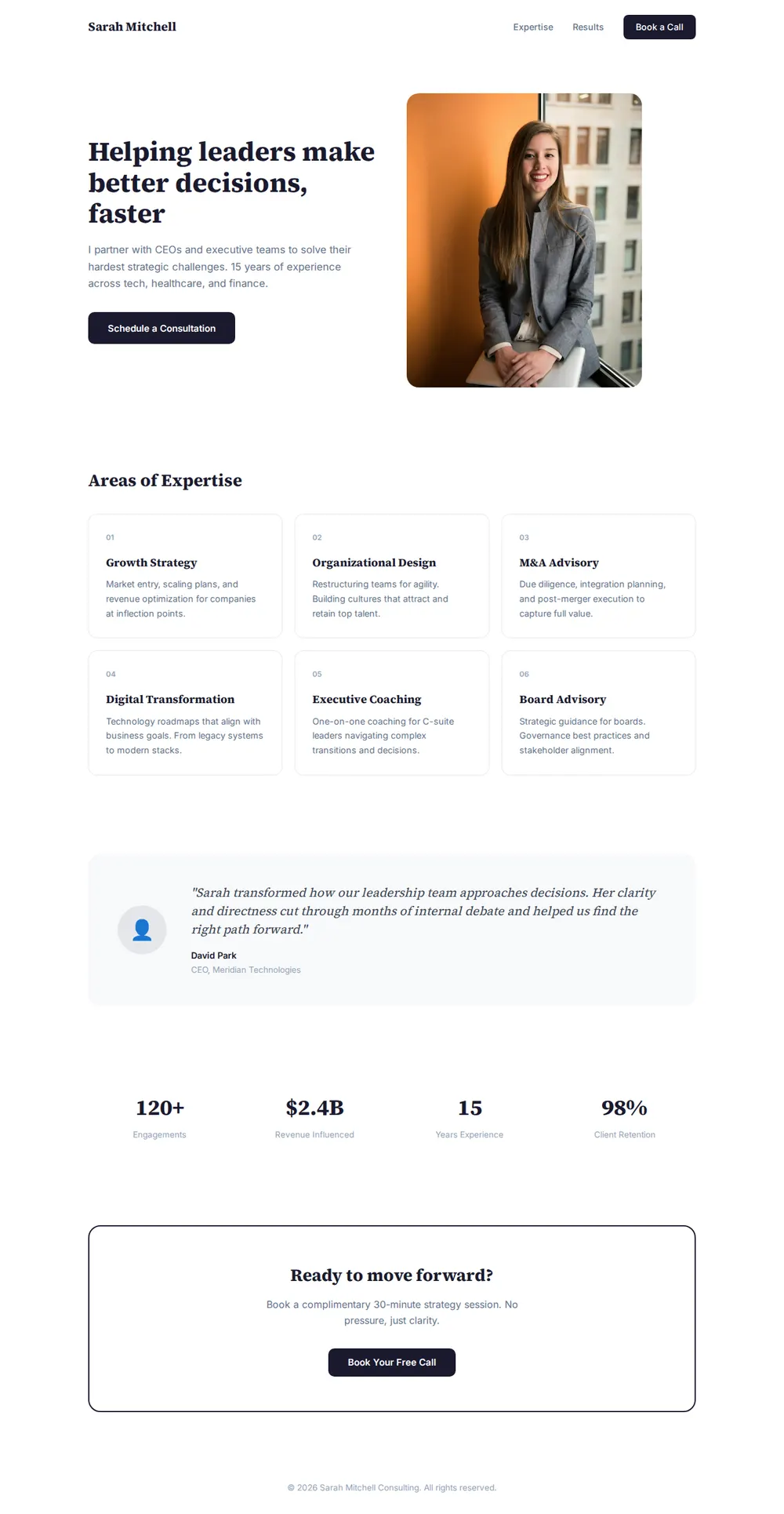
How it works
From prompt to consultant website in three steps
Your AI writes the page. paste page puts it online.
Copy the prompt below into ChatGPT, Claude or any AI. It asks for your name, your field, the services or packages you offer, a few client testimonials, your credentials and your booking link or email, then writes the whole page.
Paste the code into paste page and pick a name for your page.
You're live. Pick your link, such as paste.page/sarah-mitchell, and publish. Then put it in your email signature and on your LinkedIn profile.
Your prompt
Copy it into your AI chat
I want to create a consultant or coach page. Ask me: 1. What's your name? 2. What's your area of expertise? (business, life, career, health, etc.) 3. What services or packages do you offer? 4. What are some client testimonials? 5. What are your credentials or experience highlights? 6. What's your booking link or contact email? Then generate the complete single-file HTML page with inline CSS. Make it beautiful and responsive.
Your photos
Add a headshot clients can trust
Upload them in the paste page editor and each one gets its own link. Give those links to your AI and ask it to use them, or swap them in yourself.
A professional headshot for the hero, a photo of you running a workshop, client logos if you have permission to show them.
Use this headshot in the hero and add a row of these four client logos under the testimonial.
No photos yet? Your AI uses placeholders you can swap after publishing.
Change anything by asking
Keep talking to your AI after it writes the page. Ask for new colours, fonts or sections in plain words and it rewrites the page. Paste the new version in and your link stays the same.
Same template, one sentence to your AI.
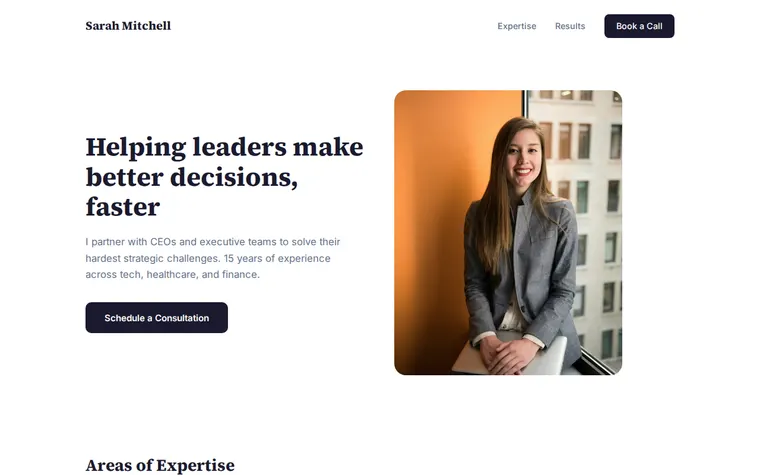
As it comes 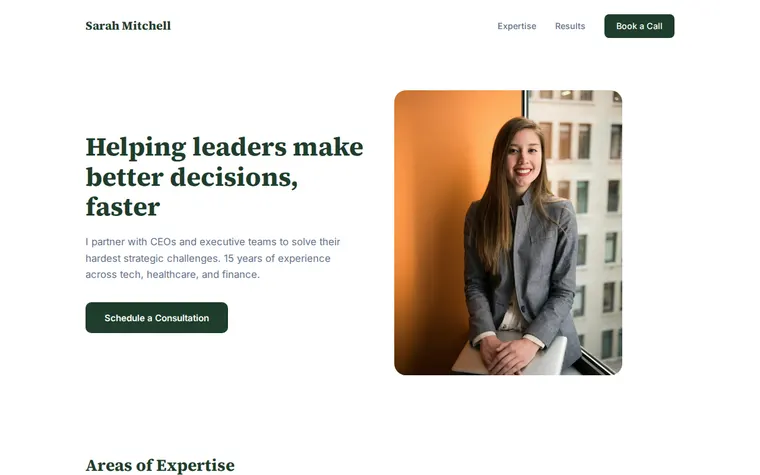
"Deep green to match my brand" 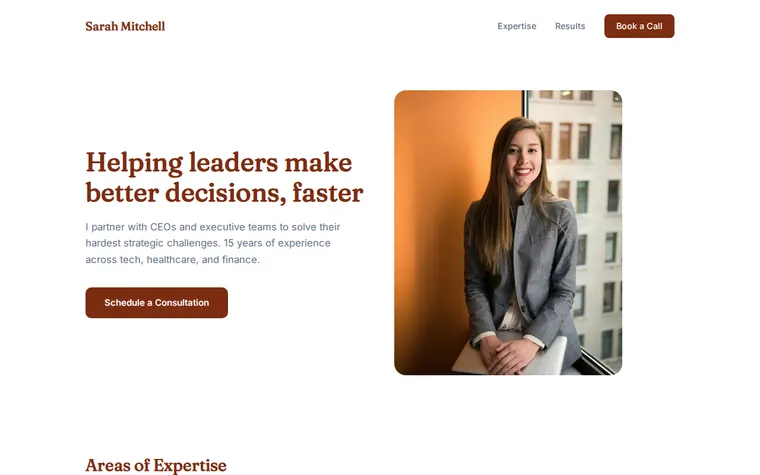
"Warmer and softer for my life coaching"
More things to ask for
- Add three coaching packages with prices.
- Embed my Calendly so people can book on the page.
- Add two more testimonials under the first one.
- Change the numbers to 60 clients and 9 years.
- Add a short FAQ about how a first session works.
What's on the page
Hero with headshot
A one-line promise, a sentence on your experience and a button to book.
Areas of expertise
Six numbered cards, one per service, each with a short description.
Testimonial
A quote from a client with their name and role.
Results in numbers
Four figures, such as engagements, years of experience and client retention.
Book a call
A closing box that offers a free first conversation.
Where you'll share it
Your LinkedIn profile
Add it as your website so people who find you there can see your services.
Proposals and follow-up emails
One link that explains what you do better than an attachment.
After a talk or workshop
Put it on your last slide so the room knows where to book you.
Two ways to start
Let your AI write it
Copy the prompt, answer the questions, and get a page built around your details.
Start from this design
Open this exact page in the paste page editor, swap in your words and photos, and publish.
Use this templateOr skip the template. Make something weird and put it live the same way.
Questions
- Is the consultant website template free?
- Yes. Copy the prompt or use the template, then sign up free to claim your link.
- Does the consultant template work as a life coach website?
- Yes. Tell your AI you're a life coach and it rewrites the services as coaching packages and softens the tone. The warmer variation above is one sentence away.
- Can clients book a session straight from my consultant page?
- Yes. Give your AI your Calendly, Cal.com or Acuity link and ask it to add a booking button, or to embed the calendar on the page.
- Can I list my coaching packages and prices?
- Yes. Paste in your packages when the AI asks about services and it lays them out as cards with prices.
- Can I put my consultant website on my own domain?
- Yes. Connect a domain you own and the page shows at your address.
More business templates
- Freelancer ProfileServices, rates, and contact.
- Speaker PageTalks, topics, and booking.
- Law FirmProfessional and trustworthy.
- Small BusinessSimple presence for local businesses.