Make it with your AI. Host it on paste page.
Political campaign website template
Answer your AI's questions and it makes a campaign page with the candidate, a slogan, the issues and ways to help. Paste it into paste page and print the link.
Copy the prompt paste what your AI writes live at paste.page/jane-mitchell
Works with any AI chat
- ChatGPT
- Claude
- Gemini
- Copilot
- Grok

How it works
From prompt to campaign website in three steps
Your AI writes the page. paste page puts it online.
Copy the prompt below into ChatGPT, Claude or any AI. It asks for the candidate's name, the office they're running for, three to five platform positions, a short bio, a photo, your volunteer and donation links and the slogan, then writes the whole page.
Paste the code into paste page and pick a name for your page.
You're live. Pick your link, such as paste.page/jane-mitchell, and publish. Then print it on your leaflets and door hangers.
Your prompt
Copy it into your AI chat
I want to create a political campaign page. Ask me: 1. What's the candidate's name? 2. What office are they running for? 3. What are the key platform positions? (3-5 issues) 4. What's the candidate's bio? 5. What's the candidate's photo URL? 6. How can people volunteer or donate? (links) 7. What's the campaign slogan? Then generate the complete single-file HTML page with inline CSS. Make it beautiful and responsive.
Your photos
Add the candidate's photo
Upload them in the paste page editor and each one gets its own link. Give those links to your AI and ask it to use them, or swap them in yourself.
A clear head-and-shoulders shot for the circle at the top, plus photos from meetings or door-knocking for the bio.
Use this link for the candidate photo in the circle, and add this one of the team beside the volunteer section.
No photos yet? Your AI uses placeholders you can swap after publishing.
Change anything by asking
Keep talking to your AI after it writes the page. Ask for new colours, fonts or sections in plain words and it rewrites the page. Paste the new version in and your link stays the same.
One campaign layout, four colour schemes. Each is a sentence to your AI.
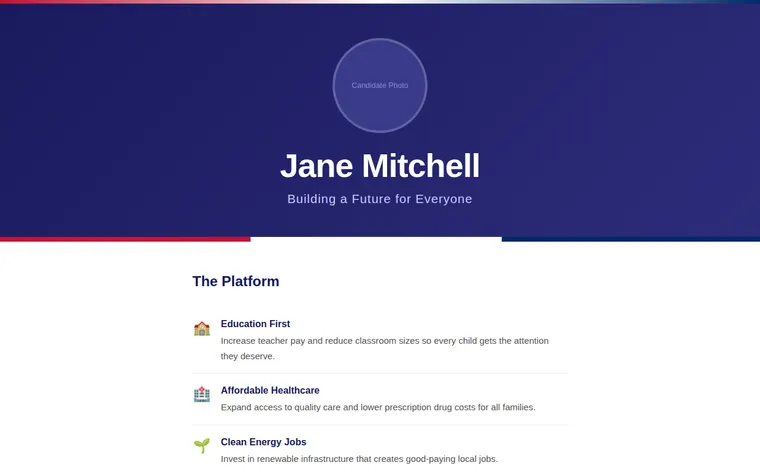
As it comes 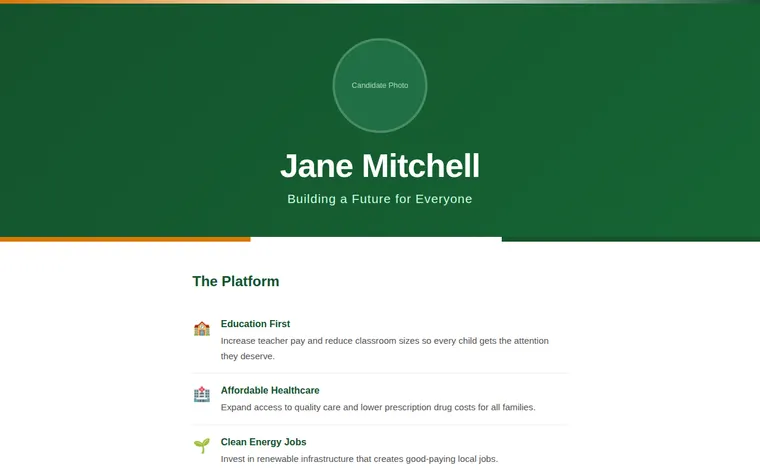
"Our campaign colours are green and amber" 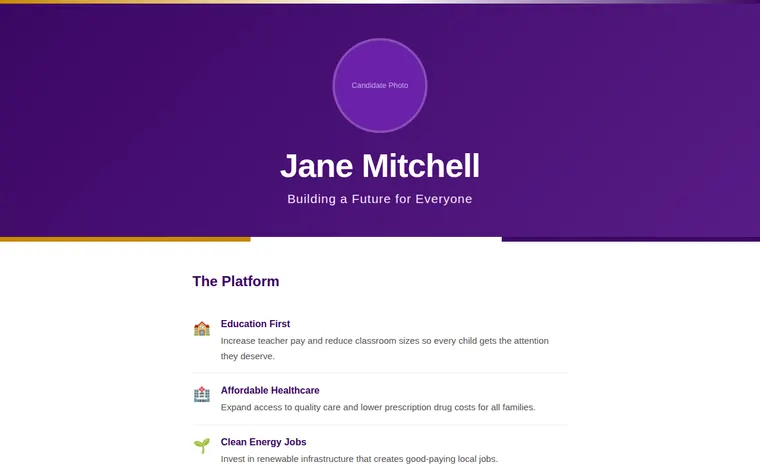
"Purple and gold, like the school colours" 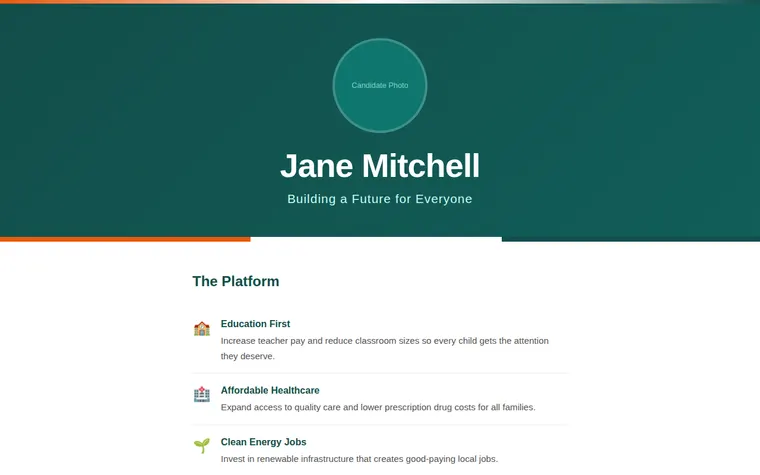
"Teal and orange, to stand apart"
More things to ask for
- Add a short bio under the slogan.
- Add the election date and where to vote.
- Add a list of upcoming meetings and hustings.
- Make each platform point open with more detail.
- Add endorsements from local residents.
What's on the page
Candidate
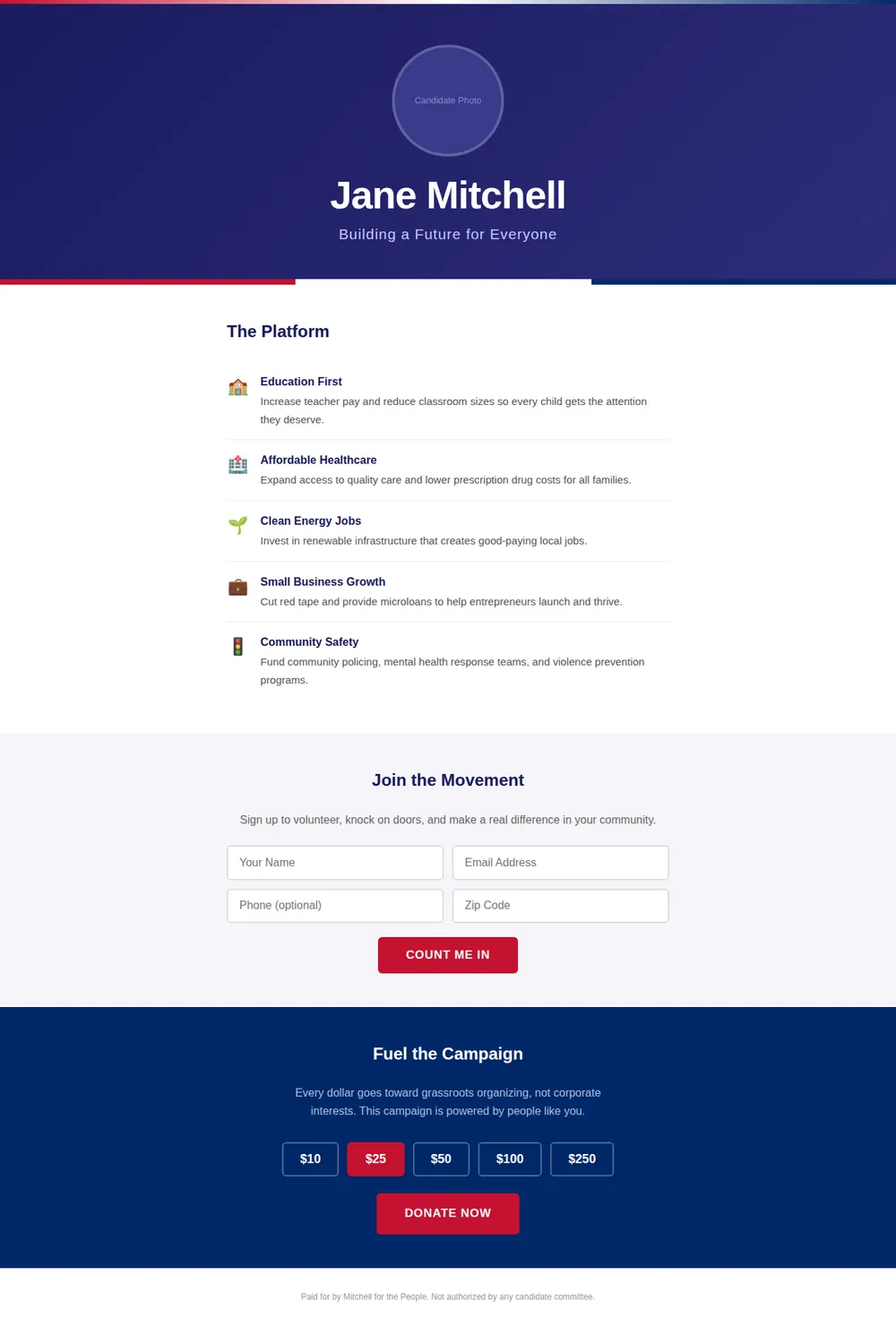
A round photo, the candidate's name in large type and the campaign slogan, above a three-colour stripe.
The platform
Five issues, each with an icon, a bold heading and one sentence.
Volunteer
Fields for name, email, phone and postcode with a Count Me In button. Give your AI a form address from a service such as Formspree or Tally and the details go there.
Donate
Suggested amounts and a Donate Now button that links to the donation page your campaign already uses.
Footer
A line for the paid-for-by notice. Check the wording your local election rules ask for.
Where you'll share it
On leaflets and door hangers
A short link or QR code sends voters to the platform after you've knocked.
In local Facebook and WhatsApp groups
One link with who the candidate is and how to help.
As the race goes on
Add the next public meeting or a new endorsement, paste it in, and the link on every leaflet still works.
Two ways to start
Let your AI write it
Copy the prompt, answer the questions, and get a page built around your details.
Start from this design
Open this exact page in the paste page editor, swap in your words and photos, and publish.
Use this templateOr skip the template. Make something weird and put it live the same way.
Questions
- Is the political campaign template free?
- Yes. Copy the prompt or use the template, then sign up free to claim your link.
- Does the Count Me In form save volunteer details?
- Not as it comes. Give your AI a form address from Formspree, Tally or Google Forms and the details go there. paste page doesn't store what people type.
- Can the campaign page take donations?
- It links to a donation page you set up elsewhere, such as Stripe or PayPal. paste page doesn't handle payments.
- Does the campaign website template suit a small local election?
- Yes. It was laid out with a single candidate in mind, so it fits a school board seat, a council ward or a student union post as well as a bigger race.
- Can my campaign website use our own colours instead of red and blue?
- Yes. Tell your AI your colours, or ask for something neutral, and it changes the hero, stripe and buttons to match.
More utility templates
- Awareness CampaignSpread the word. Take action.
- PetitionSign for change.
- Neighbourhood GroupLocal news and events.
- Speaker PageTalks, topics, and booking.