Make it with your AI. Host it on paste page.
A personal brand website on one card
Ask your AI for a one-card page with your photo, tagline, what you do and your social buttons. Paste it into paste page and share the link.
Copy the prompt paste what your AI writes live at paste.page/kai-nakamura
Works with any AI chat
- ChatGPT
- Claude
- Gemini
- Copilot
- Grok
How it works
From prompt to bio card in three steps
Your AI writes the page. paste page puts it online.
Copy the prompt below into ChatGPT, Claude or any AI. It asks for your name, your title or tagline, a link to your photo, two or three things about you and the links you want, then writes the whole page.
Paste the code into paste page and pick a name for your page.
You're live. Pick your link, such as paste.page/kai-nakamura, and publish. Turn it into a QR code for your badge or the back of your phone.
Your prompt
Copy it into your AI chat
I want to create a bio card page. Ask me: 1. What's your name? 2. What's your title or tagline? 3. What's your profile photo URL? 4. What are 2-3 key things about you? 5. What links or social profiles to include? Then generate the complete single-file HTML page with inline CSS. Make it beautiful and responsive.
Your photos
Add the photo people will recognise
Upload them in the paste page editor and each one gets its own link. Give those links to your AI and ask it to use them, or swap them in yourself.
A clear, square headshot for the ring at the top. A logo works too if your brand is a studio.
Use this photo for the round avatar and make the ring around it match my orange logo.
No photos yet? Your AI uses placeholders you can swap after publishing.
Change anything by asking
Keep talking to your AI after it writes the page. Ask for new colours, fonts or sections in plain words and it rewrites the page. Paste the new version in and your link stays the same.
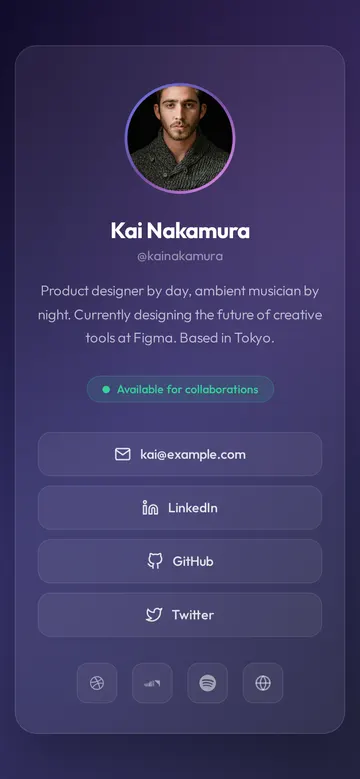
Same template, one sentence to your AI.
As it comes 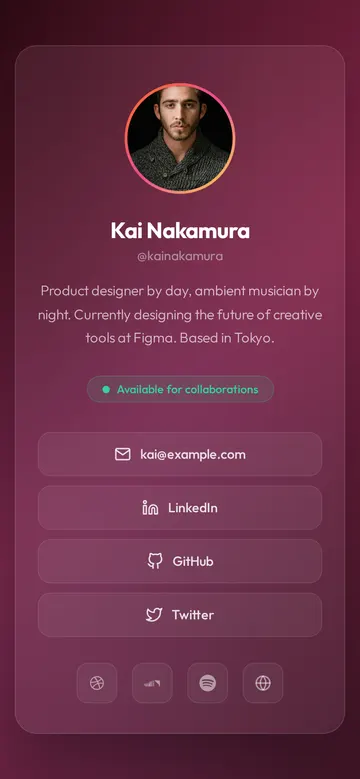
"Sunset colours instead of purple" 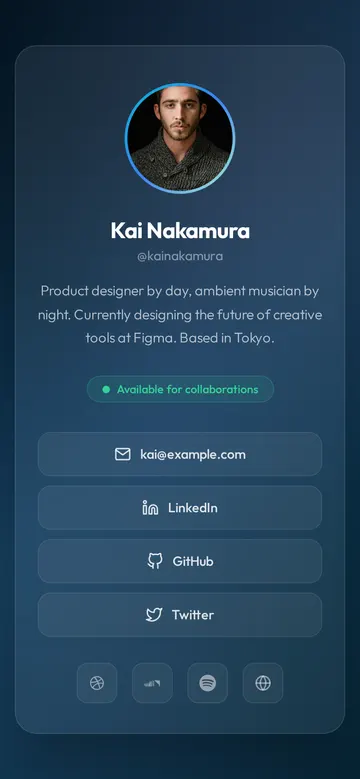
"Ocean blues for my brand"
More things to ask for
- Add a "Save contact" button that downloads my vCard.
- Change the status to "Booking for spring".
- Add a Behance and a YouTube icon.
- Put my logo above my name.
- Make the card white instead of dark.
What's on the page
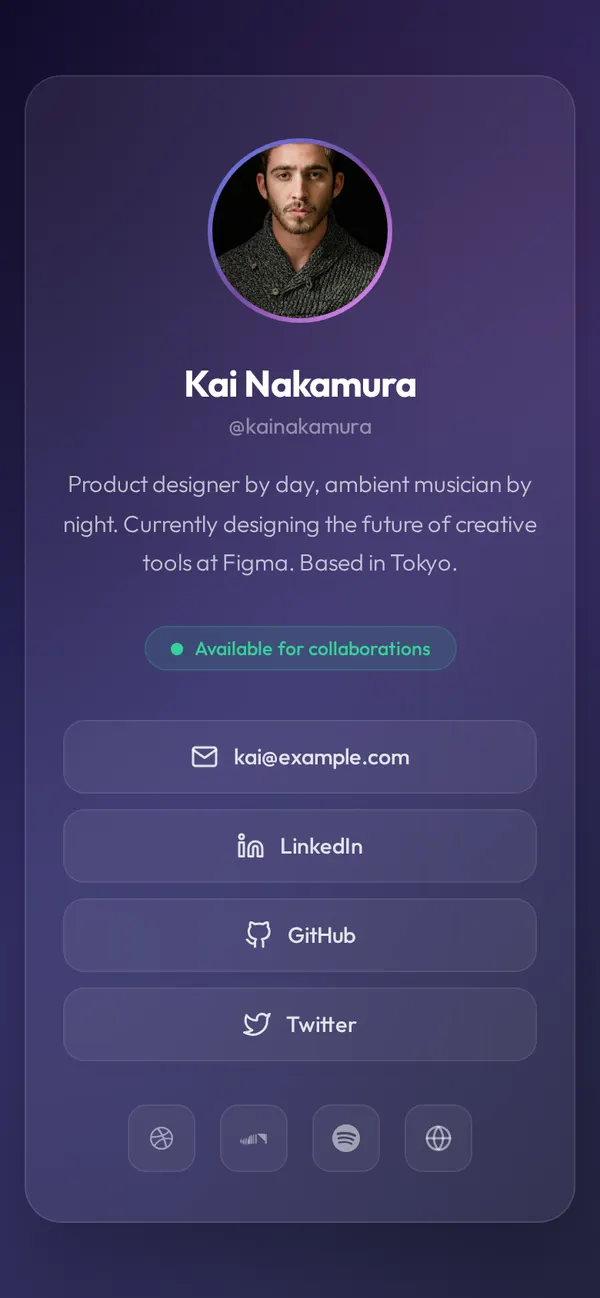
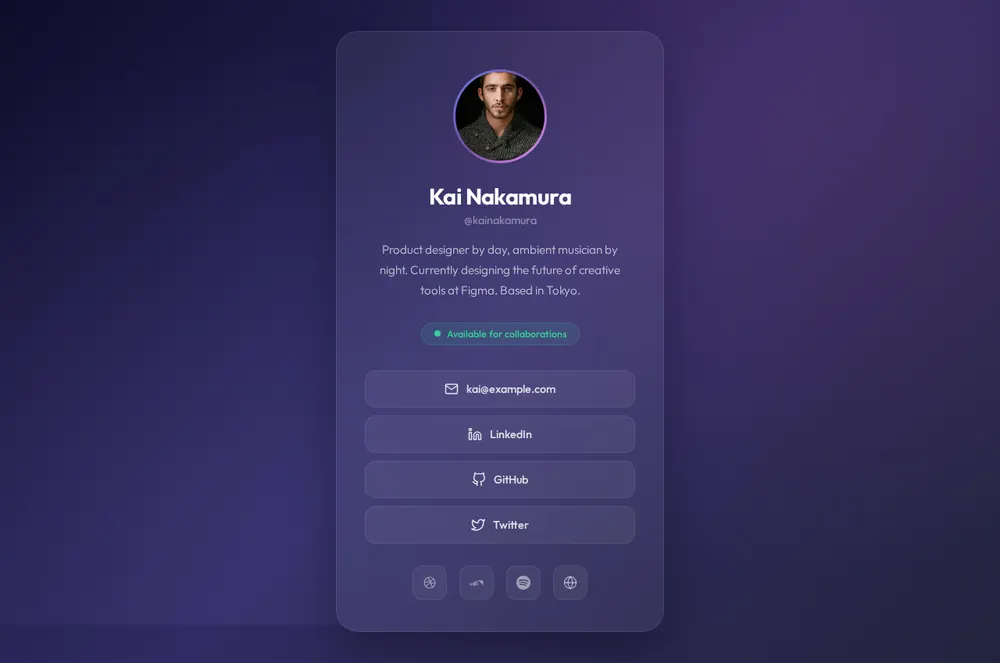
Avatar with a gradient ring
Your photo in a coloured circle at the top of the card.
Name and handle
Your name in large type with your @ underneath.
Short bio
Two or three sentences on what you do and where you're based.
Status
A green dot with a line like "Available for collaborations".
Contact and socials
An email button and icons for LinkedIn, GitHub and X.
Where you'll share it
At events
A QR code on your badge instead of a stack of paper cards.
Instagram, TikTok and X bios
The one link that says who you are.
Cold emails
A friendly page to put under your name.
Two ways to start
Let your AI write it
Copy the prompt, answer the questions, and get a page built around your details.
Start from this design
Open this exact page in the paste page editor, swap in your words and photos, and publish.
Use this templateOr skip the template. Make something weird and put it live the same way.
Questions
- Is the bio card template free?
- Yes. Copy the prompt or use the template, then sign up free to claim your link.
- Can I use the bio card as a free digital business card?
- Yes. Share the link or a QR code of it, and ask your AI for a button that saves your details to someone's contacts.
- Can I match the bio card to my brand colours?
- Yes. Give your AI your hex codes or a link to your logo and it sets the background and the ring to match.
- Is an about me card enough, or do I need a longer page?
- A card is enough when people mainly need your links. If you want to tell your story, the Bio Page template has room for it.
- Will the bio card look right when someone scans it at an event?
- Yes. It's built for a phone screen first, so a QR scan opens straight onto the card at the right size.
More personal templates
- Bio PageEditorial longform personal page.
- Minimal Link in BioStripped back. Just the essentials.
- Creator Link in BioContent-focused. YouTube, podcast, newsletter.
- Freelancer ProfileServices, rates, and contact.