Make it with your AI. Host it on paste page.
Make your own wedding RSVP form with your AI
Ask your AI for an RSVP page in your wedding colours with accept or decline, guest numbers and meal choices. Paste it into paste page and send it to guests.
Copy the prompt paste what your AI writes live at paste.page/emma-and-james-rsvp
Works with any AI chat
- ChatGPT
- Claude
- Gemini
- Copilot
- Grok
How it works
From prompt to RSVP page in three steps
Your AI writes the page. paste page puts it online.
Copy the prompt below into ChatGPT, Claude or any AI. It asks for your names, the date and time, the venue, any meal options, the reply-by date and where replies should go, either a form address or your email, then writes the whole page.
Paste the code into paste page and pick a name for your page.
You're live. Pick your link, such as paste.page/emma-and-james-rsvp, and publish. Send yourself a test reply before the invitations go out.
Your prompt
Copy it into your AI chat
I want to create a wedding RSVP page. Ask me: 1. What are the couple's names? 2. What's the wedding date and time? 3. What's the venue name and address? 4. What meal options are available? (if any) 5. What's the RSVP deadline? 6. Where should RSVP submissions go? (form action URL or email) Then generate the complete single-file HTML page with inline CSS. Make it beautiful and romantic.
Your photos
Add a photo of the two of you
Upload them in the paste page editor and each one gets its own link. Give those links to your AI and ask it to use them, or swap them in yourself.
An engagement photo above your names, a sketch of the venue, the floral pattern from your invitations.
Put this engagement photo in a circle above our names and use this flower pattern faintly behind the card.
No photos yet? Your AI uses placeholders you can swap after publishing.
Change anything by asking
Keep talking to your AI after it writes the page. Ask for new colours, fonts or sections in plain words and it rewrites the page. Paste the new version in and your link stays the same.
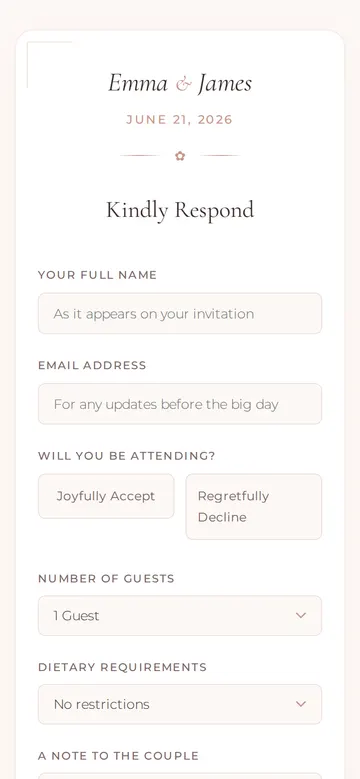
Match your invitations. One sentence each.
As it comes 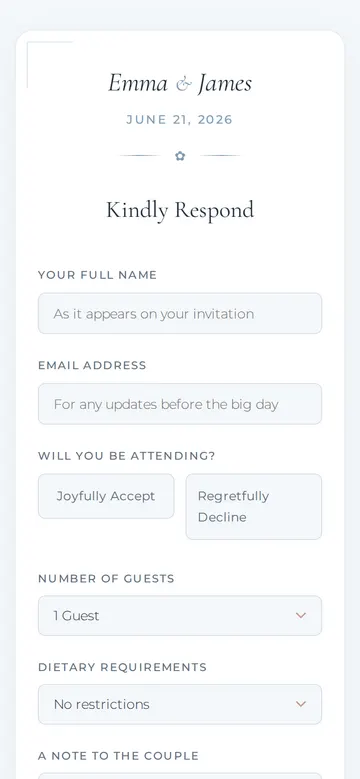
"Dusty blue, to match our invitations" 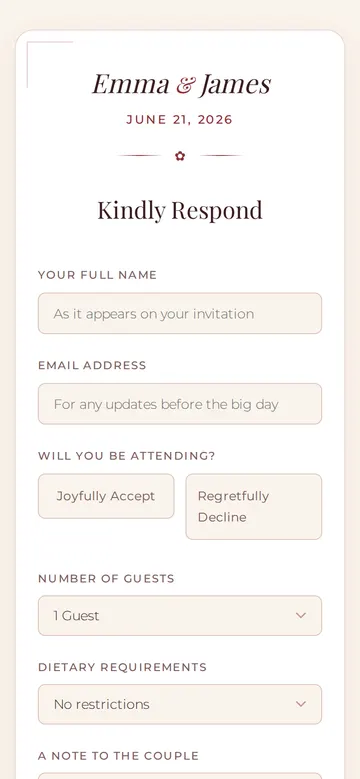
"Burgundy for an autumn wedding" 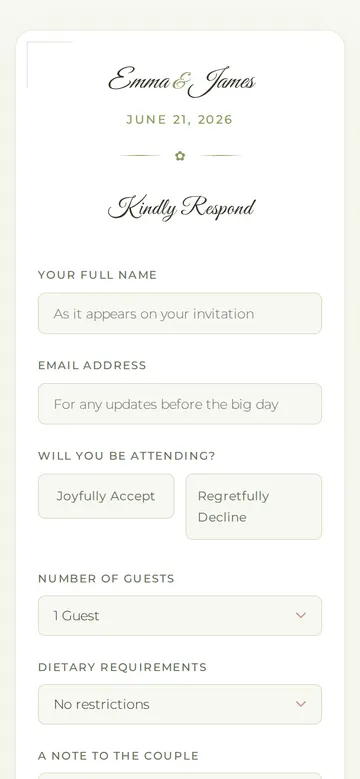
"Olive green, relaxed garden party"
More things to ask for
- Add a meal choice for each guest.
- Ask if they need a lift from the station.
- Add a song request box for the DJ.
- Change the reply-by date to the 1st of May.
- Ask for the names of everyone in the party.
What's on the page
Your names and the date
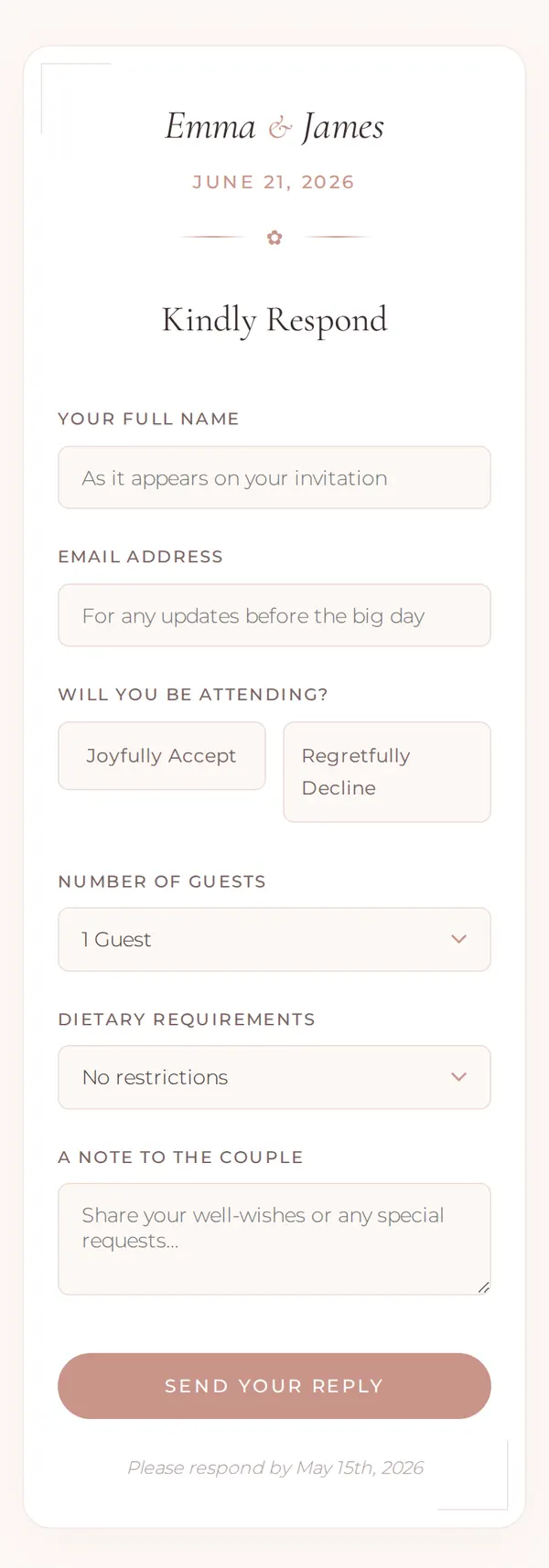
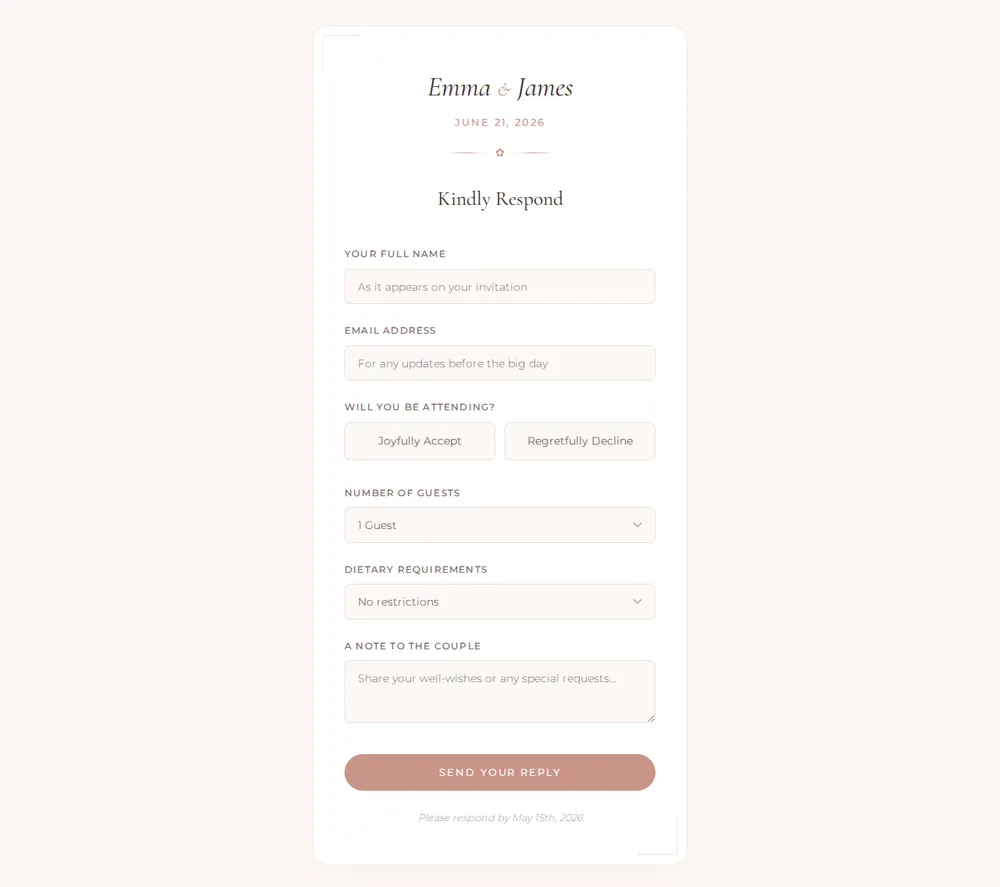
Both names in an italic serif, the date in small capitals and a "Kindly Respond" heading.
Name and email
So you know who replied and can send updates before the day.
Accept or decline
Two buttons, "Joyfully Accept" and "Regretfully Decline".
Guests and dietary needs
How many are coming, and a menu for vegetarian, vegan, gluten-free, kosher or halal.
Note to the couple
Space for well-wishes, then the reply-by date at the foot of the card.
Where you'll share it
On the invitation
Print a QR code or short link where the reply card would go.
In a message to each guest
Send the link by WhatsApp or email to the people who'd lose a paper card.
As the deadline nears
Change the line at the bottom to a gentle reminder and resend the same link.
Two ways to start
Let your AI write it
Copy the prompt, answer the questions, and get a page built around your details.
Start from this design
Open this exact page in the paste page editor, swap in your words and photos, and publish.
Use this templateOr skip the template. Make something weird and put it live the same way.
Questions
- Is the wedding RSVP form template free?
- Yes. Copy the prompt or use the template, then sign up free to claim your link.
- Where do our guests' RSVP replies go when they press Send?
- Wherever you tell the AI. Give it a form address from a service such as Formspree and replies collect there, or give it your email address and pressing Send opens the guest's own email app with a reply to you. paste page doesn't store or count replies, and the example form doesn't send anywhere until you choose.
- Is this a wedding RSVP form builder like RSVPify or Jotform?
- No. Those give you a builder with guest lists and tracking. Here your AI writes the RSVP page itself, so it can match your invitations and ask anything you like, and paste page puts it online.
- Can the RSVP form ask each guest for their meal choice?
- Yes. When the AI asks about meal options, list them, and ask it for one choice per guest if you're expecting couples and families.
- We need a full wedding website too. Is there a template?
- Yes. The Wedding template has your story, the day's details and your registry, and its RSVP button can link to this form.
More events templates
- WeddingSave the date. Celebrate love.
- MeetupCommunity gathering. Come hang.
- FundraiserCause, goal, donate.
- Concert / GigDate, venue, tickets.