Make it with your AI. Host it on paste page.
SaaS landing page, written by your AI
Ask your AI for a product landing page with a headline, features grid, customer proof and a get started button. Paste it into paste page and launch.
Copy the prompt paste what your AI writes live at paste.page/launchkit
Works with any AI chat
- ChatGPT
- Claude
- Gemini
- Copilot
- Grok

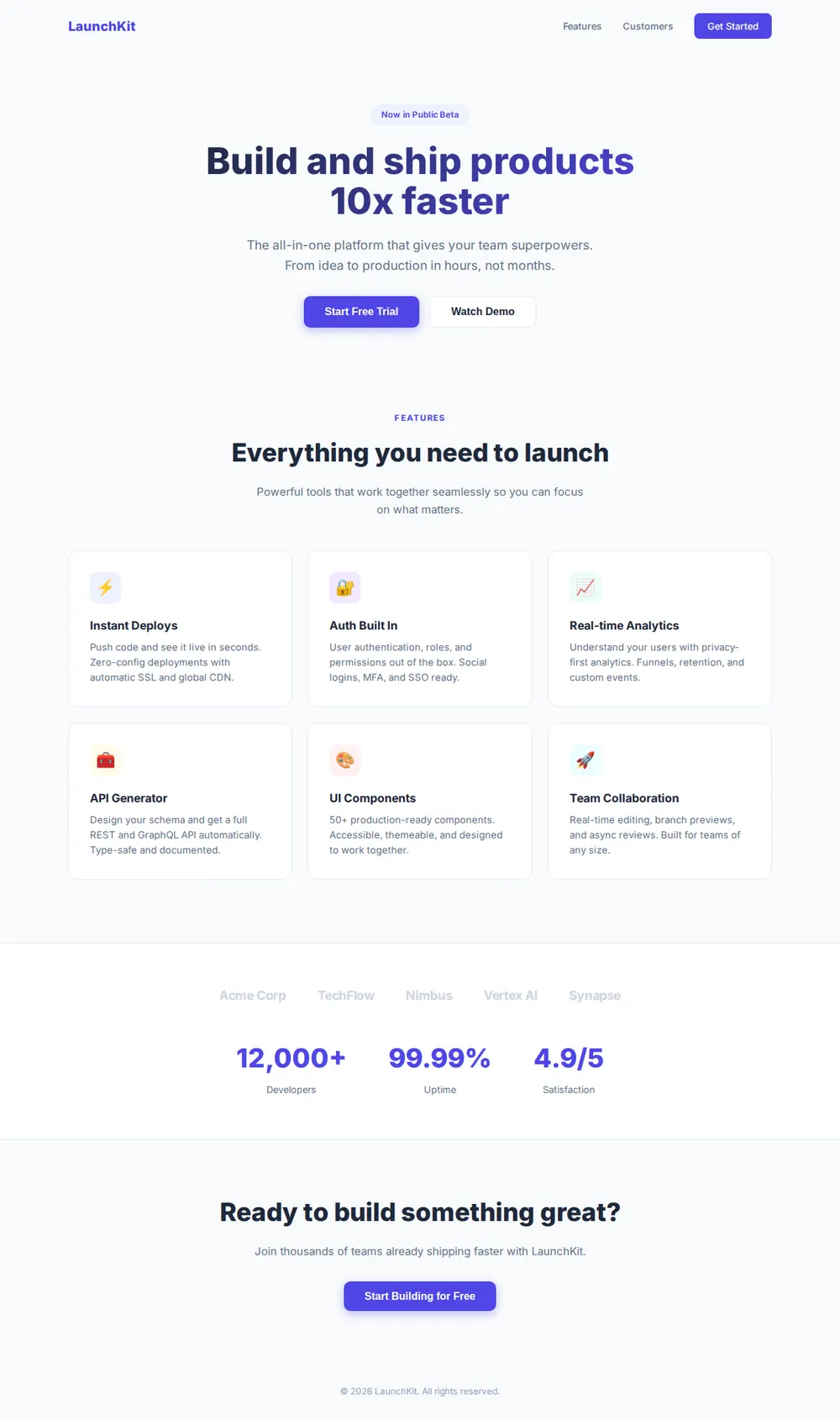
How it works
From prompt to software landing page in three steps
Your AI writes the page. paste page puts it online.
Copy the prompt below into ChatGPT, Claude or any AI. It asks for your product name, the one-line value proposition, three to five features, your pricing tiers, where your main button goes, such as a trial or waitlist link, and any logos, testimonials or user numbers, then writes the whole page.
Paste the code into paste page and pick a name for your page.
You're live. Pick your link, such as paste.page/launchkit, publish, and connect your product's domain so it shows at your own address.
Your prompt
Copy it into your AI chat
I want to create a SaaS product landing page. Ask me: 1. What's the product name? 2. What does it do? (one-line value proposition) 3. What are the key features? (3-5 with short descriptions) 4. What are the pricing tiers? (name, price, and features for each) 5. What's the call-to-action? (sign up URL or waitlist) 6. Any social proof? (logos, testimonials, user count) Then generate the complete single-file HTML page with inline CSS. Make it beautiful and responsive.
Your photos
Show the product itself
Upload them in the paste page editor and each one gets its own link. Give those links to your AI and ask it to use them, or swap them in yourself.
A screenshot of your dashboard under the headline, a short screen recording, your customers' logos.
Put this dashboard screenshot under the hero buttons with a soft shadow, and replace the logo names with these image links.
No photos yet? Your AI uses placeholders you can swap after publishing.
Change anything by asking
Keep talking to your AI after it writes the page. Ask for new colours, fonts or sections in plain words and it rewrites the page. Paste the new version in and your link stays the same.
One launch page, four brands. Each one took one sentence.
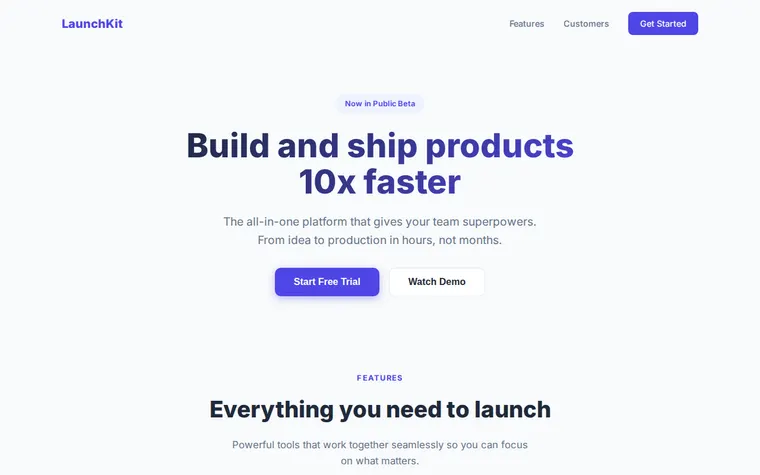
As it comes 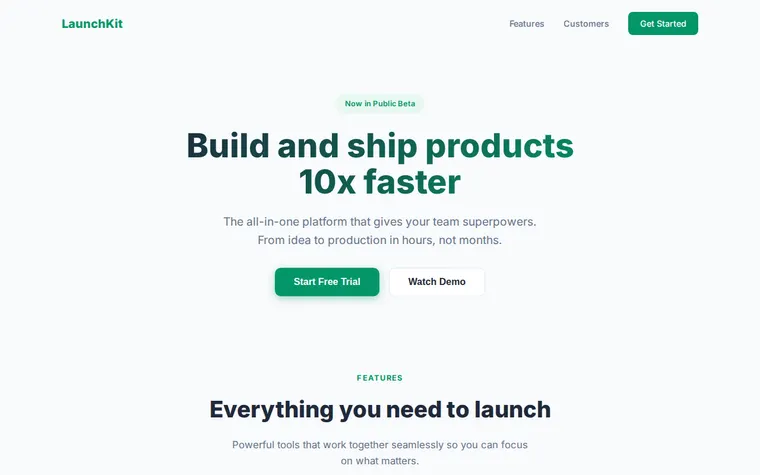
"Emerald green to match our logo" 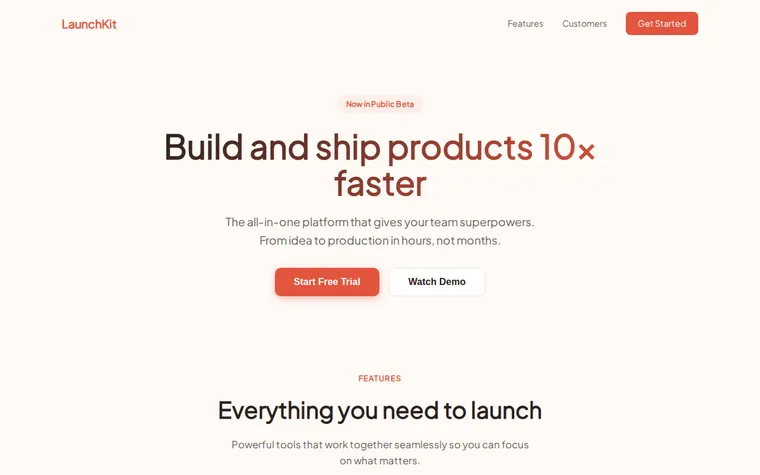
"Warmer and friendlier, our users aren't developers" 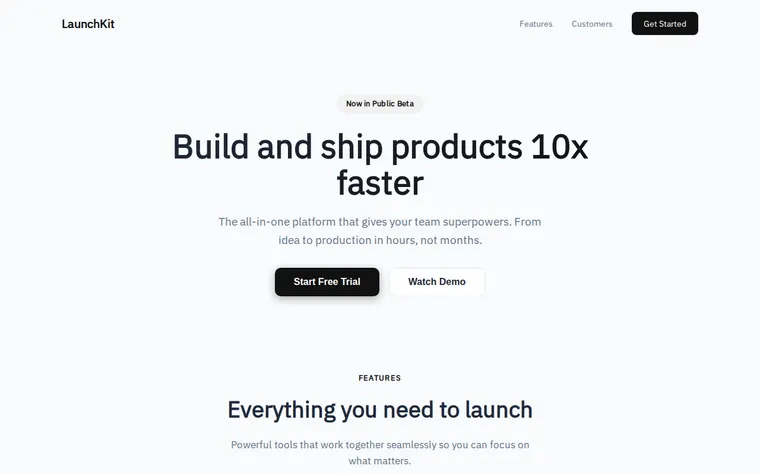
"Black and white, more serious"
More things to ask for
- Add a three-tier pricing section with a yearly discount.
- Put a testimonial from a customer under the stats.
- Embed our two-minute demo video for the Watch Demo button.
- Change the badge to say Now on Product Hunt.
- Add an email form for the waitlist instead of the trial button.
What's on the page
Navigation
Your logo, links to Features and Customers, and a Get Started button.
Hero
A badge such as Now in Public Beta, your headline, one line on what it does, and trial and demo buttons.
Features
Six cards with an icon, a name and a sentence each, from deploys to analytics.
Social proof
A row of customer logos and three big numbers like users, uptime and rating.
Call to action
A last nudge with your main button. Your answers about pricing tiers become a pricing section above it.
Where you'll share it
Launch day posts
One link to post on Product Hunt, Hacker News, LinkedIn and X.
Cold outreach and pitch decks
One page that explains the product in the time an investor gives your email.
Testing an idea
Put up a page and a waitlist button to see who signs up before you build.
Two ways to start
Let your AI write it
Copy the prompt, answer the questions, and get a page built around your details.
Start from this design
Open this exact page in the paste page editor, swap in your words and photos, and publish.
Use this templateOr skip the template. Make something weird and put it live the same way.
Questions
- Is the SaaS landing page template free?
- Yes. Copy the prompt or use the template, then sign up free to claim your link.
- Can I see SaaS landing page examples made from this template?
- The four brands above all started as this page, each changed by one request. For bigger differences, ask your AI for a split hero with a screenshot, a comparison with competitors or a pricing section.
- Can my SaaS landing page collect waitlist emails?
- Yes. Ask your AI to swap the trial button for an email form and give it the form address from your mailing tool.
- Can I run the SaaS landing page on my product's domain?
- Yes. Connect a domain you own and the page shows at that address, so visitors never see a paste page link.
- Is there a dark version of the SaaS template?
- Yes. The SaaS Product (Dark) template has the same parts on a dark background with glowing accents.
More business templates
- SaaS Product (Dark)Dark mode product page.
- Pricing PagePlans, features, comparison.
- WaitlistJoin the queue. Get early access.
- App DownloadApp store links and screenshots.