Make it with your AI. Host it on paste page.
Photography portfolio template with big photos
Ask your AI for a dark portfolio page where your photos fill the screen, with a line about your work. Paste it into paste page and send it to clients.
Copy the prompt paste what your AI writes live at paste.page/mika-tanaka
Works with any AI chat
- ChatGPT
- Claude
- Gemini
- Copilot
- Grok

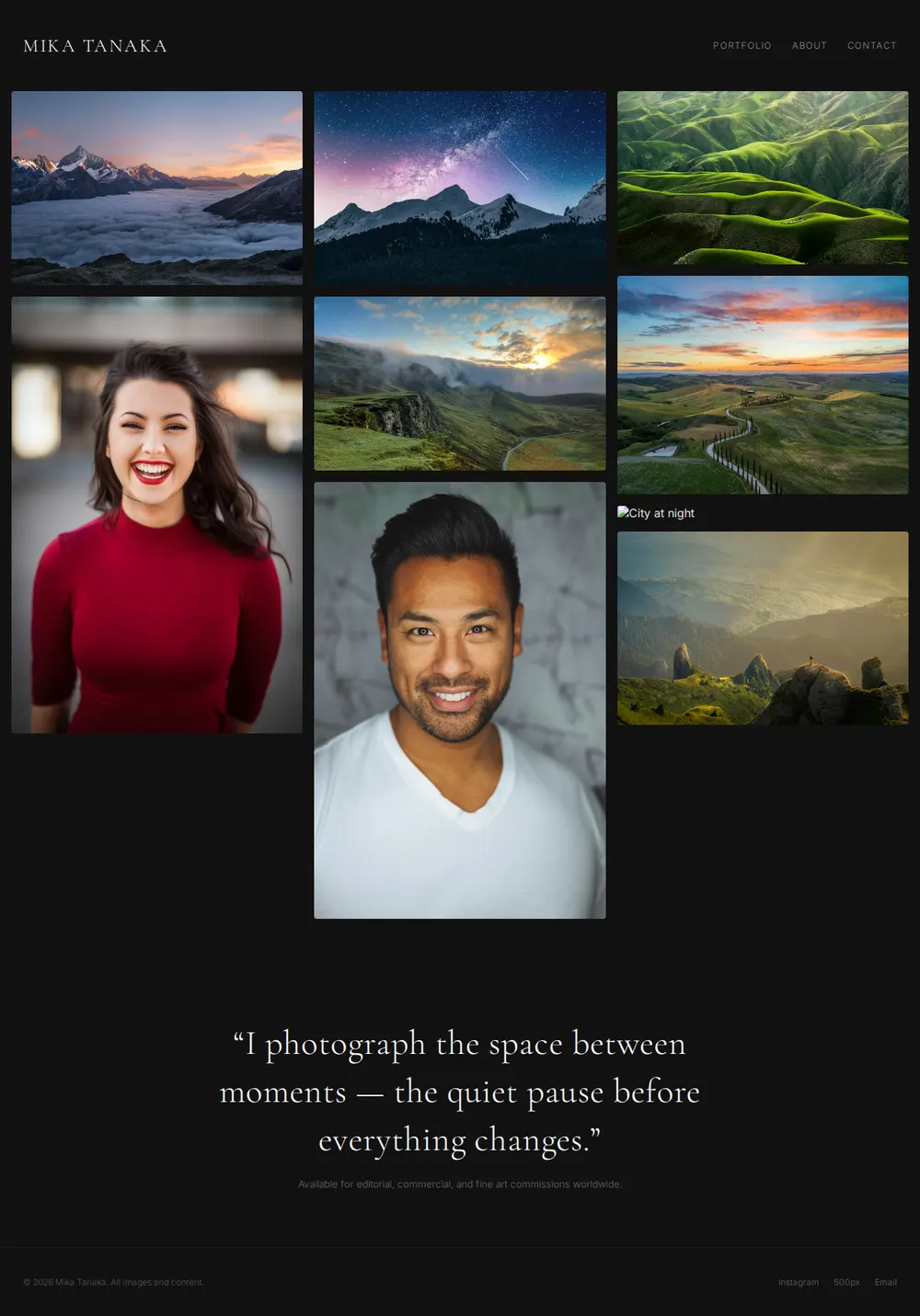
How it works
From prompt to photography portfolio in three steps
Your AI writes the page. paste page puts it online.
Copy the prompt below into ChatGPT, Claude or any AI. It asks for your name, the kind of photography you do, the six to twelve images you want to show, your email or booking link, your social links and where you work, then writes the whole page.
Paste the code into paste page and pick a name for your page.
You're live. Pick your link, such as paste.page/mika-tanaka, and publish. Then put it in your Instagram bio and on your business cards.
Your prompt
Copy it into your AI chat
I want to create a photographer portfolio page. Ask me: 1. What's your name? 2. What type of photography? (portrait, landscape, wedding, street, etc.) 3. What image URLs do you want to showcase? (6-12 recommended) 4. What's your contact email or booking link? 5. Any social links? (Instagram, 500px, etc.) 6. What's your location or areas you serve? Then generate the complete single-file HTML page with inline CSS. Make it beautiful and responsive.
Your photos
Upload your best frames
Upload them in the paste page editor and each one gets its own link. Give those links to your AI and ask it to use them, or swap them in yourself.
Six to twelve of your strongest shots, a mix of wide and close, with a title and place for each.
Here are ten photo links. Put the two landscapes first, then the portraits, and caption each with where it was taken.
No photos yet? Your AI uses placeholders you can swap after publishing.
Change anything by asking
Keep talking to your AI after it writes the page. Ask for new colours, fonts or sections in plain words and it rewrites the page. Paste the new version in and your link stays the same.
Same photographer website, three more looks. Each is one sentence to your AI.
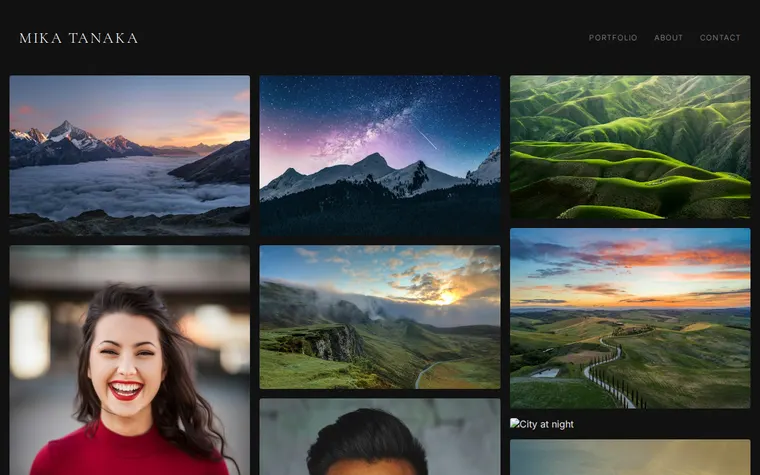
As it comes 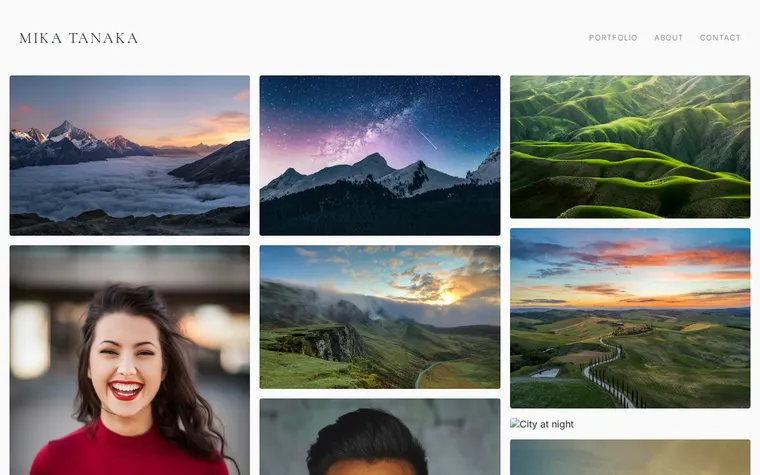
"White walls, like a gallery" 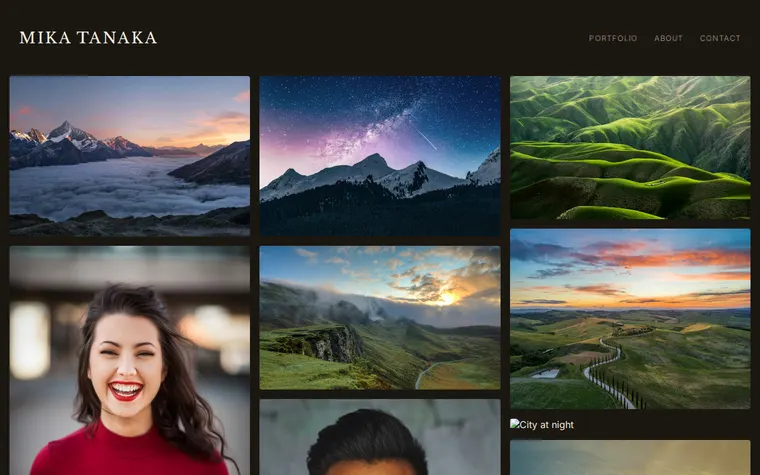
"Warm darkroom browns, with a heavier serif" 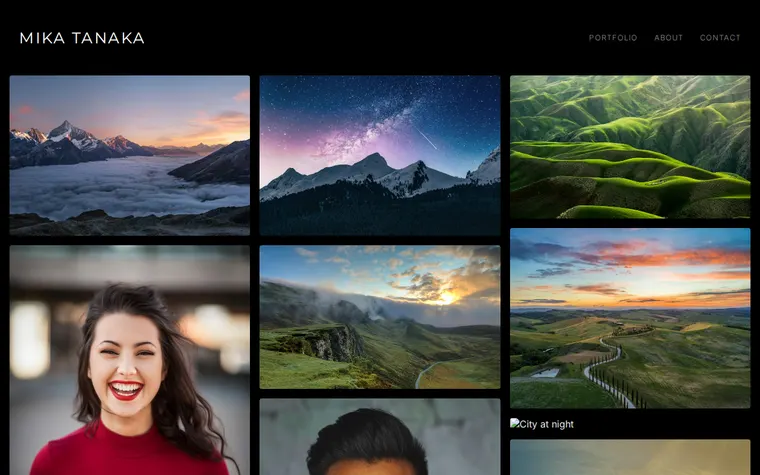
"Pure black, with a modern sans-serif for my name"
More things to ask for
- Make the gallery three columns on big screens.
- Add a price list for portrait sessions.
- Split the gallery into Weddings and Portraits.
- Show the captions all the time, not only on hover.
- Add a short about section with my photo.
What's on the page
Header
Your name with Portfolio, About and Contact links.
Gallery
Full-width images in columns, each with a title and place that appear on hover.
Statement
One line about how you see things, and the kinds of commissions you take.
Footer
Instagram, 500px and email links.
Where you'll share it
Your Instagram bio
People who like a post can see the full set, bigger and without the crop.
Replies to enquiries
Send the link when a client asks to see more of your work.
After each shoot
Ask your AI to add the new favourites, paste it in, and the link stays the same.
Two ways to start
Let your AI write it
Copy the prompt, answer the questions, and get a page built around your details.
Start from this design
Open this exact page in the paste page editor, swap in your words and photos, and publish.
Use this templateOr skip the template. Make something weird and put it live the same way.
Questions
- Is the photography portfolio template free?
- Yes. Copy the prompt or use the template, then sign up free to claim your link.
- How many photos should go in my photography portfolio?
- The prompt suggests six to twelve. That's enough to show your range without making people scroll past weaker frames. You can add more later.
- Does the photographer template suit wedding or portrait photographers?
- Yes. Tell your AI what you shoot and it changes the captions and statement to match, or splits the gallery by type of shoot.
- Can clients book a shoot from my photography website?
- Yes. Give your AI your email or a booking link like Calendly and it adds a button. For a contact form, ask it to use a form service such as Formspree, which emails each enquiry to you.
- I also do design work. Is there a more general portfolio template?
- Yes. The Designer Portfolio template is a clean project grid for any kind of visual work.
More personal templates
- Designer PortfolioClean grid layout for visual work.
- Photography ProjectVisual story in full-bleed images.
- Illustrator PortfolioPlayful and colorful. Showcase your art.
- Art ExhibitionGallery, dates, artist statement.