Make it with your AI. Host it on paste page.
Portfolio website templates for designers
Ask your AI for a portfolio with a featured case study, a project grid and your links. Paste it into paste page and send it to clients.
Copy the prompt paste what your AI writes live at paste.page/sarah-chen
Works with any AI chat
- ChatGPT
- Claude
- Gemini
- Copilot
- Grok

How it works
From prompt to designer portfolio in three steps
Your AI writes the page. paste page puts it online.
Copy the prompt below into ChatGPT, Claude or any AI. It asks for your name, your role, the projects you want to show with a line about each, your email and your Dribbble, Behance or LinkedIn, then writes the whole page.
Paste the code into paste page and pick a name for your page.
You're live. Pick your link, such as paste.page/sarah-chen, publish, and add it to your Dribbble, Behance and LinkedIn profiles.
Your prompt
Copy it into your AI chat
I want to create a designer portfolio page. Ask me: 1. What's your name? 2. What's your role/title? 3. What projects do you want to showcase? (name and brief description for each) 4. What's your contact email? 5. Any social links? (Dribbble, Behance, LinkedIn, etc.) Then generate the complete single-file HTML page with inline CSS. Make it beautiful and responsive.
Your photos
Swap the example shots for your own work
Upload them in the paste page editor and each one gets its own link. Give those links to your AI and ask it to use them, or swap them in yourself.
A wide hero shot for your case study, a mockup or screen for each project, a headshot if you want one.
Here are six image links. Use the first as the featured case study and put the others on the project cards in order.
No photos yet? Your AI uses placeholders you can swap after publishing.
Change anything by asking
Keep talking to your AI after it writes the page. Ask for new colours, fonts or sections in plain words and it rewrites the page. Paste the new version in and your link stays the same.
One portfolio, four looks. Each is one sentence to your AI.
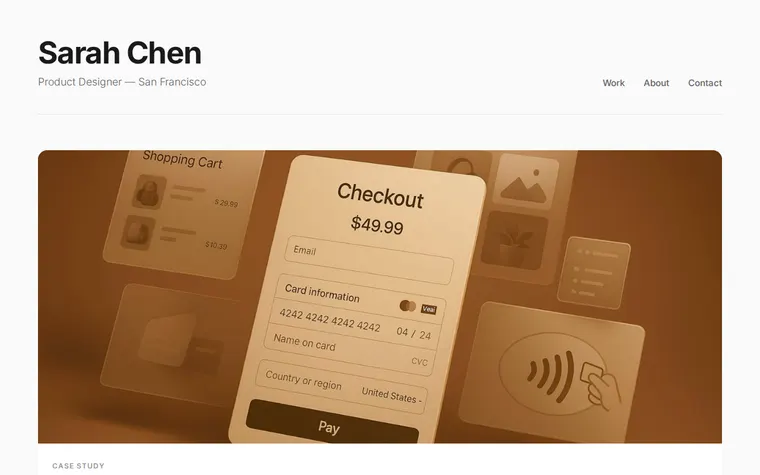
As it comes 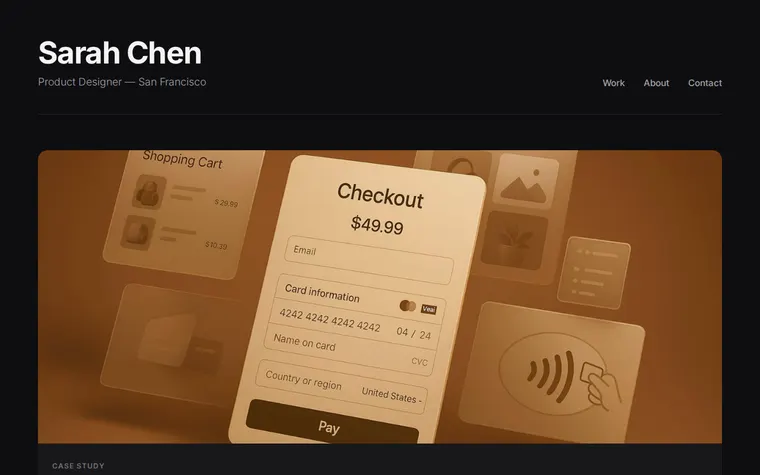
"Dark mode, please" 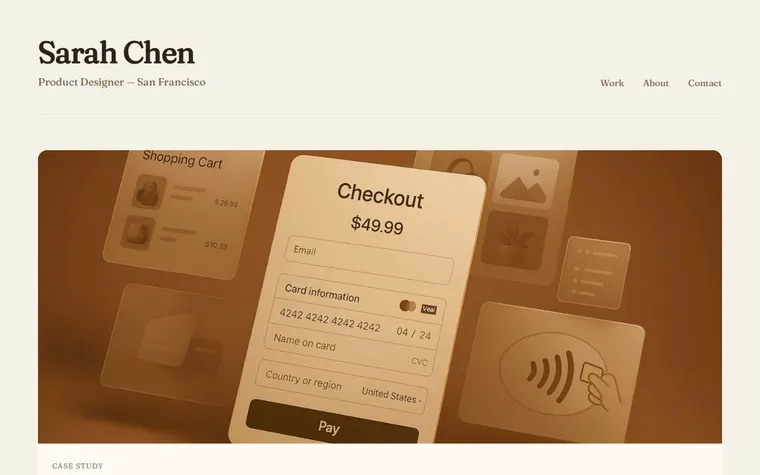
"Warm, earthy colours and a serif" 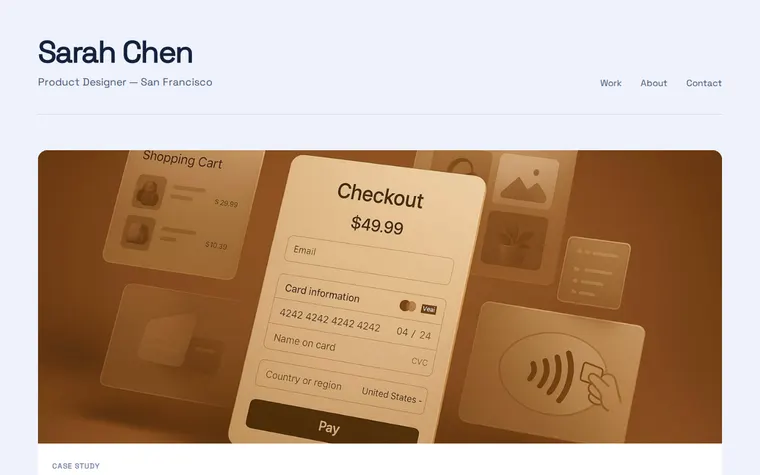
"Cool blue tones and a geometric font"
More things to ask for
- Add an About section with a short bio and my headshot.
- Link each project card to its own case study.
- Add a list of clients I've worked with.
- Put a Download CV button next to Contact.
- Show three projects per row on big screens.
What's on the page
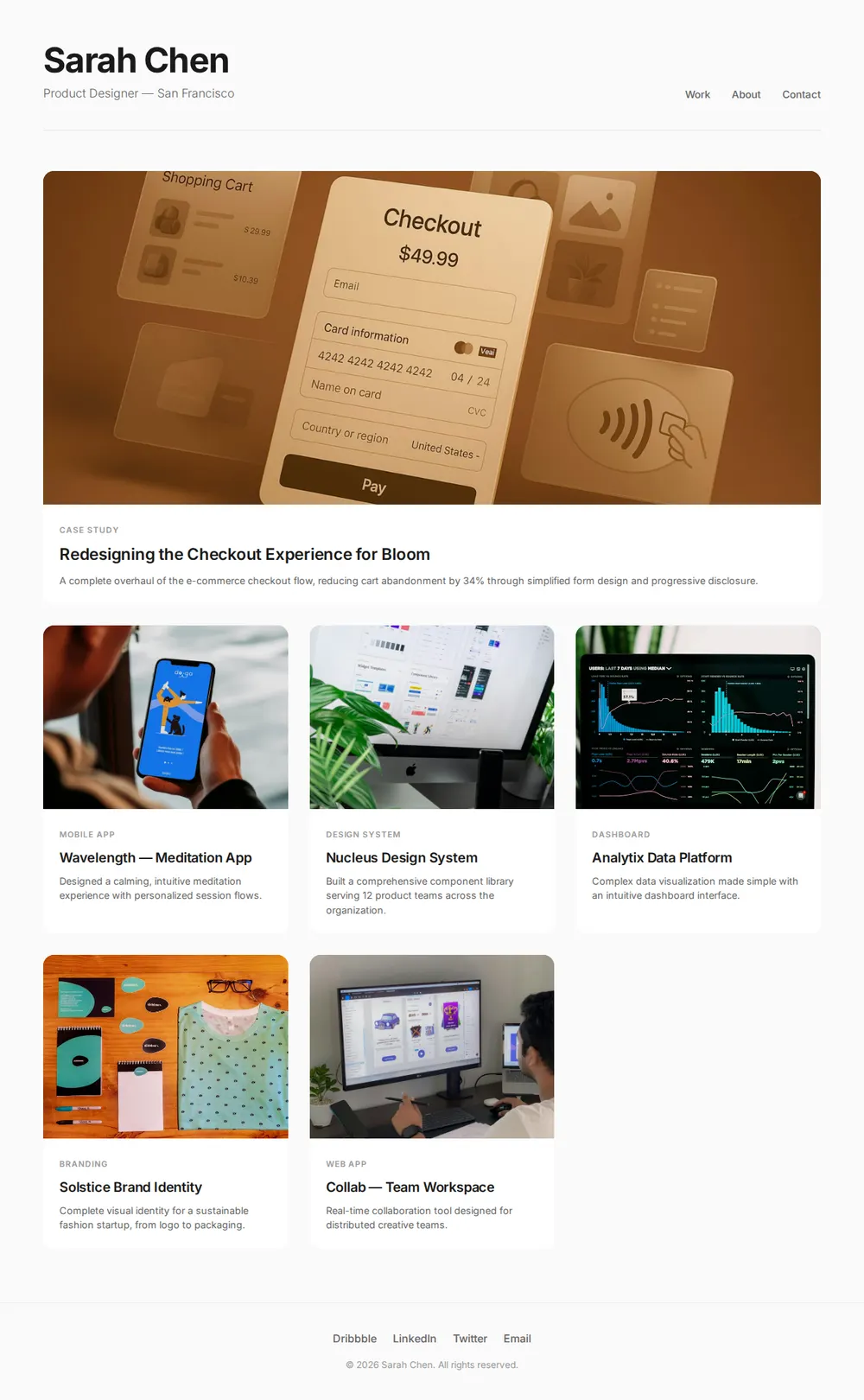
Name and role
Your name, what you do and where you're based, with Work, About and Contact links.
Featured case study
One wide card across the grid for the project you're proudest of.
Project grid
Cards for the rest of your work, each with a tag like Branding or Mobile App, a title and a line about it.
Footer links
Dribbble, LinkedIn, Twitter and your email.
Where you'll share it
Job applications
Paste the link into the portfolio field instead of attaching a 40MB PDF.
Dribbble, Behance and LinkedIn
Put it in your profile so people find all your work in one place.
When you finish a project
Ask your AI to add the new card, paste it in, and the link you've already sent stays the same.
Two ways to start
Let your AI write it
Copy the prompt, answer the questions, and get a page built around your details.
Start from this design
Open this exact page in the paste page editor, swap in your words and photos, and publish.
Use this templateOr skip the template. Make something weird and put it live the same way.
Questions
- Is the designer portfolio template free?
- Yes. Copy the prompt or use the template, then sign up free to claim your link.
- Does this work for a UX designer portfolio or a graphic designer portfolio website?
- Yes. Tell your AI which kind of designer you are. For UX it can turn each card into a case study with the problem, process and result; for graphic design it can lean on bigger images.
- How do I add my project images to the portfolio?
- Upload them in the paste page editor, then give the links to your AI or swap them in yourself.
- Can each portfolio project have its own case study page?
- The template is one page, so the simplest way is a case study section per project further down. You can also make a separate page for each one and link the cards to them.
- Are there portfolio templates for photographers, illustrators or developers?
- Yes. There are separate Photographer, Illustrator and Developer portfolio templates, each laid out for that kind of work.
More personal templates
- Photographer PortfolioFull-bleed images. Let photos tell the story.
- Illustrator PortfolioPlayful and colorful. Showcase your art.
- Developer PortfolioDark terminal aesthetic. Code-forward.
- Resume / CVProfessional and structured.