Make it with your AI. Host it on paste page.
A photo essay website for your photography project
Give your AI the title, story and image links and it writes a photo essay with full-width pictures and a note on you. Paste it into paste page and share the link.
Copy the prompt paste what your AI writes live at paste.page/quiet-hours
Works with any AI chat
- ChatGPT
- Claude
- Gemini
- Copilot
- Grok

How it works
From prompt to photo essay in three steps
Your AI writes the page. paste page puts it online.
Copy the prompt below into ChatGPT, Claude or any AI. It asks for the project title, your name, the project statement or story, six to twelve image links, any captions and your contact or portfolio link, then writes the whole page.
Paste the code into paste page and pick a name for your page.
You're live. Pick your link, such as paste.page/quiet-hours, publish, and add it to your submission or exhibition proposal.
Your prompt
Copy it into your AI chat
I want to create a photography project page. Ask me: 1. What's the project title? 2. Who's the photographer? 3. What's the project statement or story? 4. What are the image URLs? (6-12 recommended) 5. Any captions for the images? 6. What's your contact or portfolio link? Then generate the complete single-file HTML page with inline CSS. Make it beautiful with full-bleed images.
Your photos
Bring the images in the order you want them
Upload them in the paste page editor and each one gets its own link. Give those links to your AI and ask it to use them, or swap them in yourself.
Six to twelve pictures from the series, at least one wide frame for a full-width panorama, a small portrait of you.
Here are ten image links in sequence. Make the third and seventh full width and pair the rest.
No photos yet? Your AI uses placeholders you can swap after publishing.
Change anything by asking
Keep talking to your AI after it writes the page. Ask for new colours, fonts or sections in plain words and it rewrites the page. Paste the new version in and your link stays the same.
Darkroom black, or white like a printed book.
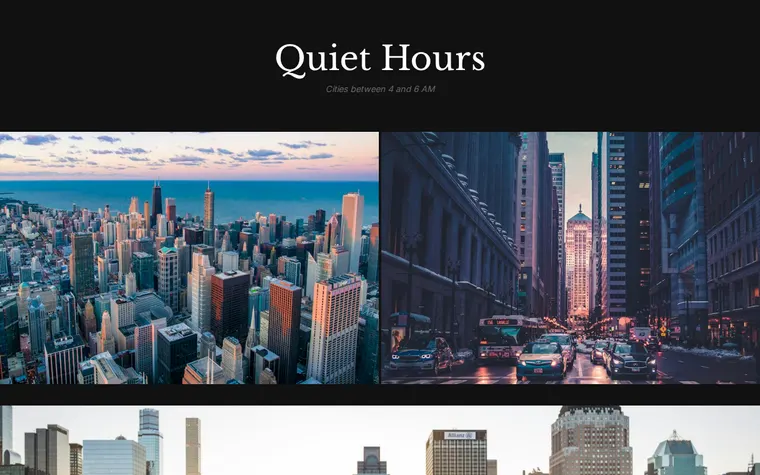
As it comes 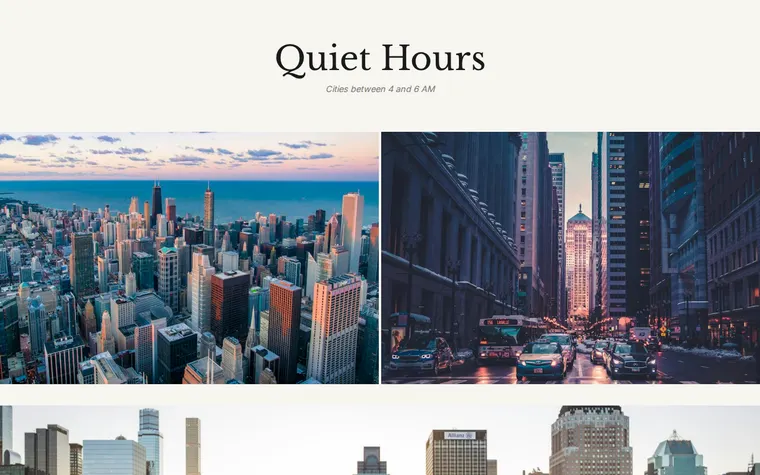
"White pages, like a printed photobook" 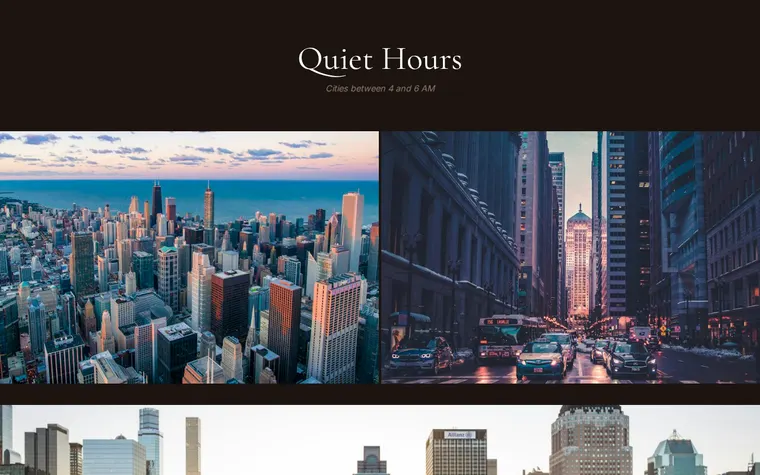
"Warmer browns and a softer serif"
More things to ask for
- Add a short caption under each photo.
- Move the project statement above the pictures.
- Add a line for where and when it was shot.
- Add a link to buy prints.
- Show the photos one at a time, full screen.
What's on the page
Title
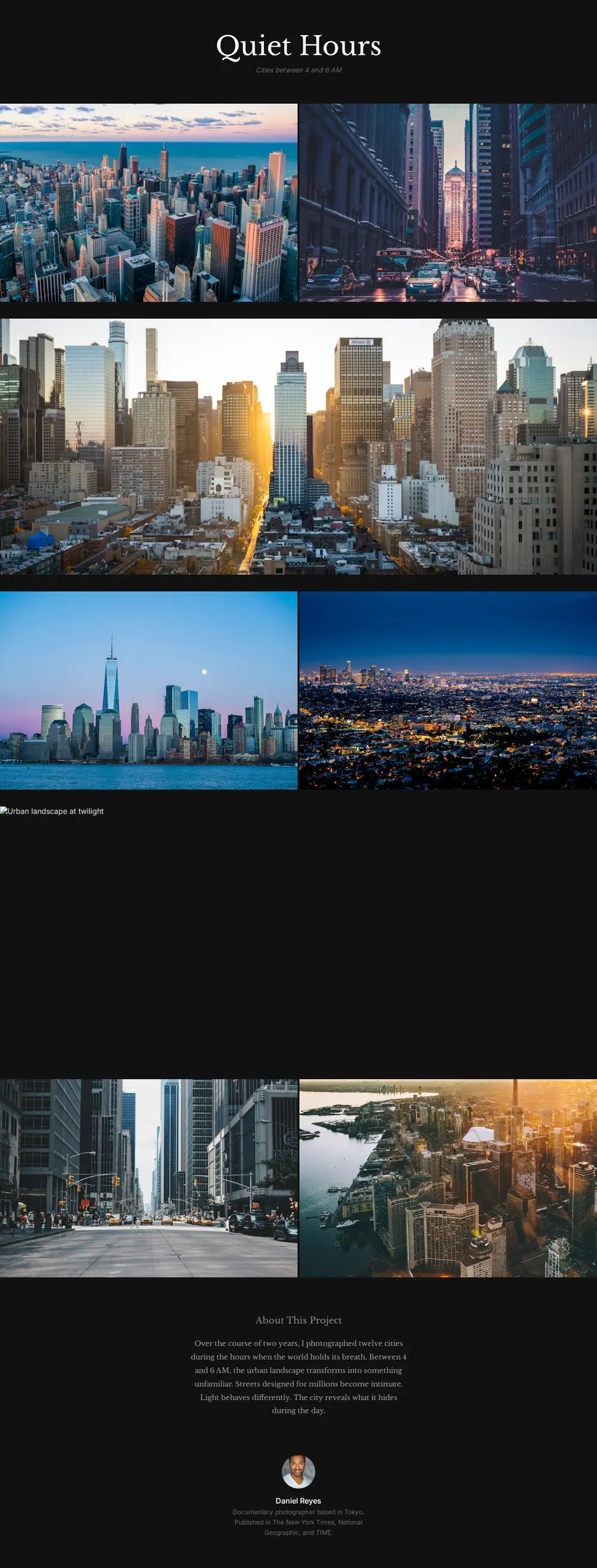
The project name in a serif, with a one-line subtitle in italics.
Image sequence
Pairs of photos side by side, broken up by wide panoramas that run the full width of the screen.
About this project
Your statement, set in a serif after the pictures, so the work comes first.
Photographer
A small round portrait, your name and a line on where you're based and published.
Where you'll share it
Competition and grant entries
One link with the full series and statement, instead of a folder of attachments.
Instagram
Post a few frames and put the link in your bio for the rest of the series.
Exhibition and zine proposals
Editors see the sequence as you intend it, not in the order a file browser picks.
Two ways to start
Let your AI write it
Copy the prompt, answer the questions, and get a page built around your details.
Start from this design
Open this exact page in the paste page editor, swap in your words and photos, and publish.
Use this templateOr skip the template. Make something weird and put it live the same way.
Questions
- Is the photography project template free?
- Yes. Copy the prompt or use the template, then sign up free to claim your link.
- How is a photo essay website different from a portfolio?
- A photo essay is one series in a set order with a statement. A portfolio shows your range across many projects. For that, use the Photographer Portfolio template.
- Where do I put my photo essay images so the AI can use them?
- Upload them in the paste page editor and give the links to your AI, or use links from wherever you already host them.
- Can I control the order and size of each photograph in the series?
- Yes. List the images in the order you want and tell your AI which ones should run full width.
- Does the photo essay layout crop my pictures?
- The page crops each image to fit its frame, wide for panoramas and 3:2 for pairs. Ask your AI to show any picture uncropped if the framing matters.
More creative templates
- Photographer PortfolioFull-bleed images. Let photos tell the story.
- Art ExhibitionGallery, dates, artist statement.
- Zine / PublicationIndependent publishing, digital or print.
- Illustrator PortfolioPlayful and colorful. Showcase your art.