Make it with your AI. Host it on paste page.
Podcast website template for your show
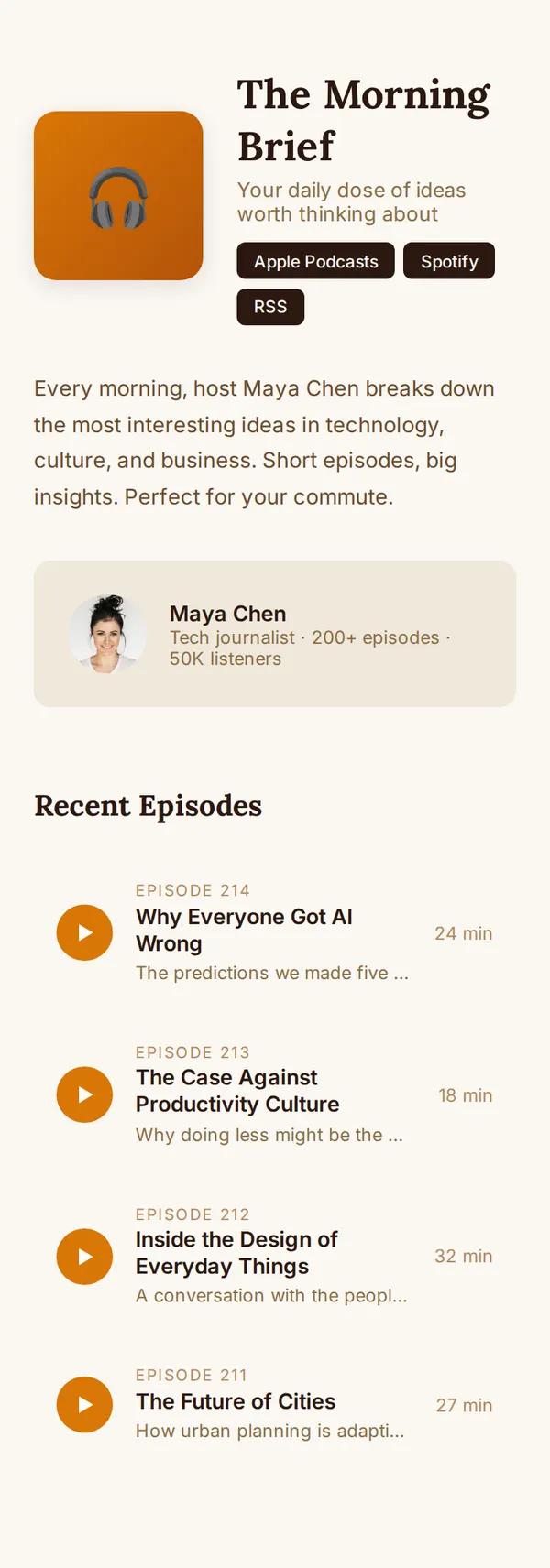
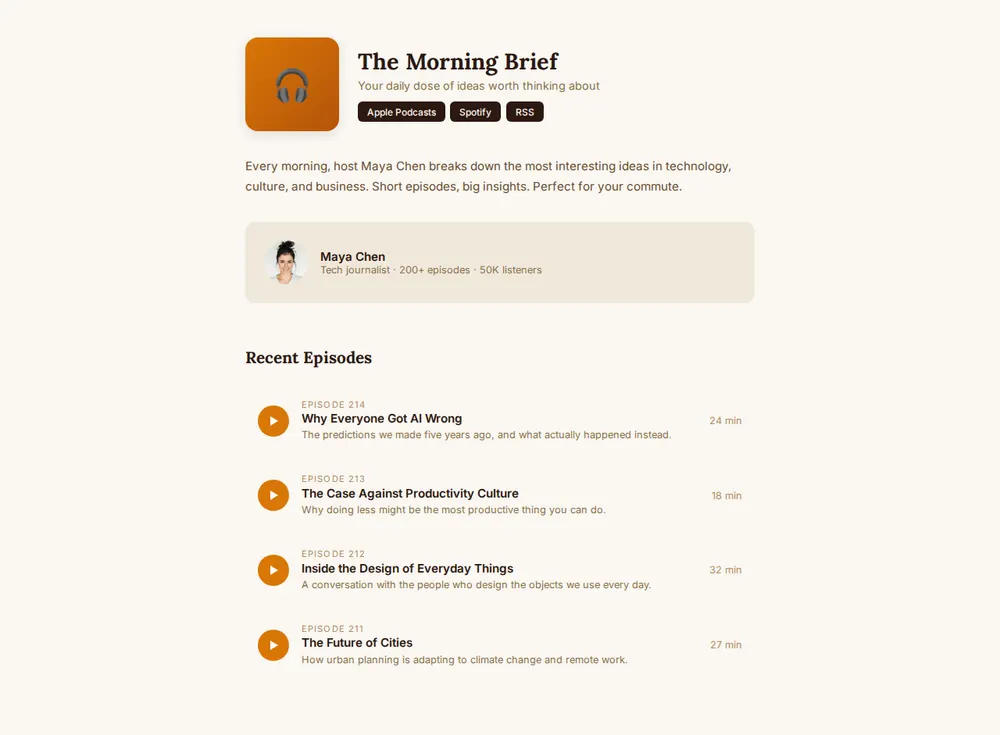
Tell your AI about your show and it makes a page with cover art, subscribe buttons, a host card and episodes. Paste it into paste page and add it to your show notes.
Copy the prompt paste what your AI writes live at paste.page/the-morning-brief
Works with any AI chat
- ChatGPT
- Claude
- Gemini
- Copilot
- Grok
How it works
From prompt to podcast website in three steps
Your AI writes the page. paste page puts it online.
Copy the prompt below into ChatGPT, Claude or any AI. It asks for the show name, what it's about, the hosts, your subscribe links, three to five featured episodes and your cover art, then writes the whole page.
Paste the code into paste page and pick a name for your page.
You're live. Pick your link, such as paste.page/the-morning-brief, and publish. Put it in your show notes so new listeners can find the back catalogue.
Your prompt
Copy it into your AI chat
I want to create a podcast page. Ask me: 1. What's the podcast name? 2. What's it about? (one-line description) 3. Who are the hosts? 4. What are the subscribe links? (Apple Podcasts, Spotify, RSS, etc.) 5. What are 3-5 featured episodes? (title and brief description) 6. What's the cover art image URL? Then generate the complete single-file HTML page with inline CSS. Make it beautiful and responsive.
Your photos
Add your cover art and host photos
Upload them in the paste page editor and each one gets its own link. Give those links to your AI and ask it to use them, or swap them in yourself.
The square cover art from your feed, a headshot of each host, a photo from the studio or a live recording.
Use this link for the cover art in place of the headphones, and this one for my photo in the host card.
No photos yet? Your AI uses placeholders you can swap after publishing.
Change anything by asking
Keep talking to your AI after it writes the page. Ask for new colours, fonts or sections in plain words and it rewrites the page. Paste the new version in and your link stays the same.
Same show, one sentence to your AI.
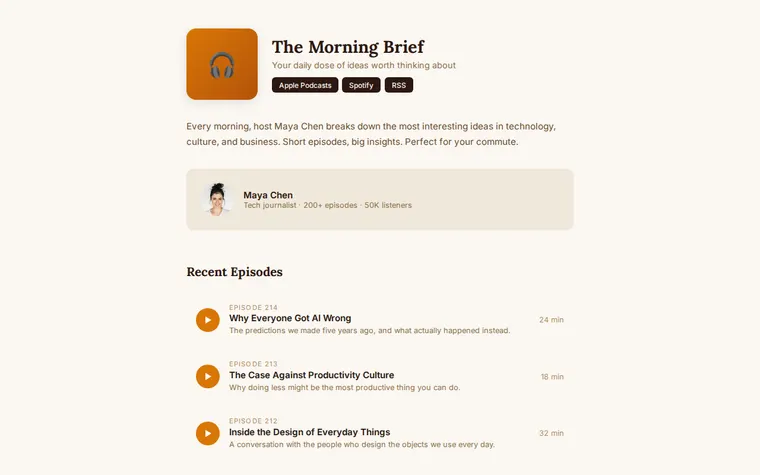
As it comes 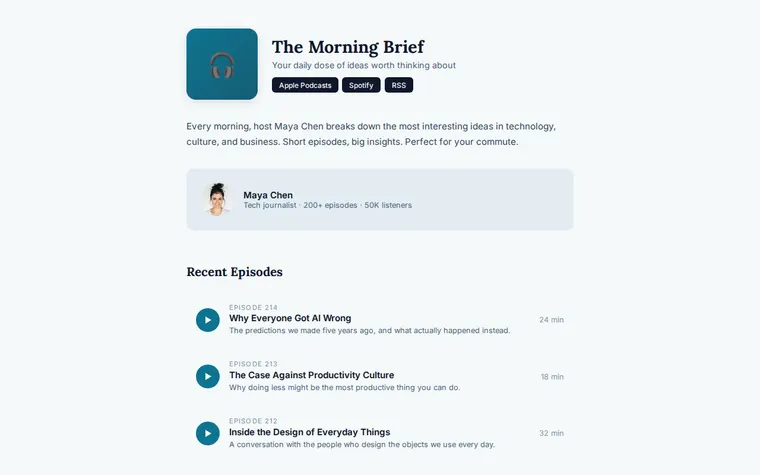
"Cooler colours, navy and teal" 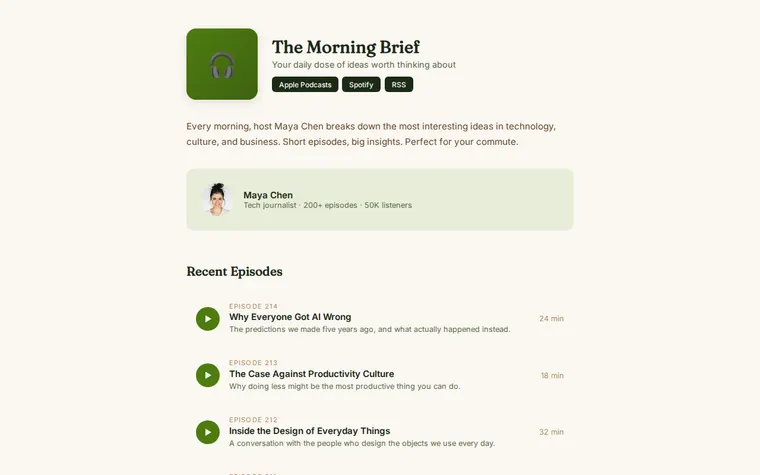
"Green for our nature show, with a rounder font"
More things to ask for
- Add a second host card for my co-host.
- Link each episode title to its Spotify page.
- Embed a player for the latest episode at the top.
- Add a YouTube button next to the subscribe buttons.
- Put a guest list under the episodes.
What's on the page
Header
Cover art, the show name, a one-line description and subscribe buttons for Apple Podcasts, Spotify and RSS.
About
A short paragraph on what the show covers and who it's for.
Host
A card with the host's photo, name and a line such as episode count and listeners.
Recent episodes
A list with episode number, title, a one-line description and running time. Ask your AI to link each one to where it plays.
Where you'll share it
Your show notes
One link at the bottom of every episode description.
Said out loud
A short address is easy to say at the end of an episode.
Guests
Send it to guests so they can share their episode with their followers.
Two ways to start
Let your AI write it
Copy the prompt, answer the questions, and get a page built around your details.
Start from this design
Open this exact page in the paste page editor, swap in your words and photos, and publish.
Use this templateOr skip the template. Make something weird and put it live the same way.
Questions
- Is the podcast website template free?
- Yes. Copy the prompt or use the template, then sign up free to claim your link.
- Do the subscribe buttons on my podcast page go to Apple and Spotify?
- Yes, once your AI has your links. It asks for them, and each button opens your show on that app. You can add YouTube, Overcast or any other.
- Can listeners play episodes on the podcast page?
- As it comes, the episode list shows titles and running times. Ask your AI to link each one to your host's episode page, or to embed your host's player.
- Do I need to update the page every time a new episode comes out?
- Only if you want the list to show it. Ask your AI to add the new episode at the top, paste it in, and the link stays the same.
- Where can I see podcast website examples in other styles?
- The Podcast (Dark) template is a moodier take on the same idea. Or ask your AI for any look you like and it rewrites this one.
More creative templates
- Podcast (Dark)Moody podcast landing page.
- Creator Link in BioContent-focused. YouTube, podcast, newsletter.
- YouTube EmbedYour video, no distractions.
- Album / EP ReleaseListen, stream, buy.