Make it with your AI. Host it on paste page.
Links page template for sites you keep sharing
Ask your AI for a links page with your favourite sites under a few headings and a note on each. Paste it into paste page and pass the link around.
Copy the prompt paste what your AI writes live at paste.page/useful-links
Works with any AI chat
- ChatGPT
- Claude
- Gemini
- Copilot
- Grok
How it works
From prompt to links page in three steps
Your AI writes the page. paste page puts it online.
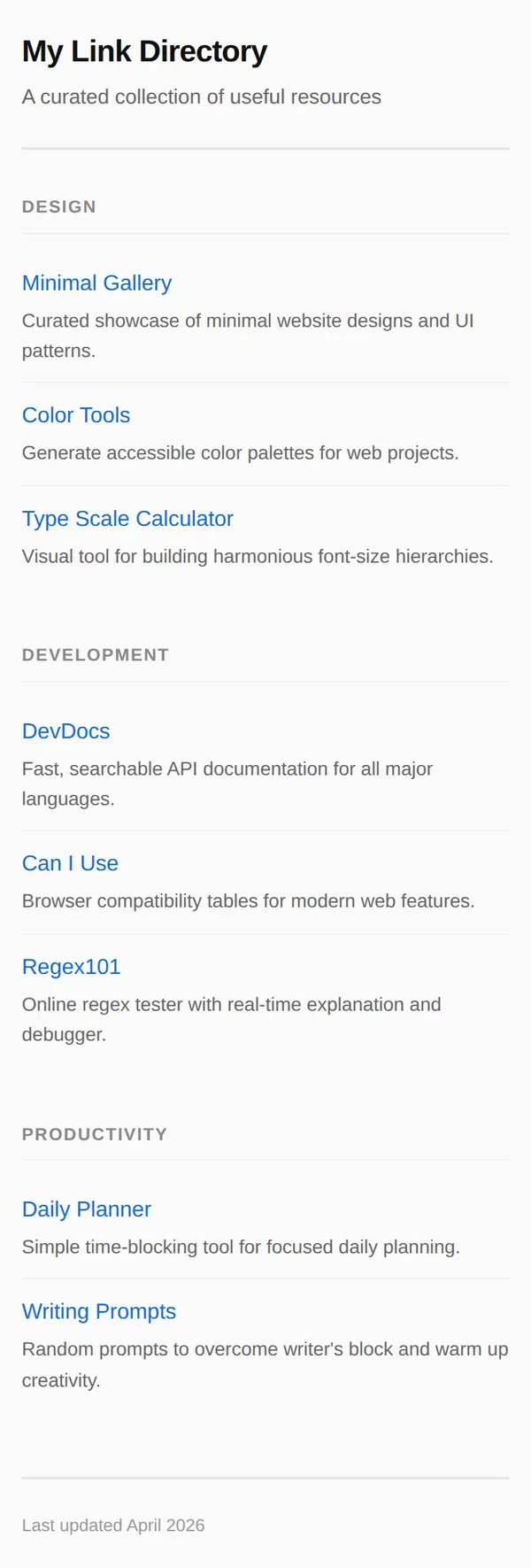
Copy the prompt below into ChatGPT, Claude or any AI. It asks for a title, your categories, the links with a short description for each, who made the list and how people can suggest additions, then writes the whole page.
Paste the code into paste page and pick a name for your page.
You're live. Pick your link, such as paste.page/useful-links, publish, and add it to your email signature or profile.
Your prompt
Copy it into your AI chat
I want to create a link directory page. Ask me: 1. What's the directory title or topic? 2. What are the categories? 3. What links to include? (name, URL, and brief description for each) 4. Who curated this? 5. How can people suggest additions? Then generate the complete single-file HTML page with inline CSS. Make it beautiful and responsive.
Your photos
It works without pictures
Upload them in the paste page editor and each one gets its own link. Give those links to your AI and ask it to use them, or swap them in yourself.
The page is plain text by design, which keeps it quick to read. If you want images, a small icon for each site or a photo next to the title is plenty.
Add each site's favicon to the left of its name.
No photos yet? Your AI uses placeholders you can swap after publishing.
Change anything by asking
Keep talking to your AI after it writes the page. Ask for new colours, fonts or sections in plain words and it rewrites the page. Paste the new version in and your link stays the same.
Same list, one sentence each.
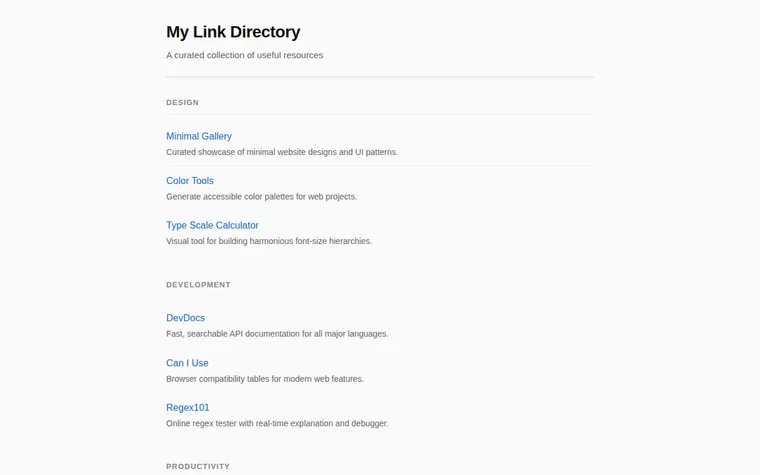
As it comes 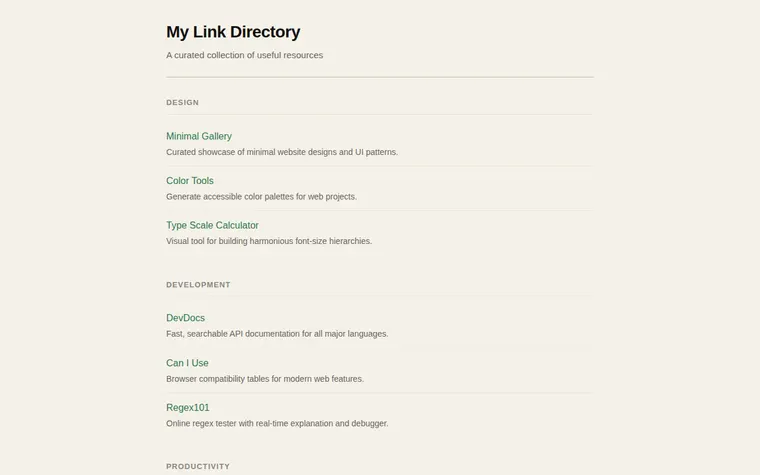
"Green links on warm paper" 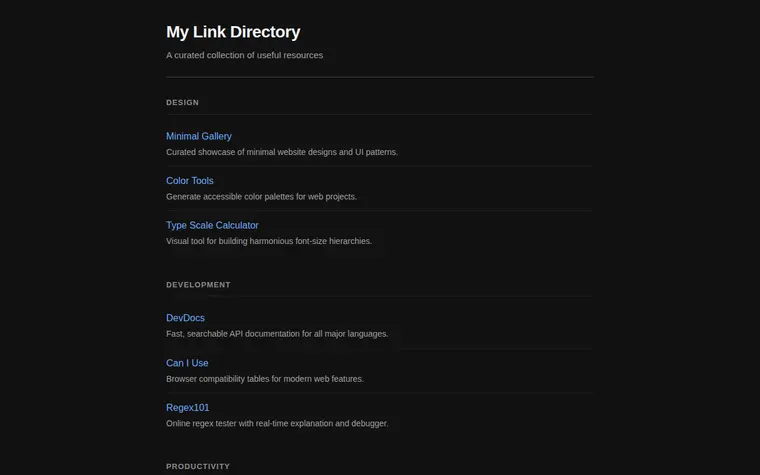
"Dark, for reading at night"
More things to ask for
- Add a Podcasts heading with these three shows.
- Open every link in a new tab.
- Put the categories side by side on wide screens.
- Add a star next to my top picks.
- Change the date in the footer to today.
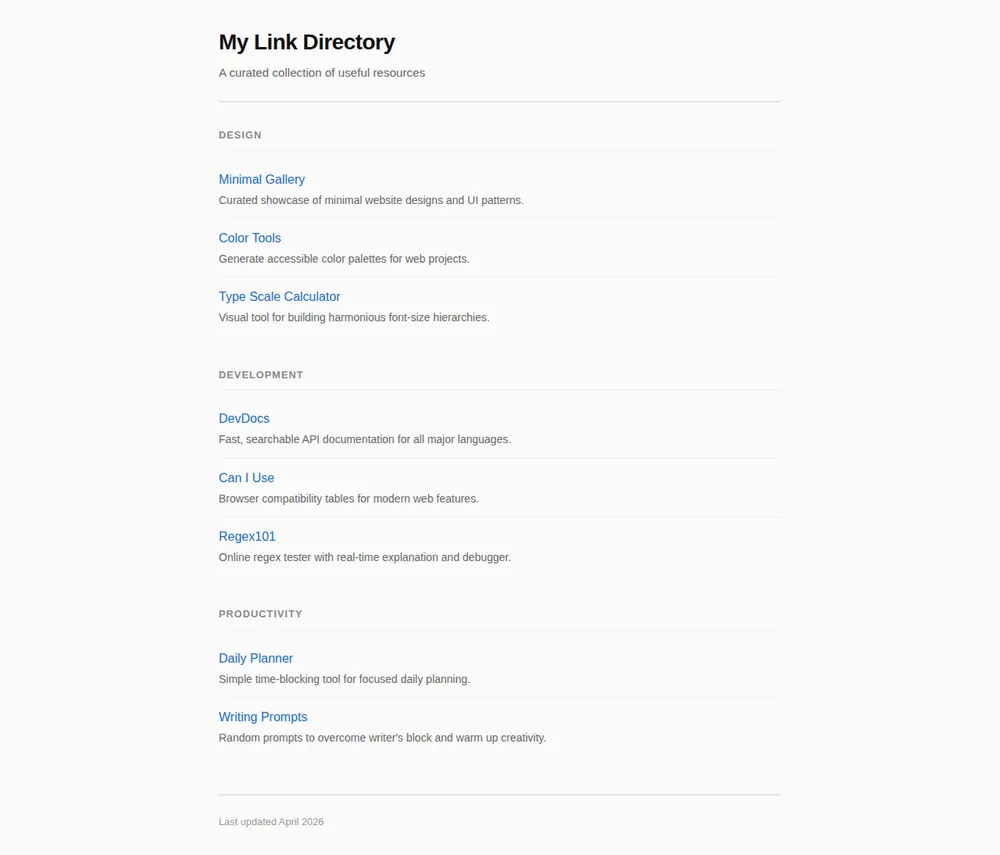
What's on the page
Title
The name of your list and one line about it.
Headings
Small capital-letter headings such as Design, Development and Productivity.
Links
A blue name for each site, with a sentence underneath saying why it's there.
Footer
A note of when you last updated the list.
Where you'll share it
When someone asks for recommendations
Send one link instead of digging through your bookmarks again.
In a newsletter or forum signature
A standing list of the sites you rate, for anyone who wants it.
As your start page
Set it as your browser's home page so your own favourites are one click away.
Two ways to start
Let your AI write it
Copy the prompt, answer the questions, and get a page built around your details.
Start from this design
Open this exact page in the paste page editor, swap in your words and photos, and publish.
Use this templateOr skip the template. Make something weird and put it live the same way.
Questions
- Is the link directory template free?
- Yes. Copy the prompt or use the template, then sign up free to claim your link.
- Can I paste my browser bookmarks into the link directory prompt?
- Yes. Export them or copy the list, paste it into the chat, and ask your AI to sort them into headings and write a line for each.
- Is a links page the same as a Link in Bio?
- Not quite. A Link in Bio points to your own profiles and work. This page is a list of other people's sites you recommend, so it can be as long as you like.
- Can the links page have tags or a search box?
- Yes, ask your AI to add them. If you want both from the start, the Resource Hub template already has tags, a search box and counts per category.
More utility templates
- Resource HubCurated links and materials.
- Minimal Link in BioStripped back. Just the essentials.
- Research SummaryFindings, methodology, citations.
- MinimalClean and simple. Just the essentials.