Make it with your AI. Host it on paste page.
A minimal coming soon countdown template
Ask your AI for a minimal page with a serif headline, a launch countdown and an email box. Paste it into paste page and share the link ahead of launch.
Copy the prompt paste what your AI writes live at paste.page/maison-elle
Works with any AI chat
- ChatGPT
- Claude
- Gemini
- Copilot
- Grok
How it works
From prompt to countdown page in three steps
Your AI writes the page. paste page puts it online.
Copy the prompt below into ChatGPT, Claude or any AI. It asks for your product or brand name, the launch date and time, a one-line description and where the emails people leave should go, then writes the whole page, timer included.
Paste the code into paste page and pick a name for your page.
You're live. Pick your link, such as paste.page/maison-elle, and publish. Share it a week or two out so the countdown has something to count.
Your prompt
Copy it into your AI chat
I want to create a minimal coming soon page with countdown. Ask me: 1. What's the product or brand name? 2. What's the launch date and time? 3. What's the one-line description? 4. Where should the email signup go? (form action URL) Then generate the complete single-file HTML page with inline CSS and JavaScript for the countdown timer. Make it beautiful and responsive.
Your photos
Keep it bare, or add one image
Upload them in the paste page editor and each one gets its own link. Give those links to your AI and ask it to use them, or swap them in yourself.
This design is mostly type. A small logo above the headline or one product photo is about as much as it wants.
Add this logo, small and centred, above the headline.
No photos yet? Your AI uses placeholders you can swap after publishing.
Change anything by asking
Keep talking to your AI after it writes the page. Ask for new colours, fonts or sections in plain words and it rewrites the page. Paste the new version in and your link stays the same.
Same quiet page, new colours, one sentence each.
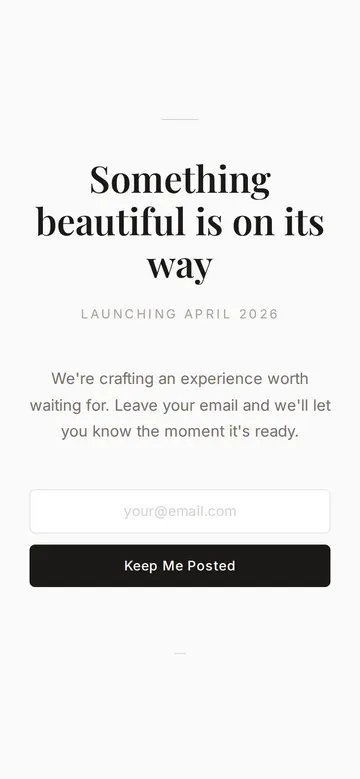
As it comes 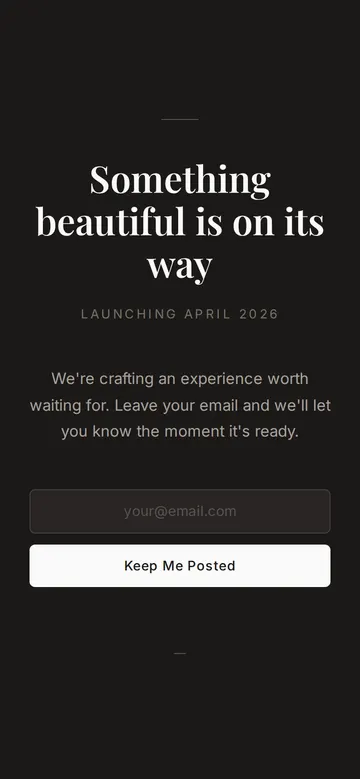
"Same thing, but dark" 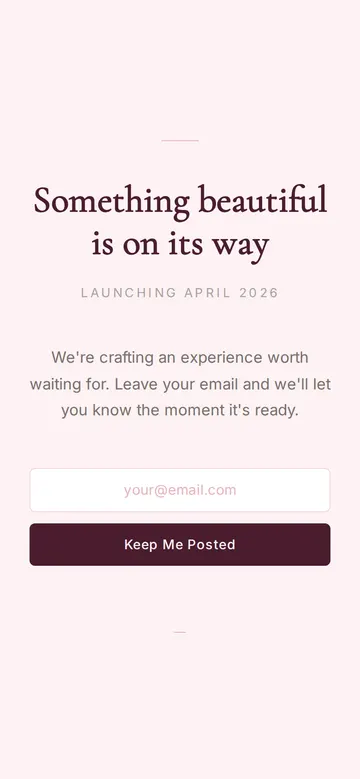
"Soft blush for a beauty brand"
More things to ask for
- Show the countdown in days and hours only.
- Swap the headline for our brand name.
- Add an Instagram link under the button.
- Change the button to say Tell me first.
- Show a thank-you message after someone leaves their email.
What's on the page
Headline
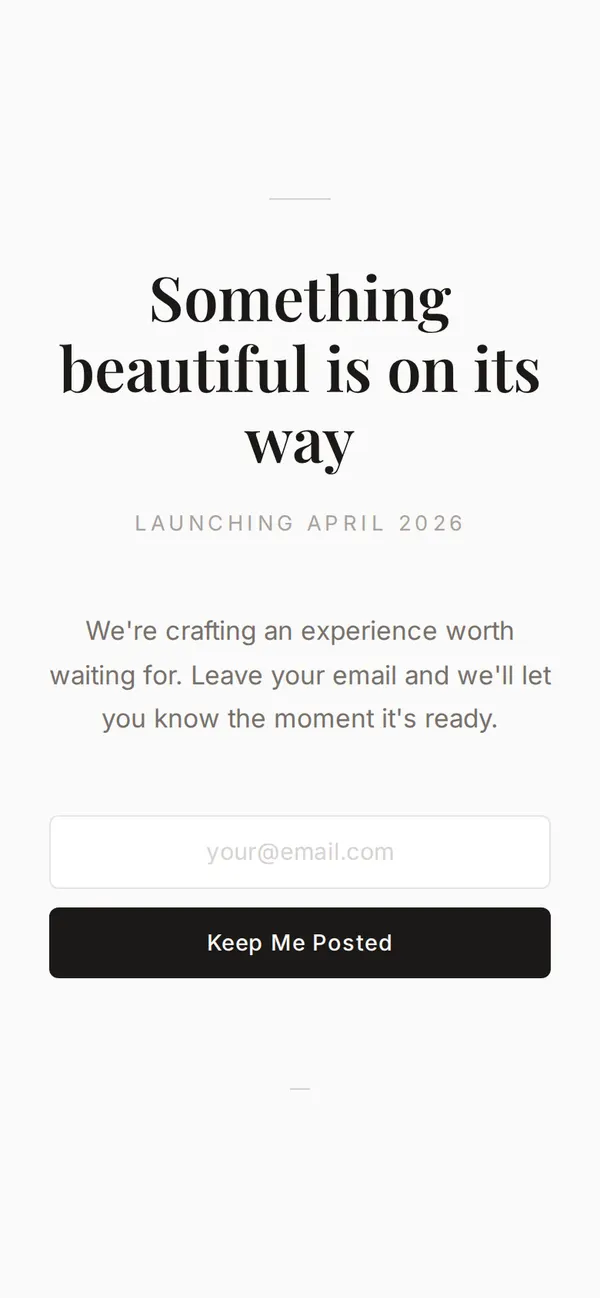
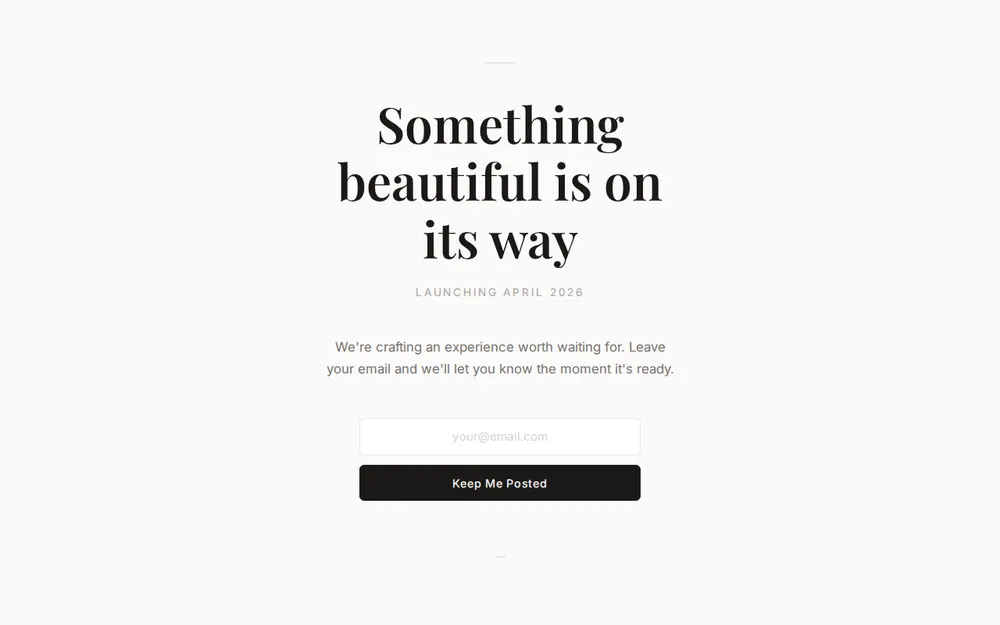
One serif line under a thin rule, such as Something beautiful is on its way.
Launch date
The month or day you open, in small spaced capitals.
Countdown
The prompt asks your AI to add a live timer to the launch date and time you give it.
Description
A sentence or two on what's coming.
Email box
A centred email box and a Keep Me Posted button.
Where you'll share it
In your bio while you build
A countdown landing page gives followers a date to remember.
In a teaser email
Send the link to your list so they can watch the clock run down.
When the date moves
Tell your AI the new launch time, paste it in, and the timer resets at the same link.
Two ways to start
Let your AI write it
Copy the prompt, answer the questions, and get a page built around your details.
Start from this design
Open this exact page in the paste page editor, swap in your words and photos, and publish.
Use this templateOr skip the template. Make something weird and put it live the same way.
Questions
- Is the minimal coming soon template free?
- Yes. Copy the prompt or use the template, then sign up free to claim your link.
- What happens when the coming soon countdown reaches zero?
- Whatever you ask for. It can stop at zero, show a We're open message, or send visitors to your shop. Tell your AI which you want.
- Can the countdown show my launch time in my own time zone?
- Yes. Give the AI the date, time and time zone, and the timer counts down to that moment wherever the visitor is.
- I want something bolder for my launch. Is there another option?
- Yes. The Coming Soon template is dark with a glowing gradient title, and the Countdown template puts the timer front and centre.
- Does the minimal countdown page suit a shop or studio opening?
- Yes. Give the AI your opening date and address, and ask for the address under the timer so people know where to come.
More marketing templates
- Coming SoonBuild anticipation. Collect interest.
- Countdown TimerCounting down to something big.
- WaitlistJoin the queue. Get early access.
- AnnouncementBig news. One page.