Make it with your AI. Host it on paste page.
Coming soon page template for your next launch
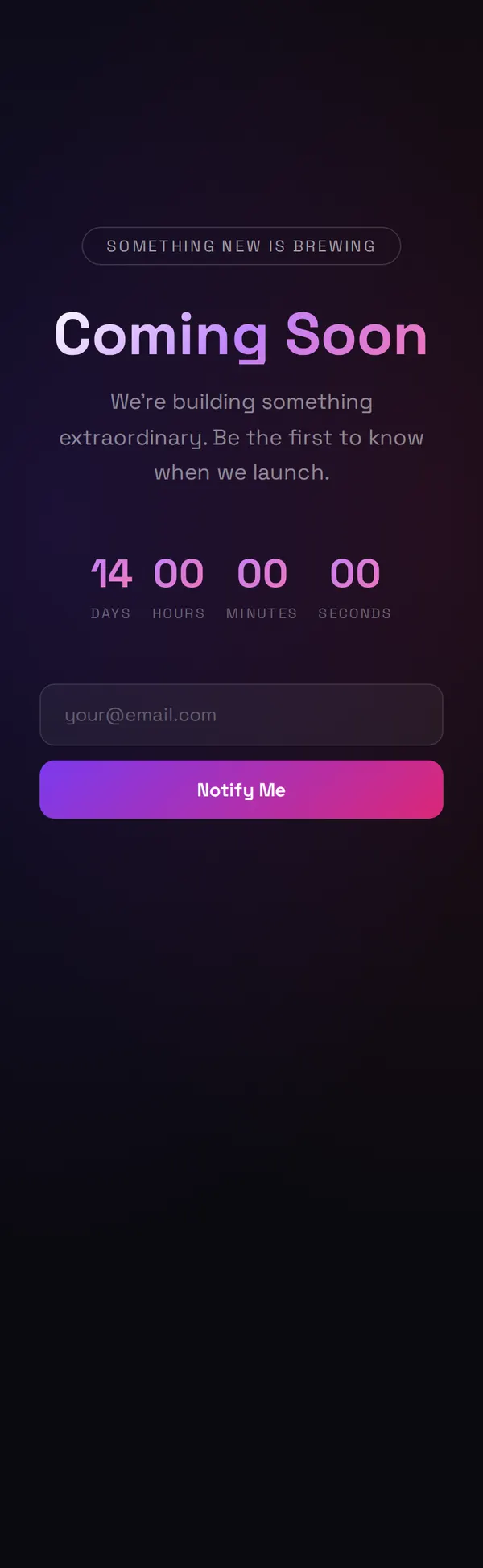
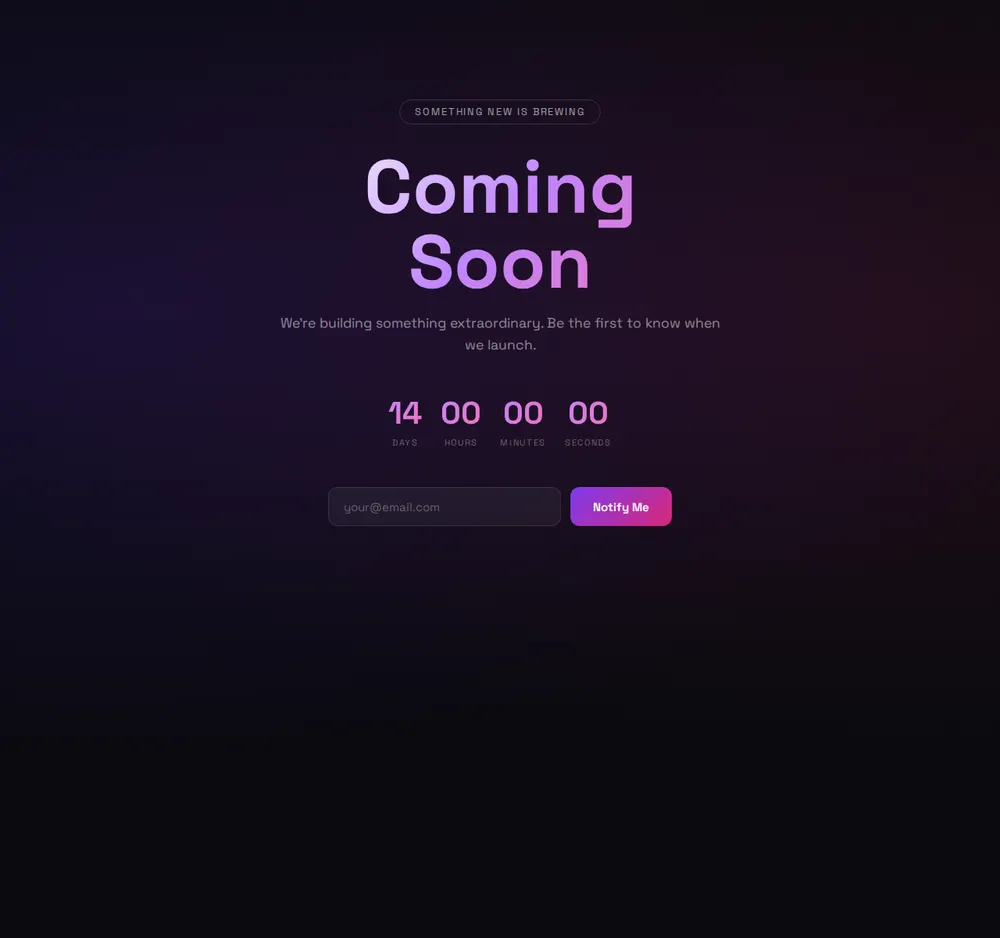
Ask your AI for a dark coming soon page with a glowing title, a launch countdown and an email box. Paste it into paste page to hold your spot until launch.
Copy the prompt paste what your AI writes live at paste.page/lumen-app
Works with any AI chat
- ChatGPT
- Claude
- Gemini
- Copilot
- Grok
How it works
From prompt to coming soon page in three steps
Your AI writes the page. paste page puts it online.
Copy the prompt below into ChatGPT, Claude or any AI. It asks for the project name, a one-line teaser, the launch date, where the emails people leave should go, your social links and any logo or preview image, then writes the whole page.
Paste the code into paste page and pick a name for your page.
You're live. Pick your link, such as paste.page/lumen-app, and publish. On launch day, paste the full site over it at the same address.
Your prompt
Copy it into your AI chat
I want to create a coming soon page. Ask me: 1. What's the product or project name? 2. What's the one-line teaser? 3. When is the expected launch date? 4. What's the email signup link or form action? 5. What social media links to follow for updates? 6. Any preview image or logo URL? Then generate the complete single-file HTML page with inline CSS. Make it beautiful and responsive.
Your photos
Add your logo or a sneak peek
Upload them in the paste page editor and each one gets its own link. Give those links to your AI and ask it to use them, or swap them in yourself.
Your logo above the title, a blurred screenshot of the product, a cropped photo that gives just enough away.
Put this logo above the title and show the preview image faintly behind the countdown.
No photos yet? Your AI uses placeholders you can swap after publishing.
Change anything by asking
Keep talking to your AI after it writes the page. Ask for new colours, fonts or sections in plain words and it rewrites the page. Paste the new version in and your link stays the same.
One launch page, four moods, one sentence each.
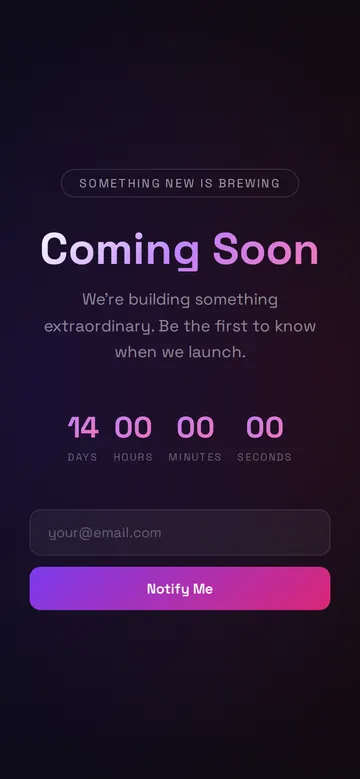
As it comes 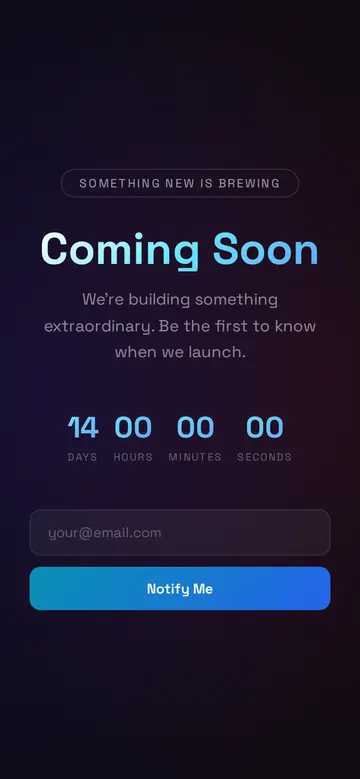
"Blue and cyan instead" 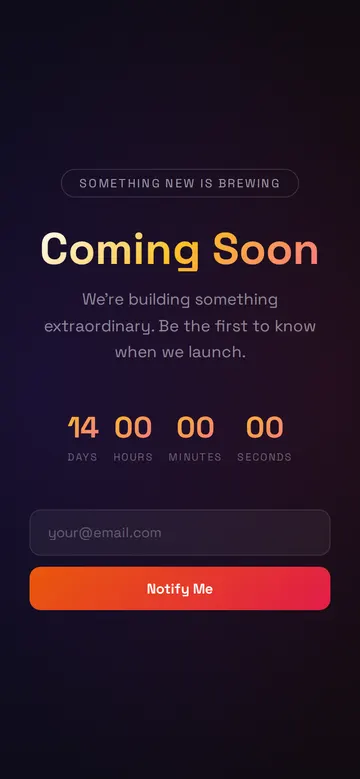
"Sunset orange for a summer launch" 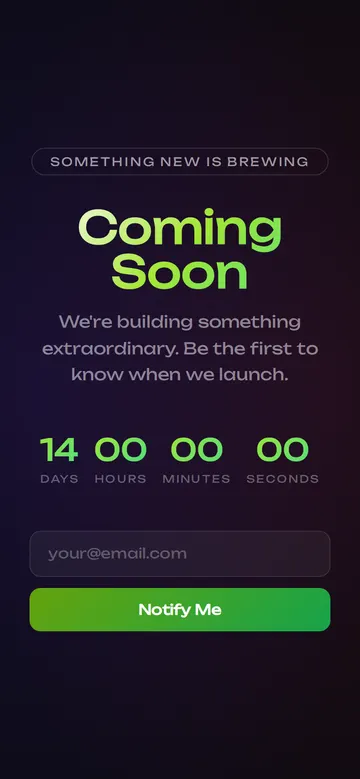
"Acid green and a louder font" 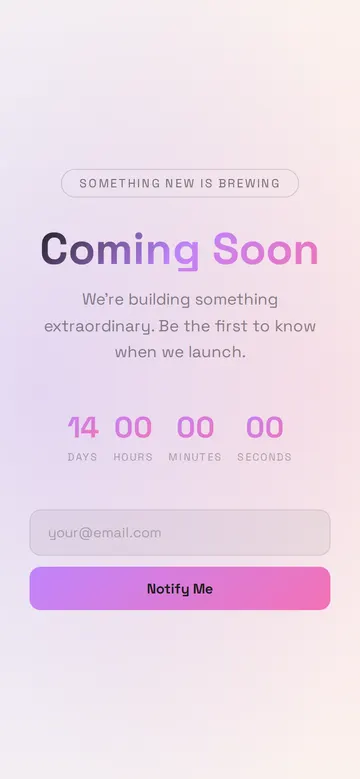
"Make it light"
More things to ask for
- Change the badge to say Launching this spring.
- Add Instagram and TikTok icons under the form.
- Show how many people are on the list so far.
- Replace the countdown with a progress bar.
- Add one line about what you're building.
What's on the page
Badge
A small pill at the top with a line like Something new is brewing.
Title
Your project name in large type with a colour gradient.
Teaser
One sentence on what's coming and why to leave an email.
Countdown
Days, hours, minutes and seconds to your launch date, ticking live.
Email box
An email box and a Notify Me button that you connect to your mailing tool.
Where you'll share it
Before you announce
Post the link in your bio and stories so early interest has somewhere to go.
With people you pitch
A launching soon website shows investors, press or stockists the name and date.
On launch day
Replace the page with the real site, and everyone who saved the link lands on it.
Two ways to start
Let your AI write it
Copy the prompt, answer the questions, and get a page built around your details.
Start from this design
Open this exact page in the paste page editor, swap in your words and photos, and publish.
Use this templateOr skip the template. Make something weird and put it live the same way.
Questions
- Is the coming soon page template free?
- Yes. Copy the prompt or use the template, then sign up free to claim your link.
- Where do the Notify Me emails on my coming soon page go?
- To the form or mailing tool you choose. Give the AI the form address from Mailchimp, Kit, Formspree or Tally when it asks, and new addresses land there.
- Does the countdown on the coming soon page use my real launch date?
- Yes. The AI sets it to the date you give it, and it counts down live for every visitor.
- Can I turn the coming soon page into my real website later?
- Yes. When you launch, paste your full site into the same page on paste page. The link stays the same, so nothing you've shared breaks.
- Is there a calmer, more minimal coming soon page?
- Yes. The Coming Soon (Minimal) template is light, with a serif headline, a launch date and an email box.
More marketing templates
- Coming Soon (Minimal)Countdown and email capture.
- WaitlistJoin the queue. Get early access.
- Countdown TimerCounting down to something big.
- AnnouncementBig news. One page.