Make it with your AI. Host it on paste page.
Church website template with service times
Ask your AI for a page with your service times, pastor, upcoming events and directions. Paste it into paste page and share the link on Sunday.
Copy the prompt paste what your AI writes live at paste.page/grace-community-church
Works with any AI chat
- ChatGPT
- Claude
- Gemini
- Copilot
- Grok

How it works
From prompt to church website in three steps
Your AI writes the page. paste page puts it online.
Copy the prompt below into ChatGPT, Claude or any AI. It asks for your church or group name, your denomination or tradition, service times, address, your pastor or leader, the ministries and groups you run and how visitors can get in touch, then writes the whole page.
Paste the code into paste page and pick a name for your page.
You're live. Pick your link, such as paste.page/grace-community-church, and publish. Then print it in the weekly bulletin.
Your prompt
Copy it into your AI chat
I want to create a church or faith group page. Ask me: 1. What's the church or group name? 2. What denomination or tradition? 3. What are the service times? 4. What's the address? 5. Who is the pastor or leader? 6. What ministries or groups are available? 7. How can visitors connect? (contact info) Then generate the complete single-file HTML page with inline CSS. Make it beautiful and welcoming.
Your photos
Add photos of your building and your people
Upload them in the paste page editor and each one gets its own link. Give those links to your AI and ask it to use them, or swap them in yourself.
The inside of the church for the hero, a portrait of your pastor, a few shots from a potluck or a youth night.
Use this photo of our sanctuary behind the church name and put this portrait of Pastor David in the pastor section.
No photos yet? Your AI uses placeholders you can swap after publishing.
Change anything by asking
Keep talking to your AI after it writes the page. Ask for new colours, fonts or sections in plain words and it rewrites the page. Paste the new version in and your link stays the same.
One church page, a few traditions.
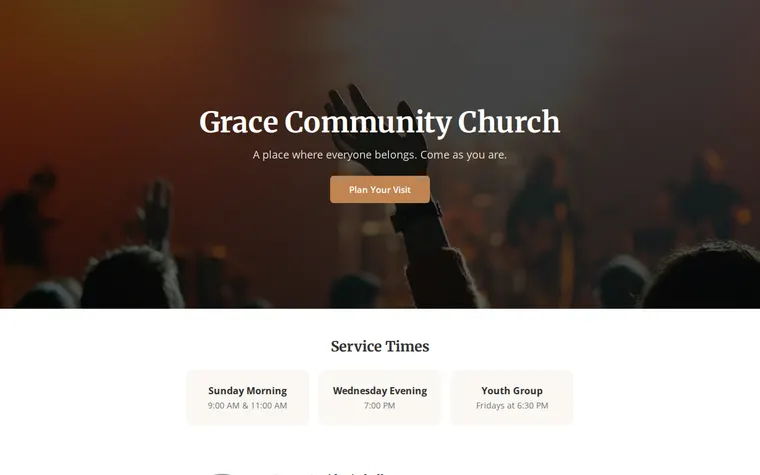
As it comes 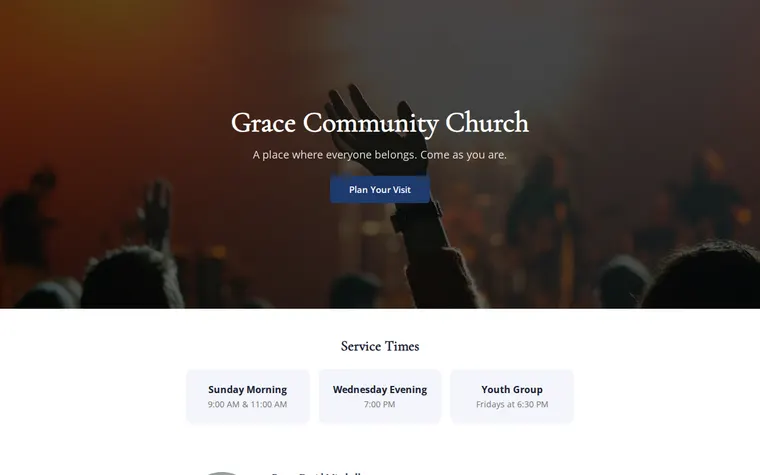
"Deep blue and gold for our cathedral" 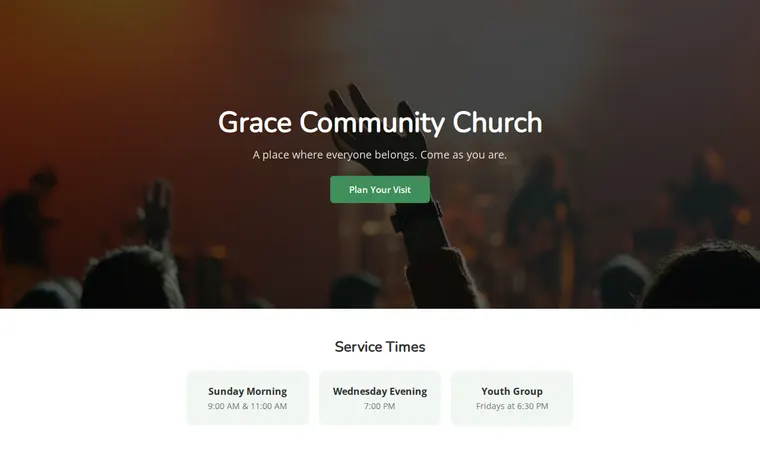
"Fresher and younger for our church plant"
More things to ask for
- Add a Christmas and Easter services section.
- Add a button to give online.
- Embed a map under our address.
- Add a link to watch the Sunday livestream.
- List our small groups with the day each one meets.
What's on the page
Welcome
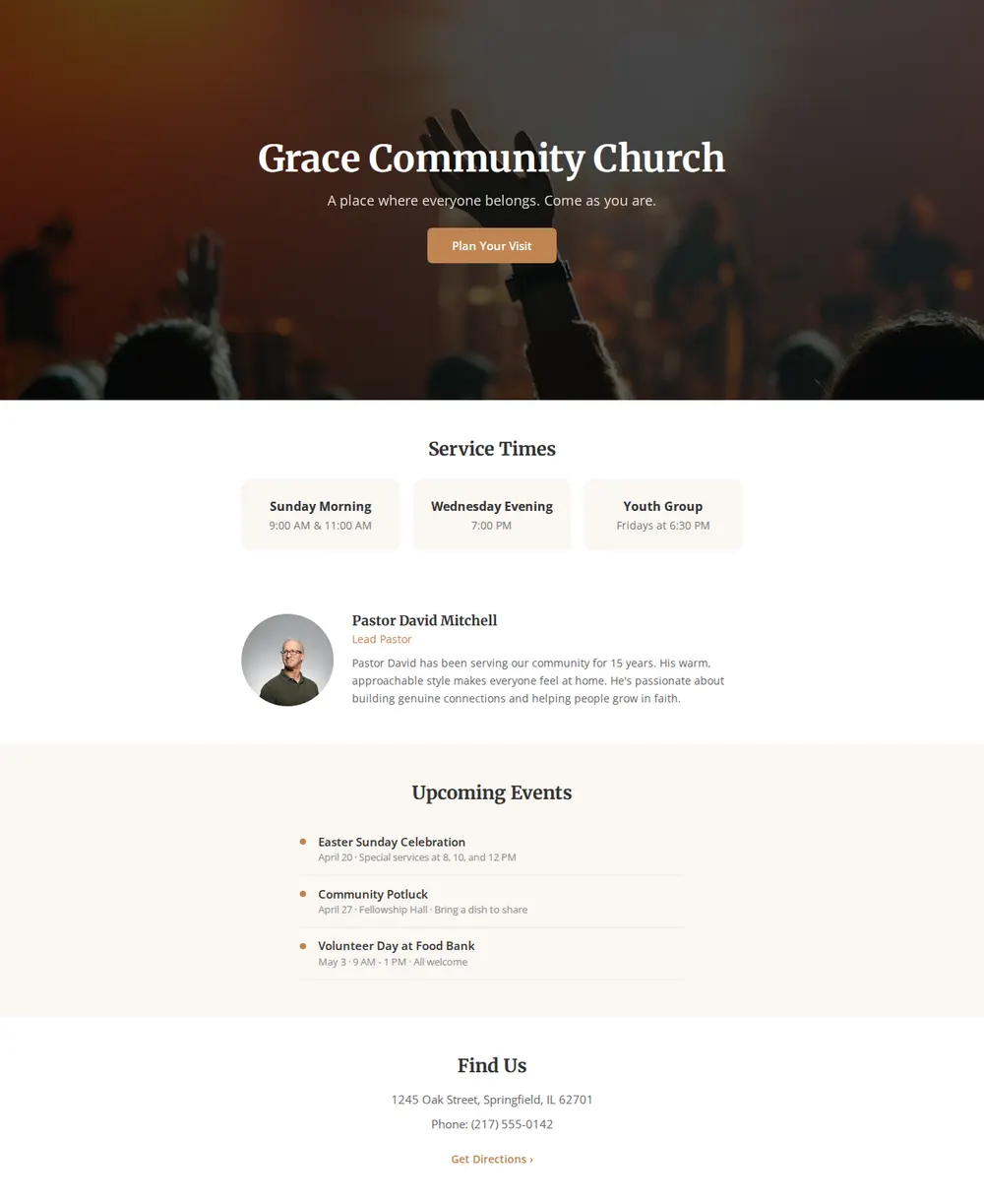
Your church name over a photo, a line of welcome and a button to plan a visit.
Service times
Sunday services, a midweek gathering and the youth group, each in its own card.
Your pastor
A portrait, their name and role and a few lines about them.
Upcoming events
A short list with dates and details, from a potluck to a volunteer day.
Find us
Address, phone number and a link for directions.
Where you'll share it
In the bulletin and on the noticeboard
Print the link or a QR code so newcomers can find service times again.
Your Google Maps listing
Add it as your website so people searching for a church nearby see when you meet.
When the rota changes
Update the events or times and everyone who has the link sees the change.
Two ways to start
Let your AI write it
Copy the prompt, answer the questions, and get a page built around your details.
Start from this design
Open this exact page in the paste page editor, swap in your words and photos, and publish.
Use this templateOr skip the template. Make something weird and put it live the same way.
Questions
- Is the church website template free?
- Yes. Copy the prompt or use the template, then sign up free to claim your link.
- Is the church template enough for a small church website?
- For most small churches, yes. Visitors mainly want service times, an address and a friendly face, and that all fits on one page. Ask your AI to add sections as you need them.
- Does the church template work for a mosque, temple or synagogue?
- Yes. Tell your AI your faith and tradition when it asks, and it changes the wording, the times and the events to fit. Change the colours too if you like.
- Can someone at church update the service times without technical help?
- Yes. They can change the text in the paste page editor, or ask an AI for the new version and paste it in. The link stays the same.
- Can the church page take online giving?
- Add a button to your existing giving page, such as Tithe.ly, PayPal or your denomination's portal. Give your AI the link and say where to put it.
More community templates
- Community / ClubJoin, meet, belong.
- Neighbourhood GroupLocal news and events.
- Non-profit / CharityMission, impact, donate.
- FundraiserCause, goal, donate.