Make it with your AI. Host it on paste page.
Musician website template for bands and artists
Ask your AI for a band page with a big live photo, tour dates, your songs and a merch link. Paste it into paste page and share the link with fans.
Copy the prompt paste what your AI writes live at paste.page/the-velvet-roots
Works with any AI chat
- ChatGPT
- Claude
- Gemini
- Copilot
- Grok
How it works
From prompt to band website in three steps
Your AI writes the page. paste page puts it online.
Copy the prompt below into ChatGPT, Claude or any AI. It asks for your artist or band name, genre, a short bio, streaming links, upcoming shows with city and venue, your merch store and a press photo, then writes the whole page.
Paste the code into paste page and pick a name for your page.
You're live. Pick your link, such as paste.page/the-velvet-roots, and publish. Then add it to your Spotify artist profile and your socials.
Your prompt
Copy it into your AI chat
I want to create a musician or band page. Ask me: 1. What's the artist or band name? 2. What genre? 3. What's the bio? (a few sentences) 4. What are your streaming links? (Spotify, Apple Music, etc.) 5. Any upcoming tour dates? (date, city, venue for each) 6. What's the merch store link? 7. What's the press photo URL? Then generate the complete single-file HTML page with inline CSS. Make it beautiful and responsive.
Your photos
Add your press photo and live shots
Upload them in the paste page editor and each one gets its own link. Give those links to your AI and ask it to use them, or swap them in yourself.
A band photo for the header, a crowd shot from your last show, the cover of your newest record.
Use this press photo behind our name and put our album cover next to the Music section.
No photos yet? Your AI uses placeholders you can swap after publishing.
Change anything by asking
Keep talking to your AI after it writes the page. Ask for new colours, fonts or sections in plain words and it rewrites the page. Paste the new version in and your link stays the same.
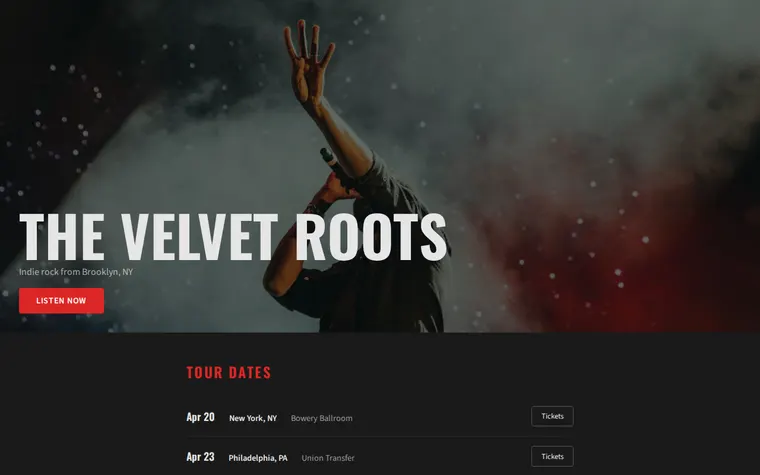
One band page, four sounds. Each is one sentence to your AI.
As it comes 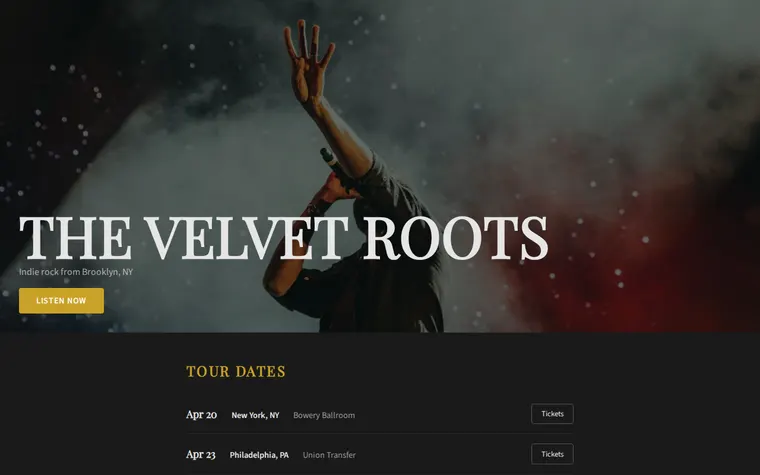
"Gold on black for our jazz trio" 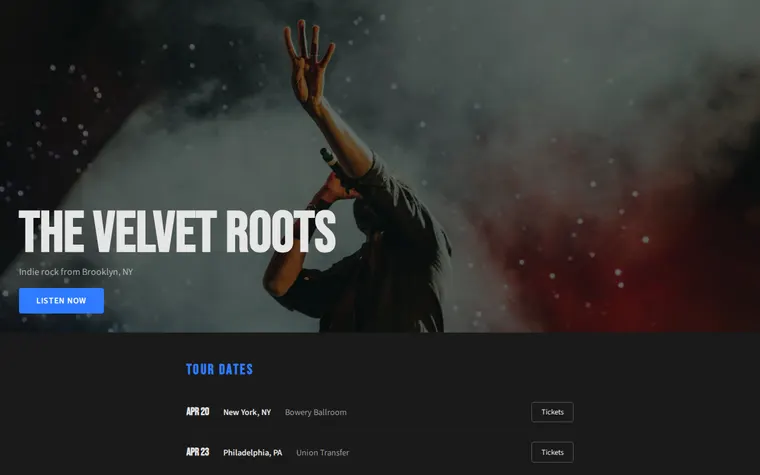
"Electric blue for my DJ nights" 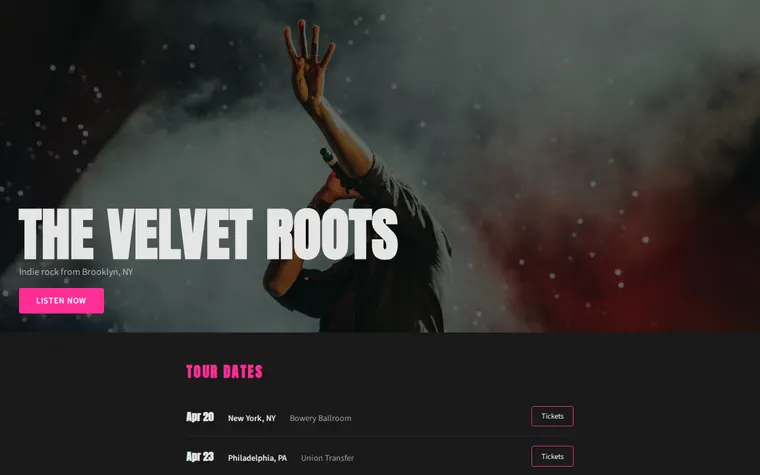
"Hot pink, louder, more punk"
More things to ask for
- Add a short bio under our name.
- Embed our Bandcamp player in the Music section.
- Mark the Chicago show as sold out.
- Add a booking email for promoters.
- Put a video of our last gig under the tour dates.
What's on the page
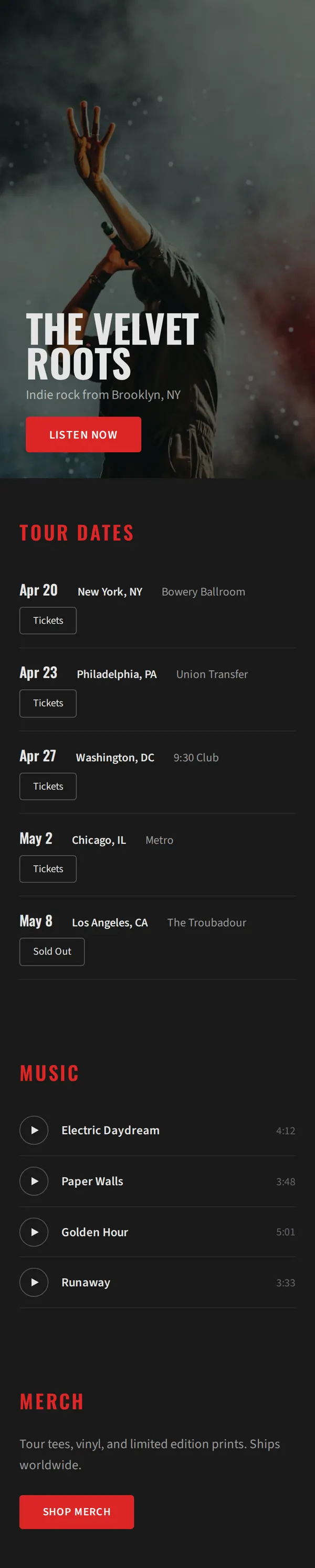
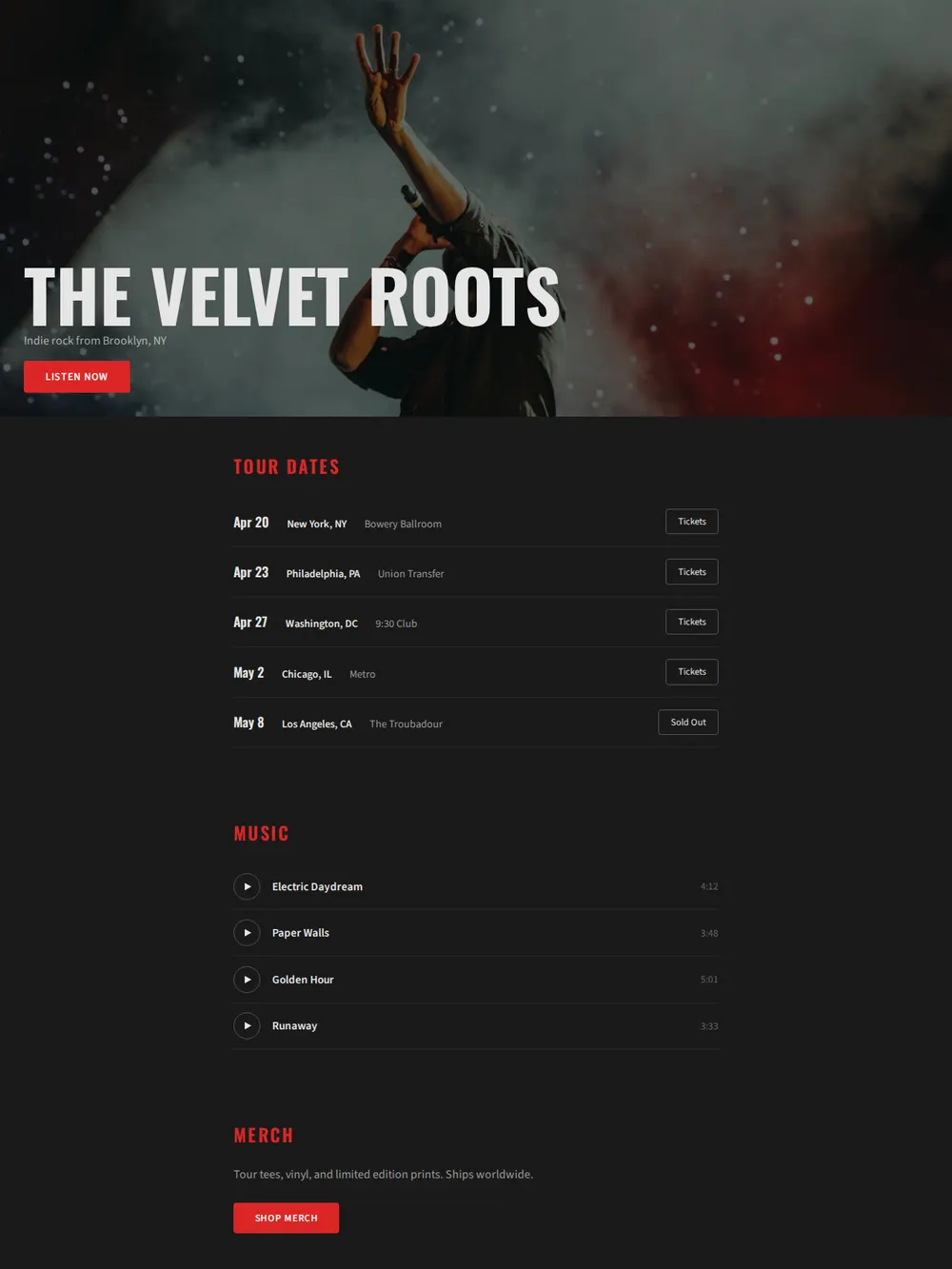
Header photo
Your band name in big capitals over a live shot, with your genre and hometown and a Listen Now button.
Tour dates
Each show with its date, city and venue, plus a Tickets button. Sold-out dates say so.
Music
Your tracks with their running times. Ask for a Spotify or Bandcamp player if you want them to play.
Merch
A line about your tees, vinyl and prints, and a button to your shop.
Where you'll share it
On posters and flyers
Print the link or a QR code so people at the bar can find your next show.
In emails to promoters
One link with your sound, your dates and where you've played.
When the tour is announced
Add the new dates, paste the page in again, and every link you've shared shows them.
Two ways to start
Let your AI write it
Copy the prompt, answer the questions, and get a page built around your details.
Start from this design
Open this exact page in the paste page editor, swap in your words and photos, and publish.
Use this templateOr skip the template. Make something weird and put it live the same way.
Questions
- Is the musician website template free?
- Yes. Copy the prompt or use the template, then sign up free to claim your link.
- Does the band website template work for a solo artist or a DJ?
- Yes. Tell your AI you play solo or DJ, and it changes the wording and sections to fit, for example residencies in place of a tour.
- Can the Music section on my band page play our songs?
- As it comes, the tracks are a list. Ask your AI to embed your Spotify, Bandcamp or SoundCloud player and they play on the page.
- Do the Tickets buttons on the tour dates sell tickets?
- They link to wherever you sell them, such as the venue, Dice or Eventbrite. Give your AI the link for each show.
- I only need a page of links for my Instagram bio. Is there something smaller?
- Yes. The musician Link in Bio template keeps it to your photo, latest release and streaming links.
More creative templates
- Musician Link in BioDark, album art vibe. Perfect for artists and bands.
- Album / EP ReleaseListen, stream, buy.
- Concert / GigDate, venue, tickets.
- PodcastEpisodes, subscribe, about.