Make it with your AI. Host it on paste page.
Fitness website template for trainers and coaches
Tell your AI what you coach and it makes a Link in Bio page with your photo, specialties and booking buttons. Paste it into paste page and it's live.
Copy the prompt paste what your AI writes live at paste.page/marcus-cole
Works with any AI chat
- ChatGPT
- Claude
- Gemini
- Copilot
- Grok
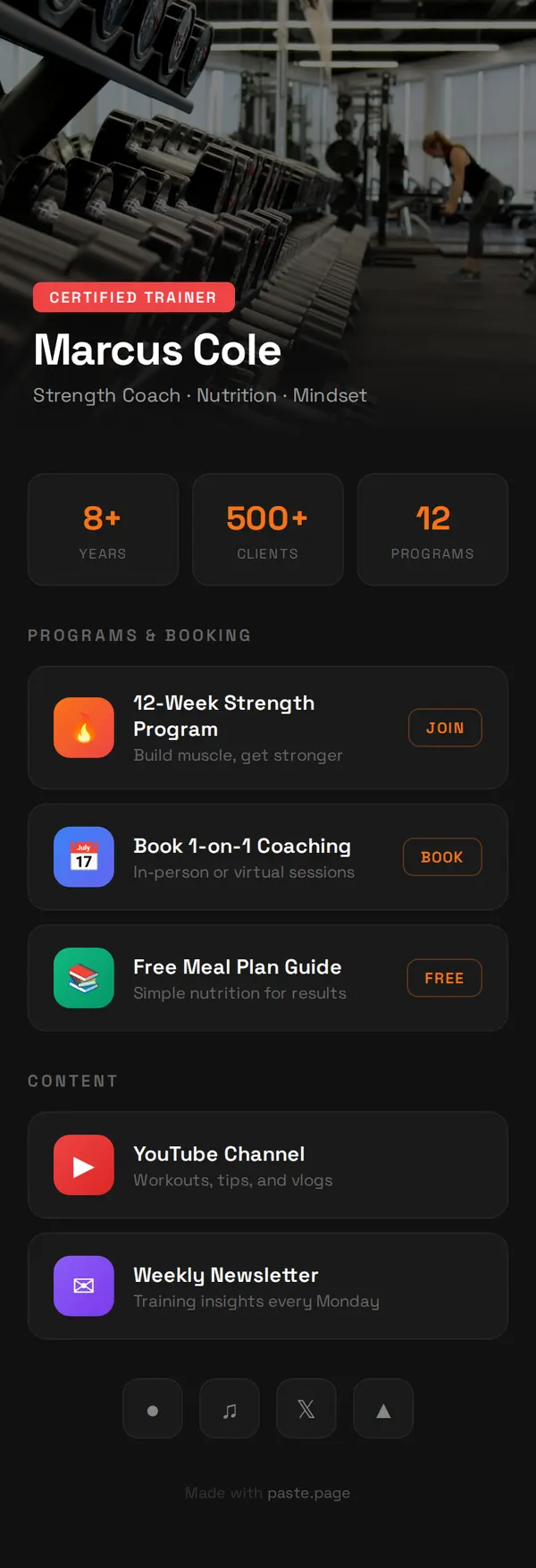
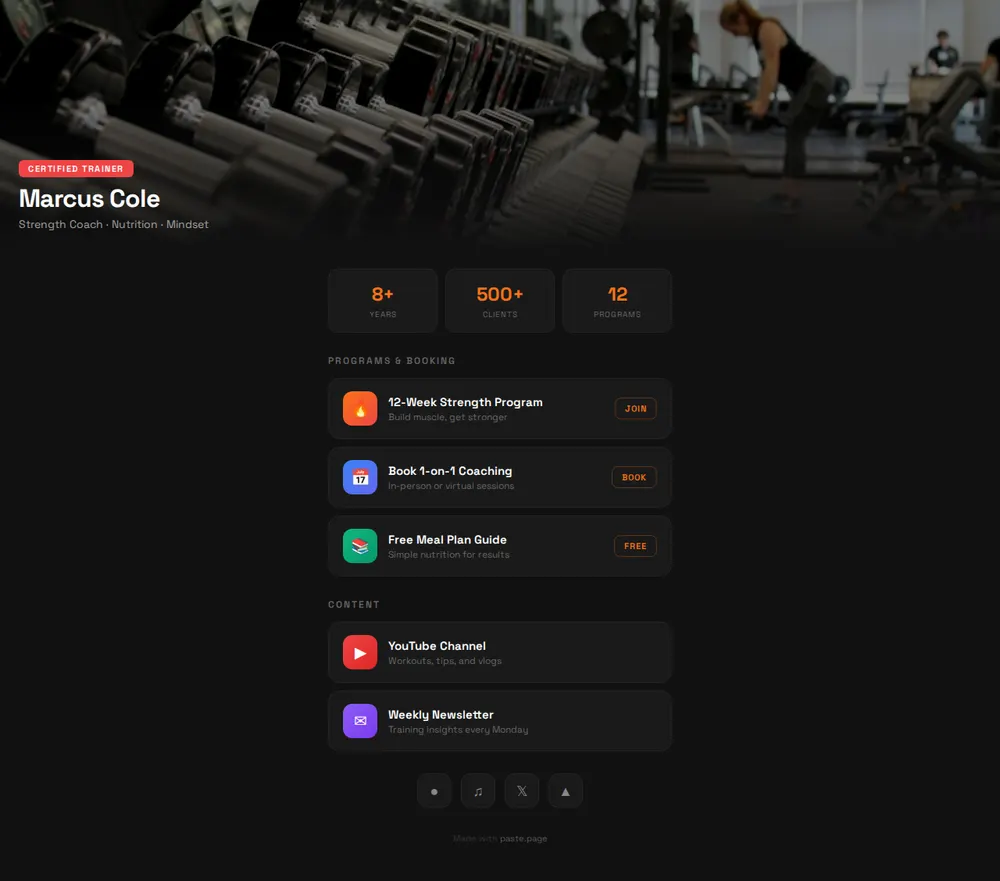
How it works
From prompt to trainer page in three steps
Your AI writes the page. paste page puts it online.
Copy the prompt below into ChatGPT, Claude or any AI. It asks for your name or brand, the kind of training you do, a profile photo, the links you want (booking, app, socials), your certifications and any class times or location, then writes the whole page.
Paste the code into paste page and pick a name for your page.
You're live. Pick your link, such as paste.page/marcus-cole, publish, and put it in your Instagram and TikTok bio.
Your prompt
Copy it into your AI chat
I want to create a fitness link-in-bio page. Ask me: 1. What's your name or brand? 2. What type of fitness? (yoga, CrossFit, personal training, etc.) 3. What's your profile photo URL? 4. What links to include? (class booking, app, social media) 5. What certifications or specialties? 6. Any schedule or location info? Then generate the complete single-file HTML page with inline CSS. Make it beautiful and responsive.
Your photos
Add a photo from the gym floor
Upload them in the paste page editor and each one gets its own link. Give those links to your AI and ask it to use them, or swap them in yourself.
You mid-lift or coaching a client for the header, a shot of your studio, a before-and-after a client is happy to share.
Use this photo of me coaching for the header and make it a bit less dark.
No photos yet? Your AI uses placeholders you can swap after publishing.
Change anything by asking
Keep talking to your AI after it writes the page. Ask for new colours, fonts or sections in plain words and it rewrites the page. Paste the new version in and your link stays the same.
One trainer page, four kinds of training. Each change is a single sentence.
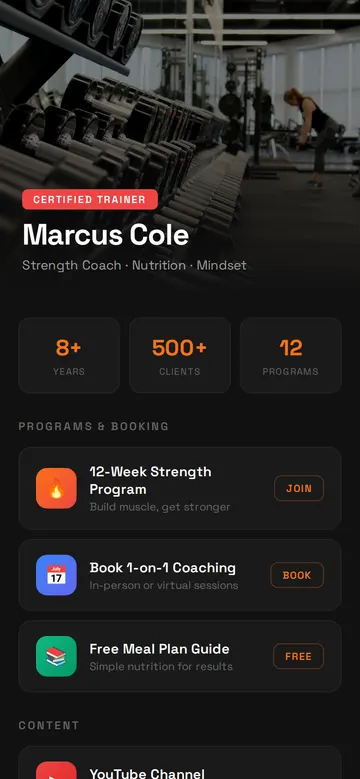
As it comes 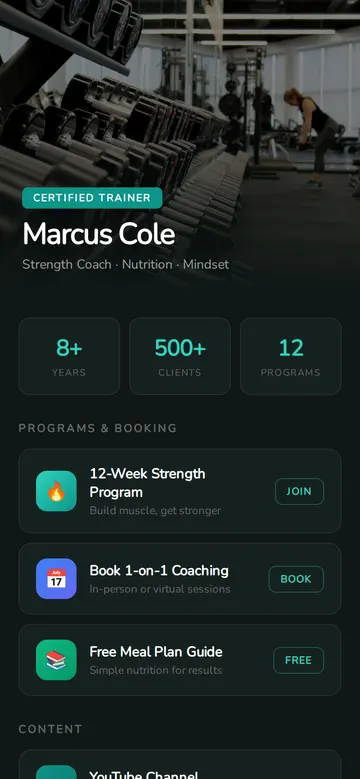
"Calm teal for my yoga classes" 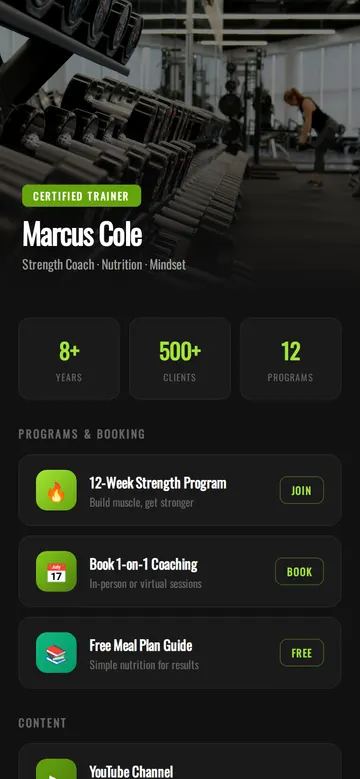
"Lime green and a heavier font for my CrossFit box" 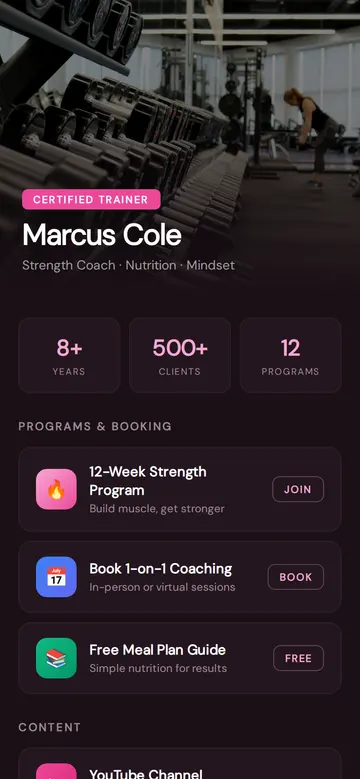
"Soft pink for Pilates"
More things to ask for
- Add my weekly class timetable under the stats.
- Change the badge to say Level 3 Personal Trainer.
- Add a button to message me on WhatsApp.
- Swap Strava for a link to my training app.
- Add two short client quotes before the socials.
What's on the page
Header photo
A full-width photo with a badge for your qualification, your name and what you coach.
Your numbers
Three quick stats, such as years coaching, clients trained and programmes.
Programmes and booking
Buttons for your training programme, one-to-one sessions and a free meal plan, each with a short Join, Book or Free label.
Content
Your YouTube channel and weekly newsletter.
Socials
Small buttons for Instagram, TikTok, X and Strava.
Where you'll share it
Instagram and TikTok bio
One link that takes followers from your workout clips to booking a session.
On the gym noticeboard
Print a QR code for the studio wall so members can find your classes.
When a new programme opens
Move it to the top of the page and every bio link shows it at once.
Two ways to start
Let your AI write it
Copy the prompt, answer the questions, and get a page built around your details.
Start from this design
Open this exact page in the paste page editor, swap in your words and photos, and publish.
Use this templateOr skip the template. Make something weird and put it live the same way.
Questions
- Is the fitness website template free?
- Yes. Copy the prompt or use the template, then sign up free to claim your link.
- Is this a full gym website or a page for my bio?
- It's a Link in Bio page for a trainer or coach, sized for phones. If you need more, such as prices, a timetable or a section on your gym, ask your AI to add them. For a full business site, try the Small Business template.
- Can clients book a session straight from my fitness page?
- The Book button opens whatever booking link you give the AI, such as Calendly, Mindbody or your gym's app. Bookings and payments happen there, not on the page.
- Does the personal trainer website template work for yoga or Pilates teachers?
- Yes. Tell the AI what you teach and it changes the badge, stats and buttons to match. The variations above show calmer colours for yoga and Pilates.
- I want something plainer than this sporty layout. What should I use?
- The Minimal Link in Bio template keeps just your photo, a line about you and your links in black and white.
More Link in Bio templates
- Minimal Link in BioStripped back. Just the essentials.
- Creator Link in BioContent-focused. YouTube, podcast, newsletter.
- Influencer Link in BioBold gradients and social presence.
- Small BusinessSimple presence for local businesses.